12-3.5 Settings
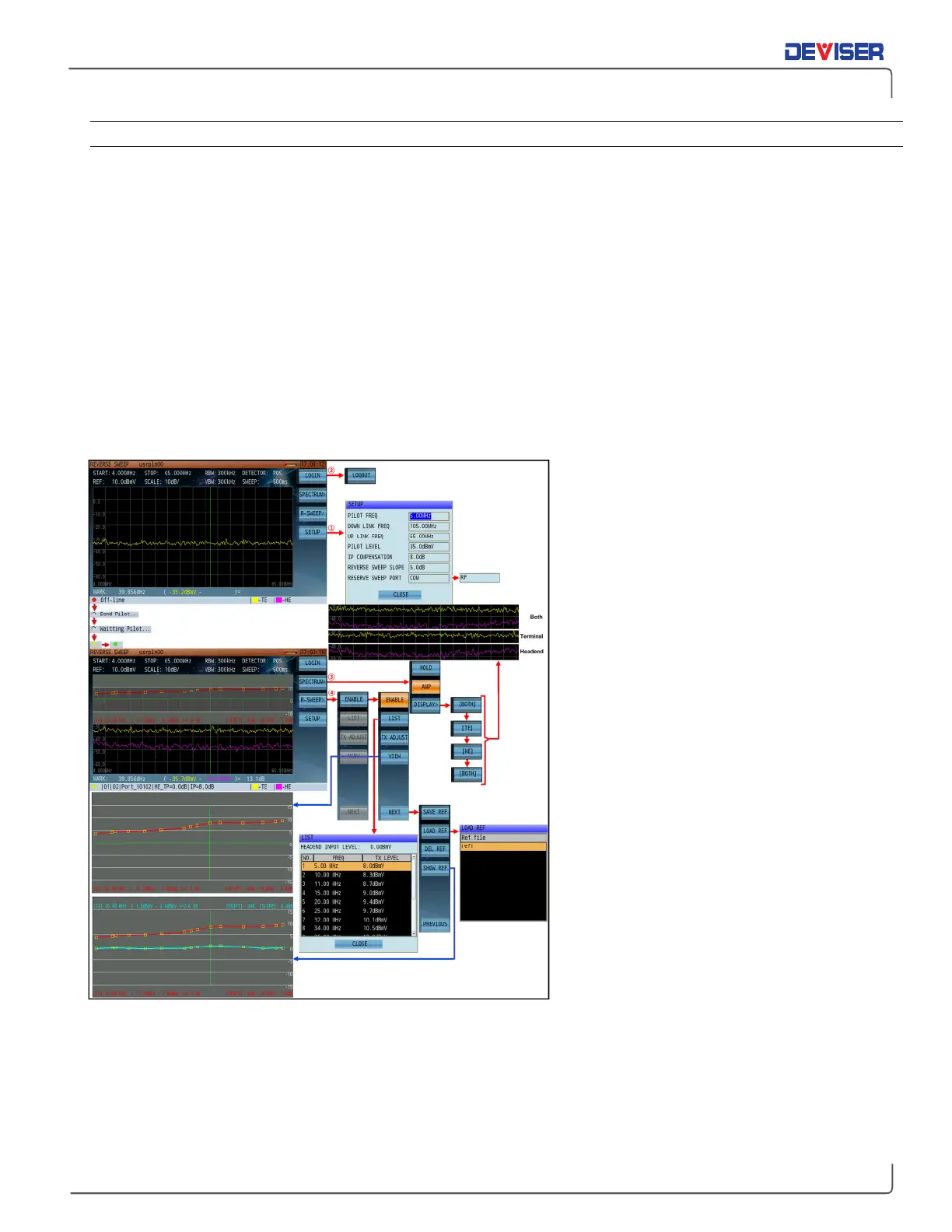
[Spectrum>] (F4)
Hold: Pauses the measurement trace. Press again to resume.
Amp: Toggles pre-amplifier on and off.
[Display>] (F3)
TE/HE/BOTH Cycles between Terminal End, Head End, and Both. The relevant spectrum trace can be
switched according to the different status: yellow (terminal spectrum trace), purple
(headend spectrum trace), yellow and purple (both spectrum traces).
[Sweep>] (F5)
When the reverse path sweep function is not registered, only local and headend spectrum curves can be
displayed, as shown below. When the function is valid, a semitransparent area will be displayed above the
spectrum curve.
Once an active reverse sweep trace is successfully synchronized from the DS2831 to the DS1610:
Press
List
(F2) to open a table of the
programmed discrete sweep trace
frequencies and their transmission levels.
Press
TX Adjust
(F3) to adjust the level of
US sweep trace being generated by the
DS2831.
Press
View
(F4) to display the reverse path
sweep content in full screen – not
including the spectrum trace – for better
sweep resolution visiblity.
Press
Next
(F7) to open the reference
trace setup menu. If this is your first time
using the reference trace function, press
Save Ref
to save a reference trace.
When you move to another location in
the network, you can then press
Load Ref
to choose a saved reference trace to
compare with the other location.
Press
Show Ref
to display the reference
trace on the screen. The marker can read
the value from the live and reference
traces at the same time for the same
frequency.



 To Next Page