Part IV: System Functions
30-3.4 Remote Assist
The DS2831 offers a PC-based remote control networking function, allowing users to conduct measurements
and check test data from any computer or tablet connected to the same network.
Select the
Remote Assist
checkbox to activate it.
If properly connected to the network, the DS2831 will display the icon in the status bar.
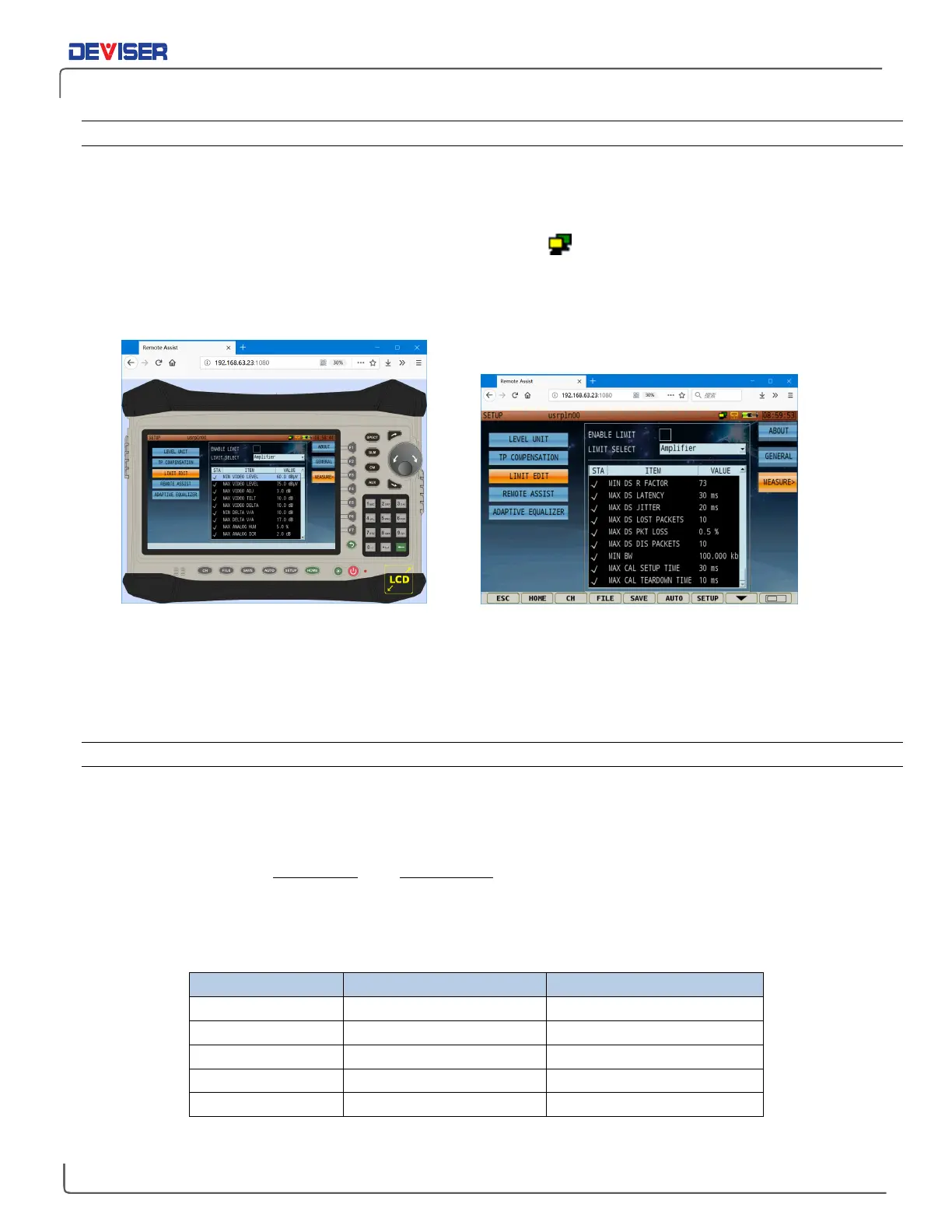
On a PC (or other device), open the internet browser of your choice. In the URL bar, enter the DS2831’s local
IP address (as found in
General > Network Settings
) and the port number 1080. Ex.: <192.168.63.23:1080>.
Browser-based Remote Control Interface: Panorama mode (left) and Lite mode (right)
In the remote assist interface, you can use a computer mouse and keyboard to navigate menus and
change settings. There are two display modes:
Panorama
and
Lite
. Panorama is designed to simulate the
DS2831 operation console, while Lite is designed for optimum visibility and text size. Swap modes by clicking
the
LCD/Shrink
icon (depending on the current view mode) located on the bottom-right.
30-3.5 Cable Modem Diplexer
Diplexers are key components in multiplex RF communication systems. A diplexer insulates the transmitted
and received signals from interference, allowing them both to send at the same time.
To ensure compatibility with the latest DOCSIS standards, the DS2831 cable modem provides two kinds of
selectable power divider: 85 / 108MHz, and 204 / 258MHz. You can select the setting of your choice in the
CM
page. Note that this setting may affect cable modem measurement results; set as needed according to
your system configuration.
A list of current major DOCSIS standards is included below.



 To Next Page