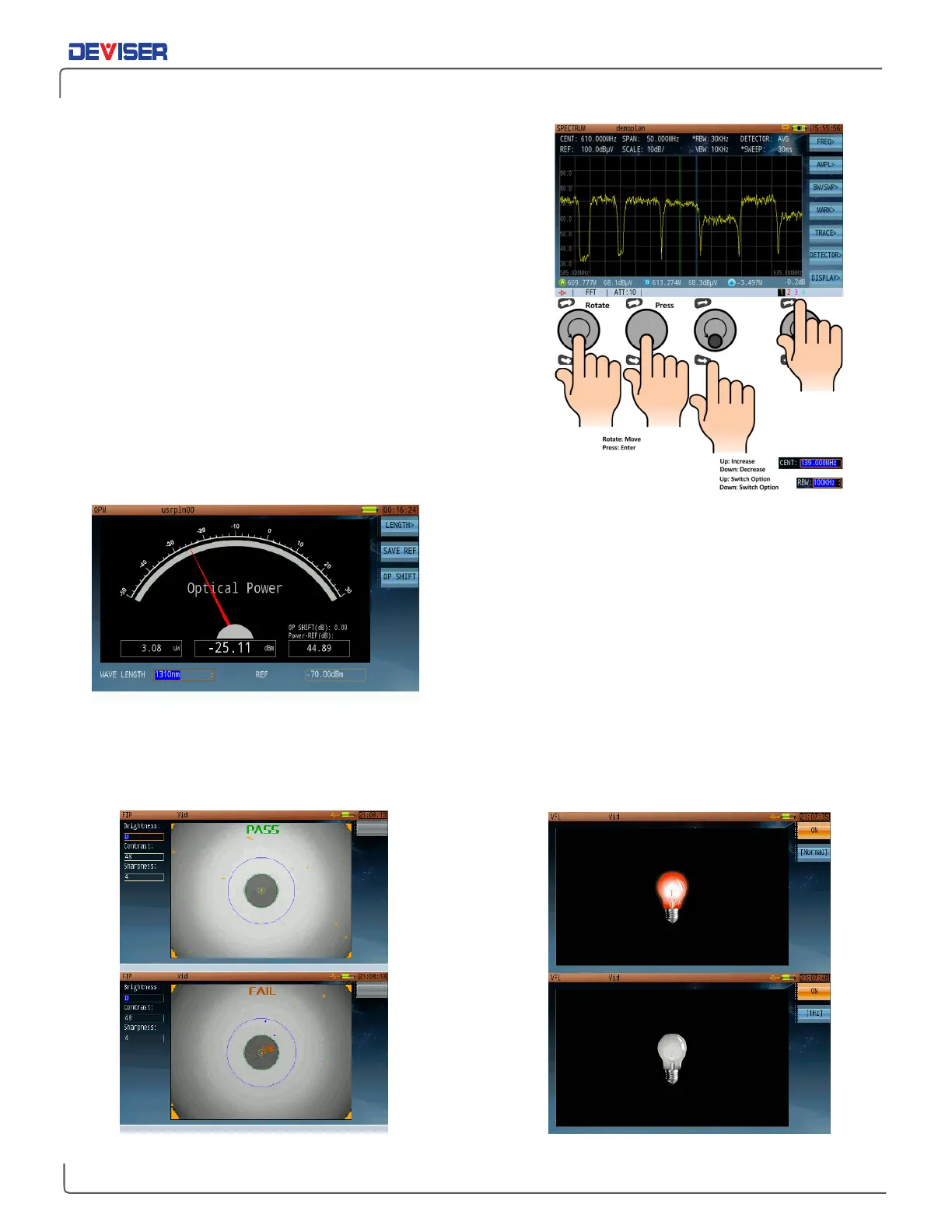
Spectrum Analysis
In Spectrum Analysis mode, press the rotary knob to bring up
the highlight selector. Then turn the knob to highlight the
setting you wish to modify. (Alternatively, just tap the setting
on the touchscreen.)
Then use the rotary knob or arrow keys to quickly set the
desired value.
Press the function buttons (labeled
F1 ~ F7
)
to navigate the
measurement settings submenus, as shown.
Optical Power Meter
Connect the fiber for testing. Press
Length
(F1), then use the
function keys (F1-F7) to select a measurement wavelength.
You can also set the reference level with the rotary knob or
arrow keys.
Fiber Inspection
Connect the fiber, adjust the view settings/focus,
then press
Diagnosis
(F1) for Pass/Fail testing.
Visual Fault Location
Connect the fiber, then press
ON
to illuminate.
Press 1 or 2 Hz to flash.



 To Next Page