Part II: Settings and Measurements
DS1610-1D Upstream Channel Settings
1.
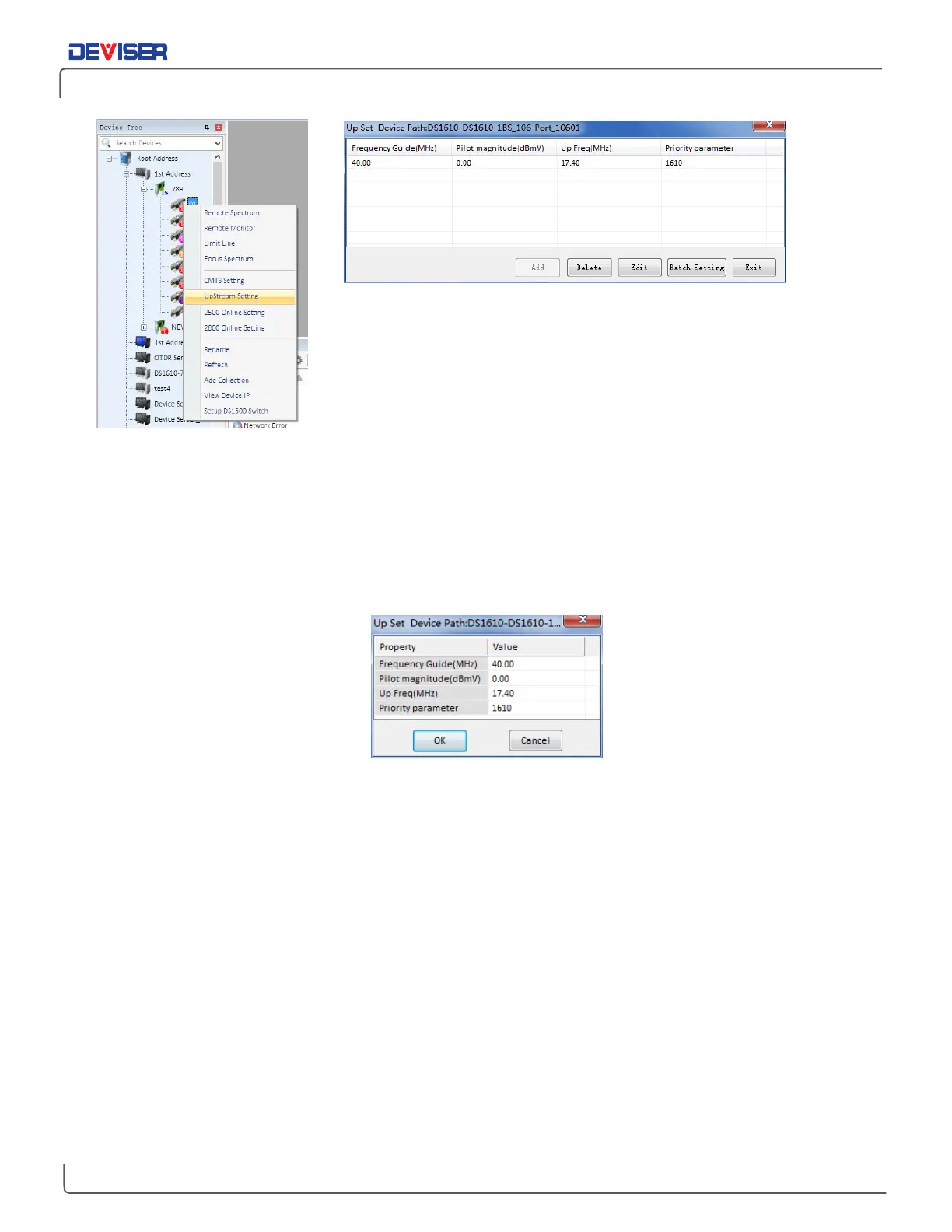
Right click the DS1610-1D icon (left) and select Upstream Setting.
2.
If entering the upstream parameter setup menu for the first time, click the "Add" button. If a set of
parameters already exists, click to highlight it and select Edit.
3.
In the parameter settings menu (below), input the upstream pilot frequency and level, then click the
"OK" to save the new settings. If settings fail to save, verify that the software was installed properly and
that the network connection is valid.
Edit DS1610 Upstream Parameters
4.
The "Batch Setting" function can be used to set several DS1610-1D boards to the same parameters
simultaneously.



 To Next Page