Online Troubleshooting, Frequency and Amplitude settings
1.
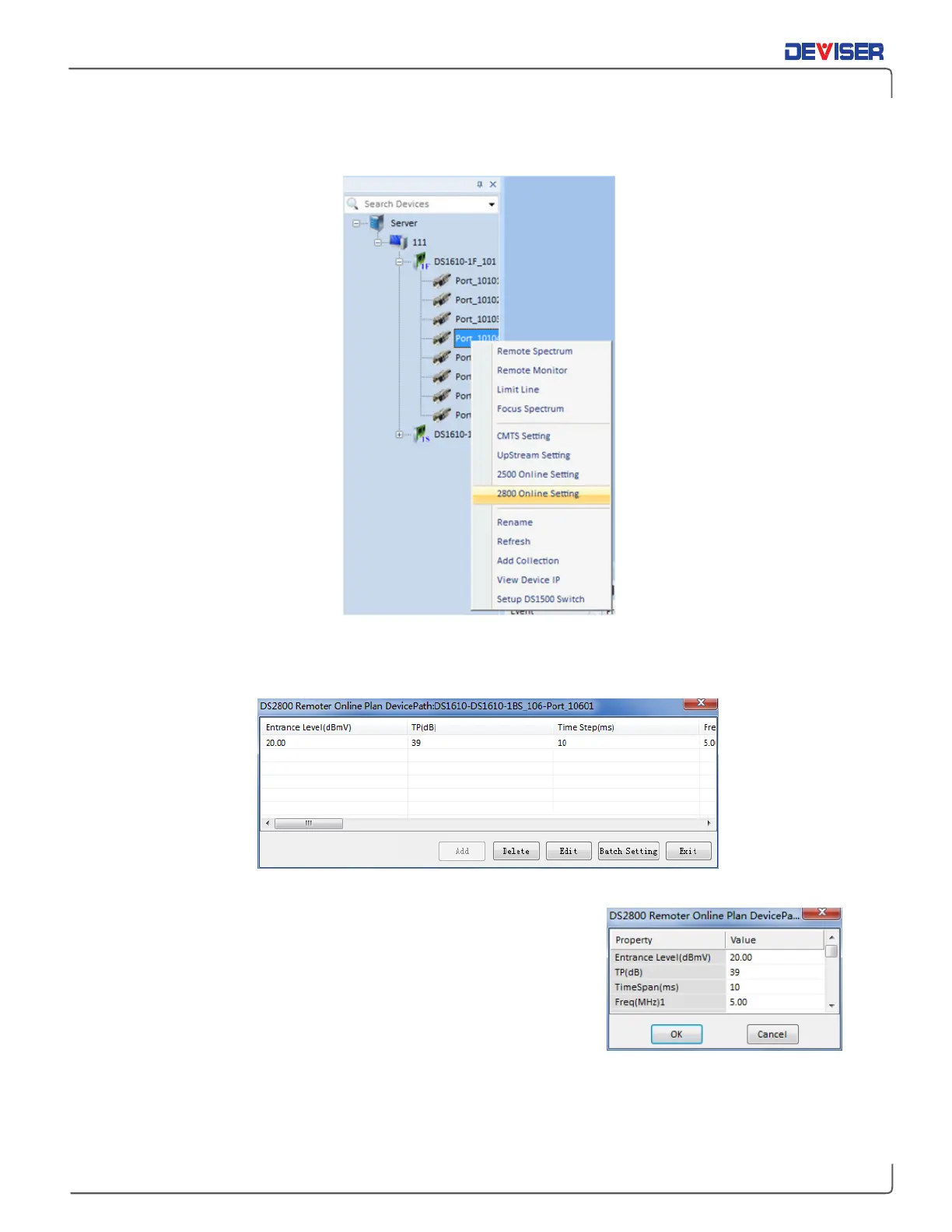
Right-click the DS1610-1D icon (shown below) and select "2800 Online Setting".
Open Online Troubleshooting Device Parameters Setting Function
2.
Setup menu: Amplitude, TP, Time step and Frequency.
Online Troubleshooting Device Parameters List
3.
Groups of frequency and amplitude can be set for each port
(1~16). Click "OK" to save these settings. If settings fail to save,
verify that the software was installed properly and that the
network connection is valid.
4.
The "Batch Setting" function can be used to set several DS1610-1D
boards to the same parameters simultaneously.



 To Next Page