ETCO2 SETUP
VF8 DELTA/DELTA XL/KAPPA 19-11
etCO
2
Setup
The etCO
2
setup menus differ slightly depending on whether the monitor is connected
to an etCO
2
module or an etCO
2
pod. The procedure for opening the setup menu,
however, is the same for both devices.
Accessing Setup Menus
Click on the main screen etCO
2
parameter box to open the etCO
2
setup menu
or
1. Press the
Menu fixed key on the front of the monitor. The Main menu
appears.
2. Click on
Patient Setup. A list of available patient setup functions appears.
3. Click on
Parameters in the second column. A list of available parameters
appears.
4. Click on
etCO2. The etCO
2
setup menu appears.
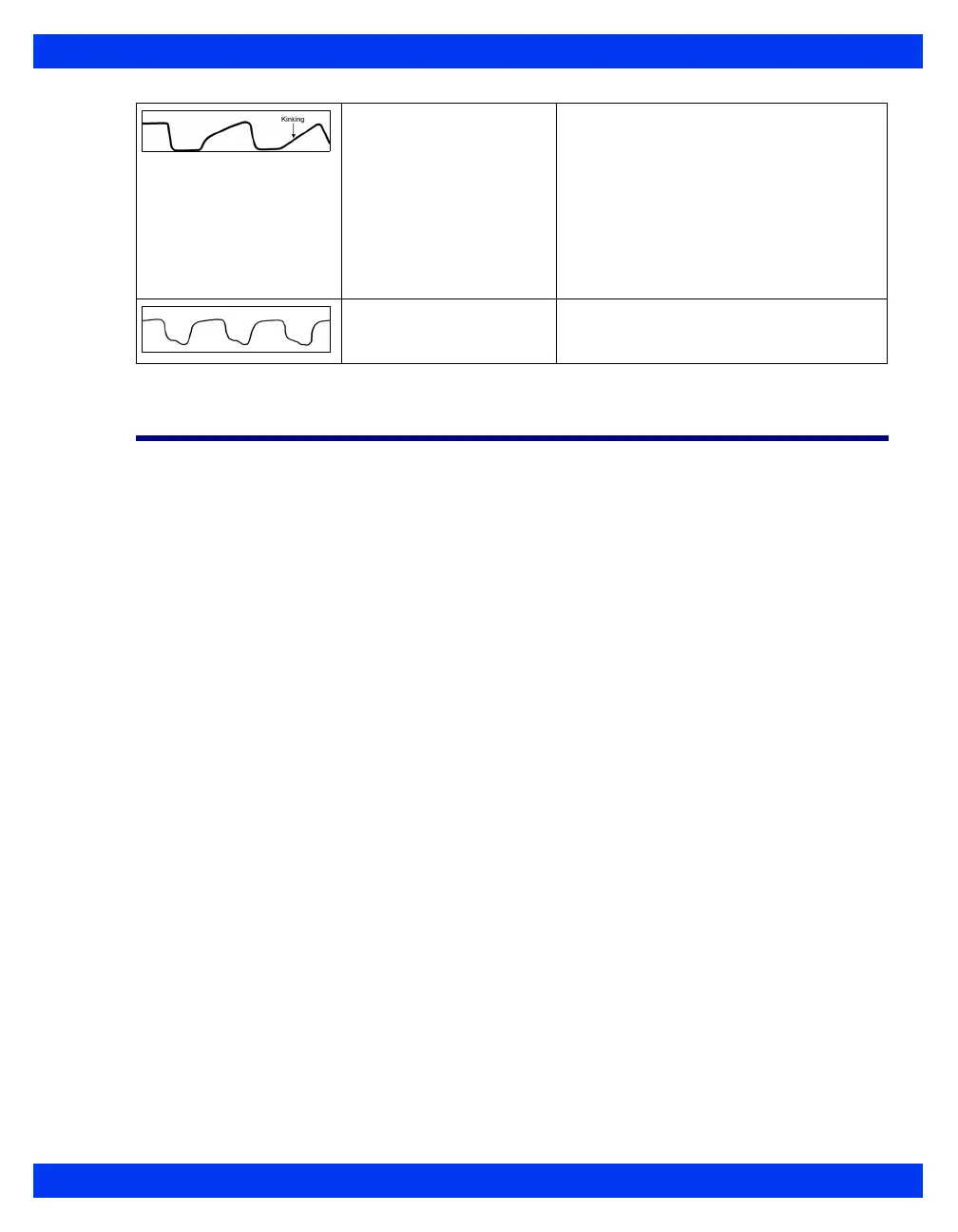
Change in slope of
ascending limb. Possible
absence of an alveolar
plateau
Obstruction in Apparatus
• Partial obstruction in expiratory limb of
breathing circuit
• Foreign body in upper airway
• Partially kinked or occluded artificial
airway
• Herniated endotracheal/tracheostomy
tube cuff
• Bronchospasm
Elevated baseline, with
pronounced slope on
descending limb
Faulty Ventilator Circuit Valve
• Rebreathing (see above)












 To Next Page