USING THE CORE VOCABULARY OVERLAY
ECO Manual
108
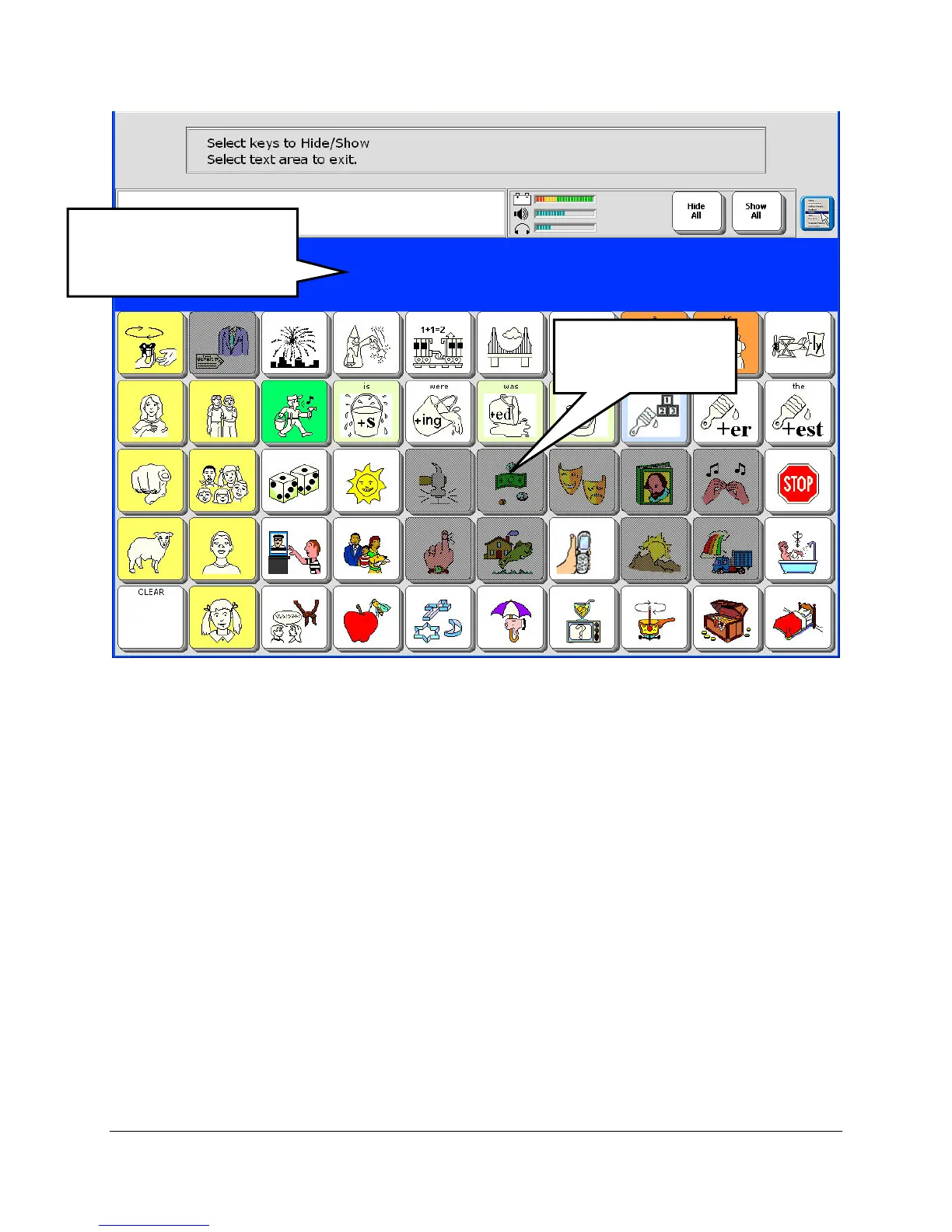
4. Select the key or keys you want to hide. When you select a key it will turn gray.
Notice that you are not allowed to hide Activity Row keys.
5. If you change your mind after you have selected a key, just select it again. It will return to its
active state. You can also use the Show All key in the Status Area.
6. When you have finished, activate the Text Display Area.
You see your overlay. Notice that the keys you have hidden are no longer visible on the overlay.
To turn the key(s) back on, repeat these steps or select the Show All option. Select the Text
Display Area to exit the menu.
The Hide/Show keys option and a Hide All option are also available in the CREATE and
MODIFY ACTIVITY and PAGE menus.
Keys you select to
hide will turn gray.
Activity keys are blocked
so that you cannot hide
them.



 To Next Page