SETTING UP YOUR DEVICE
ECO Manual
36
About Setting Up your Device
Your ability to use your device for maximum communication will depend in part on setting it up
so that it suits your individual communication needs. You might want to try different
combinations of options before you settle on the ones that you like best.
You will select set-up options from various menus in the Toolbox.
WHAT IS THIS?
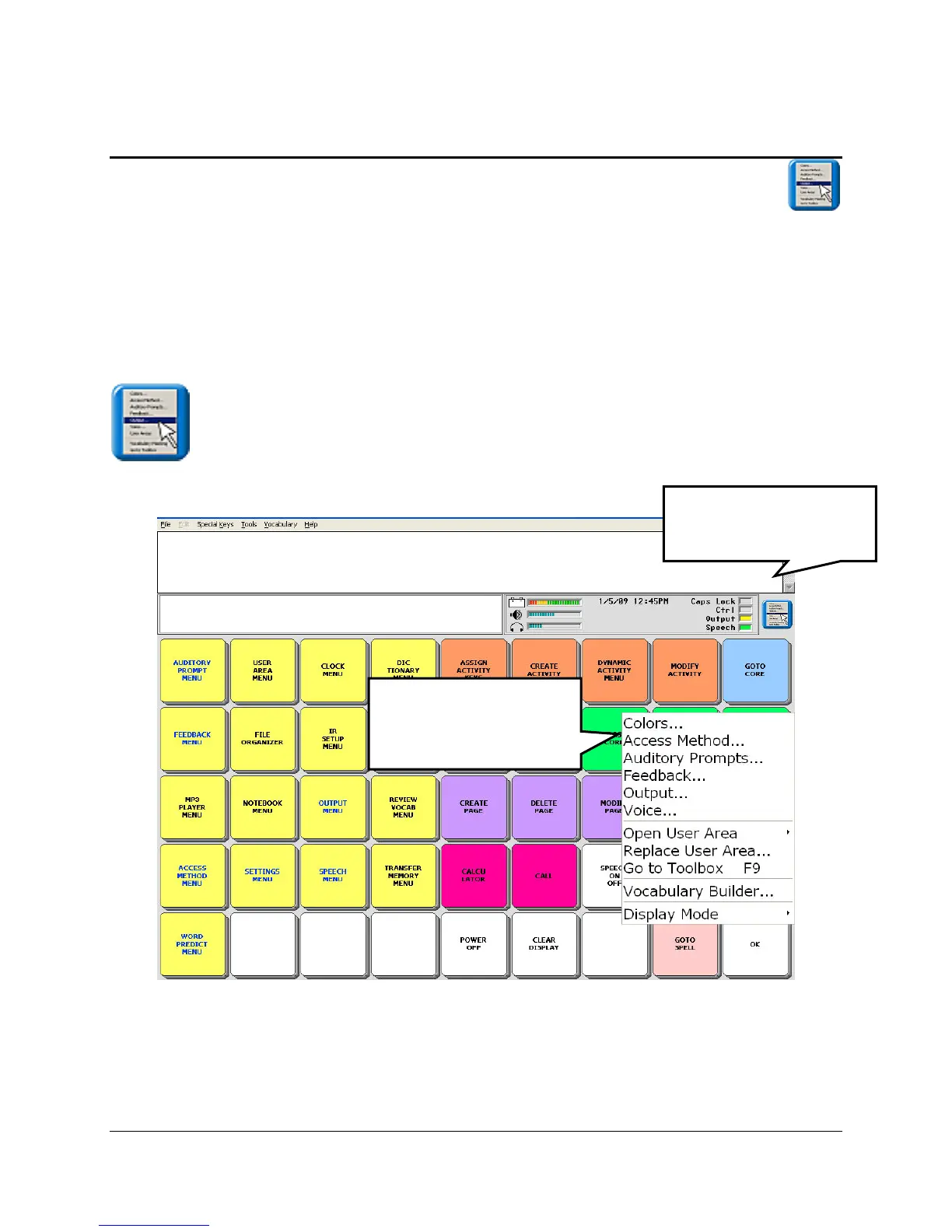
This icon indicates that the options described in a section are also available in a drop-
down menu. When you see this icon throughout the manual, you can access the option from the
mini-menu.
This mini-menu will be of most benefit to the AAC team and device programmers. The menu
icon is located to the right of the Status Display Area at the top of your display screen. To access
the menu you must tap it with your finger or a stylus. You must be in the Toolbox, your CORE,
Spelling overlay, or a Page to open it.
Press this to see the
mini drop-down menu.
Select an option from
the mini Drop-Down
Menu.



 To Next Page