GETTING ACQUAINTED WITH YOUR ECO
ECO Manual
18
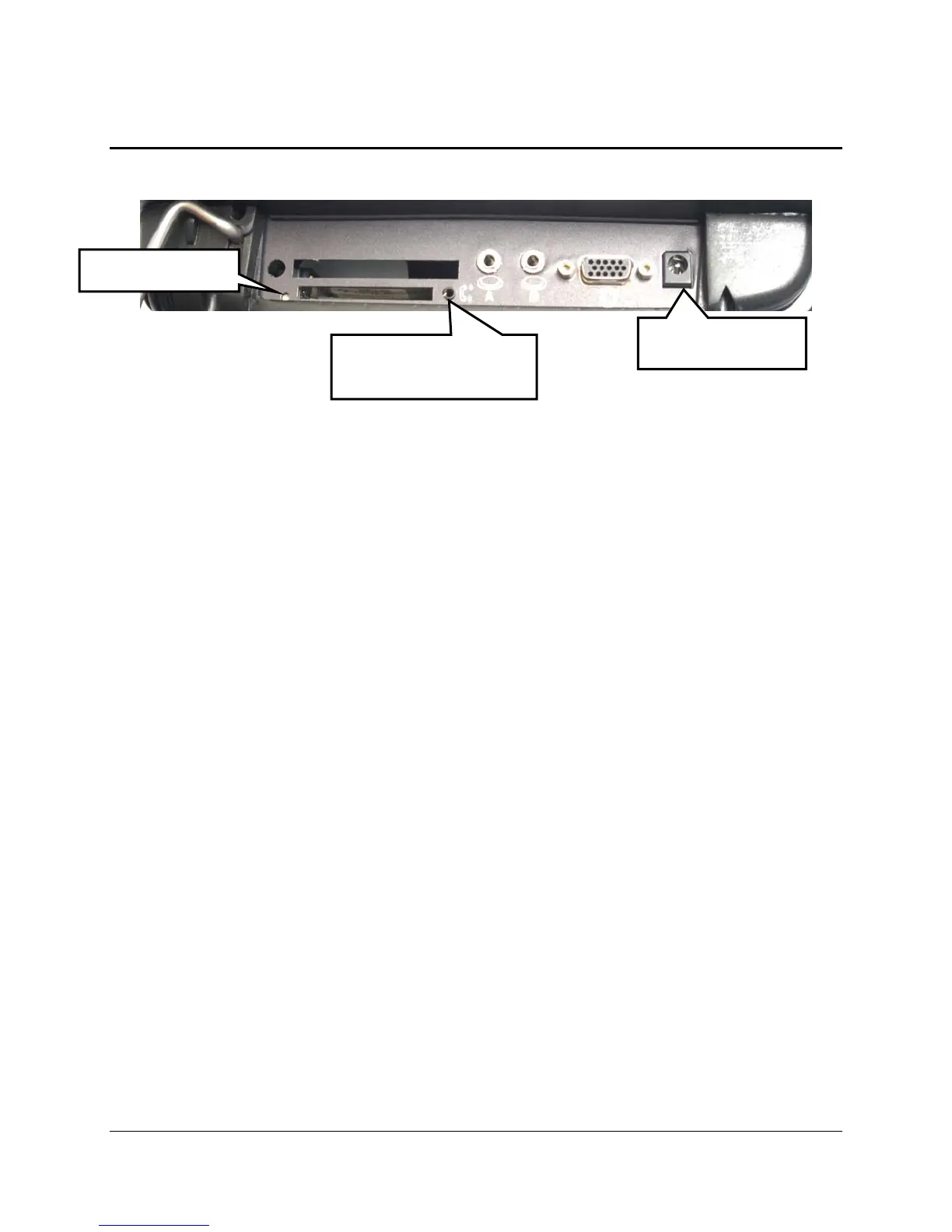
Left Side Panel
Card Slots and Connectors from Left to Right
Reset Button (circled in graphic above): Unbend a paper clip and poke it into the hole to press
the re-set button. Read Appendix L: Troubleshooting: The Internal Computer on page 336
before using this button.
PCMCIA Card Slot (large rectangular slot): will accept an AirCard, wireless card, etc.
Compact Flash Card Slot (smaller rectangular slot): will accept a storage card, network card,
Bluetooth device, etc.
Phone Card Cable Connector: an AirCard phone cable plugs in here.
Switch A and Switch B Connectors: plug single and dual switches into Switch A and Switch B
ports. A joystick will need an adapter that fits these ports.
XGA Connector: connect a computer monitor here.
Battery Charger: Plug in the battery charger that came with your device.
Re-set Button
Battery Charger
Phone Card Cable
Connector



 To Next Page