INTERNAL COMPUTER
Eco Manual
252
ON-OFF Control of Non-Remote Appliances: Using the X-
10
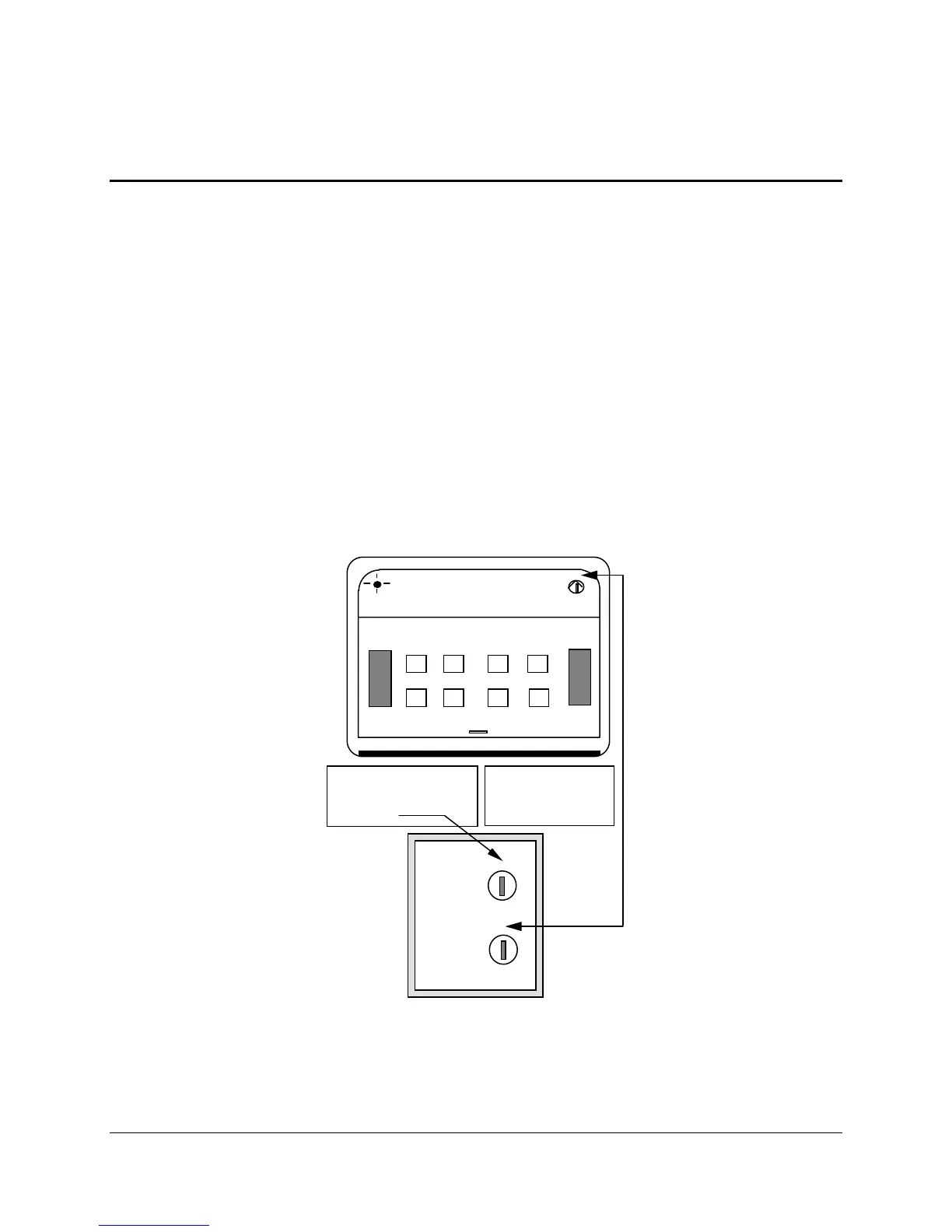
The X-10 system consists of a Command Center and various modules for appliances, lamps, wall
switches, etc. The system allows you to plug an appliance into a module and use your
communication aid to turn that appliance On and Off.
Plug the command Center into the wall. Plug your module into a wall outlet. Plug the appliance
you want to control into the module. Set the House Code to "A" on the module and the
Command Center. Select one of the numbers (1-16) to represent the appliance.
There is an X-10 page in your device that contains the 16 On-Off commands. Go to
MODIFY
PAGE
in the Toolbox and choose X-10.
Select the key that corresponds to your appliance number. The command for that number is
already stored. You can change the icon on your key if you want or add a different label.
You can get to your X-10 page from the
REMOTES activity.
A
1/5 2/6 3/7 4/8
ON
OFF
BRIGHT DIM
ALL LIGHTS ONALL UNITS OFF
1/4
5/8
E
I
M
1
9
5
13
3
7
11
15
A
C
E
G
I
K
M
O
HOUSE
UNIT
COMMAND CENTER Receive
Appliance Power Module
Make sure the two
HOUSE codes are
the same
A Unit code (number)
must be given to each
appliance



 To Next Page