INTERNAL COMPUTER
Eco Manual
240
Teach Remote Control Signals to your Device
Teach remote control signals for the devices that are in your
REMOTES Activity.
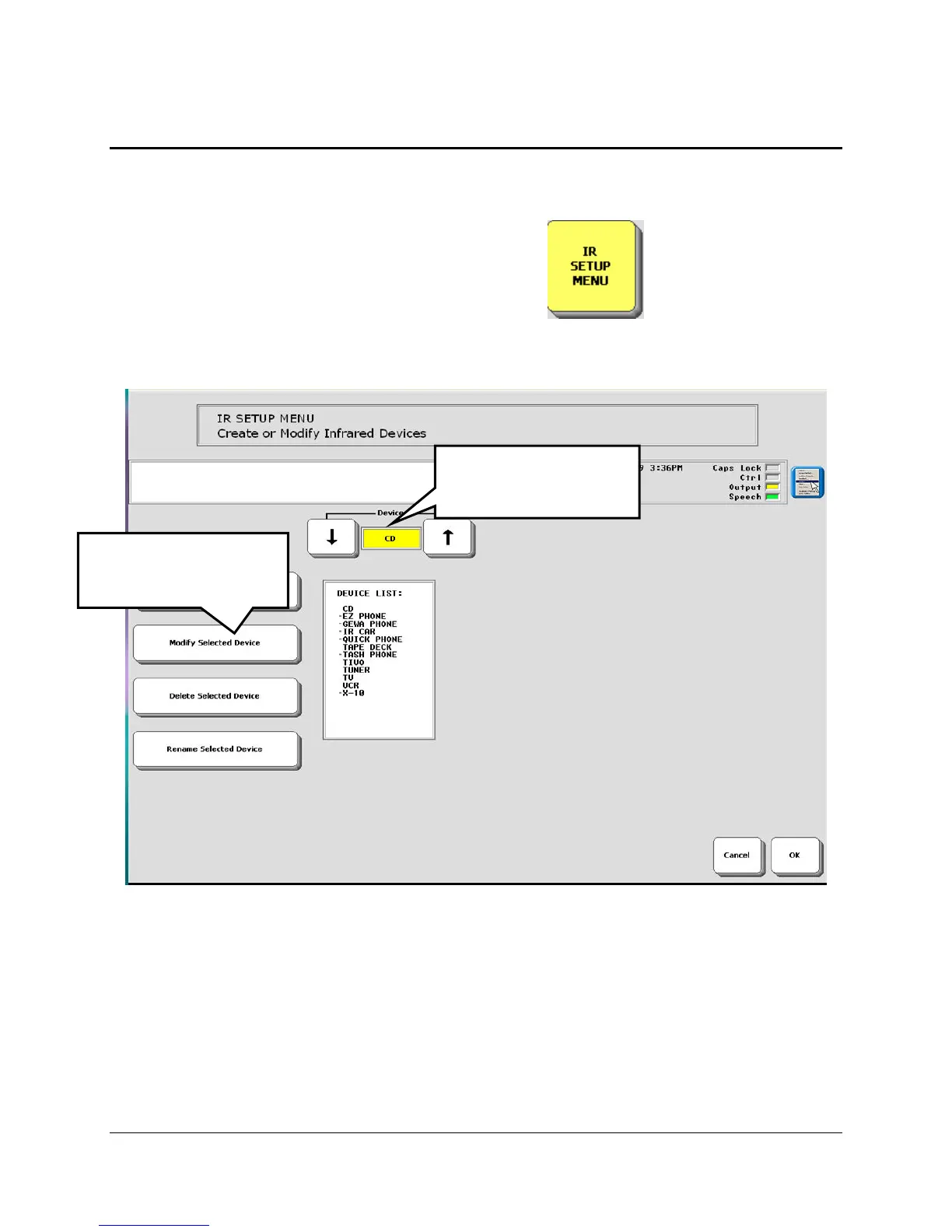
1. Go to the Toolbox and open the
IR SETUP MENU.
2. Activate the arrow keys in the
Device box to select the device whose signals you want to
teach, e.g., TV.
3. When the name of the device you want is in the yellow
Device box, activate the Modify
Selected Device key.
4. Activate the arrow keys for the
Function box to select the function that you want your device
to learn, e.g., "Power".
1. Select the IR
device you want.
2. Select
Modify Selected
Device



 To Next Page