GETTING ACQUAINTED WITH YOUR ECO
ECO Manual
14
The Top of the ECO
DVD/CD Player
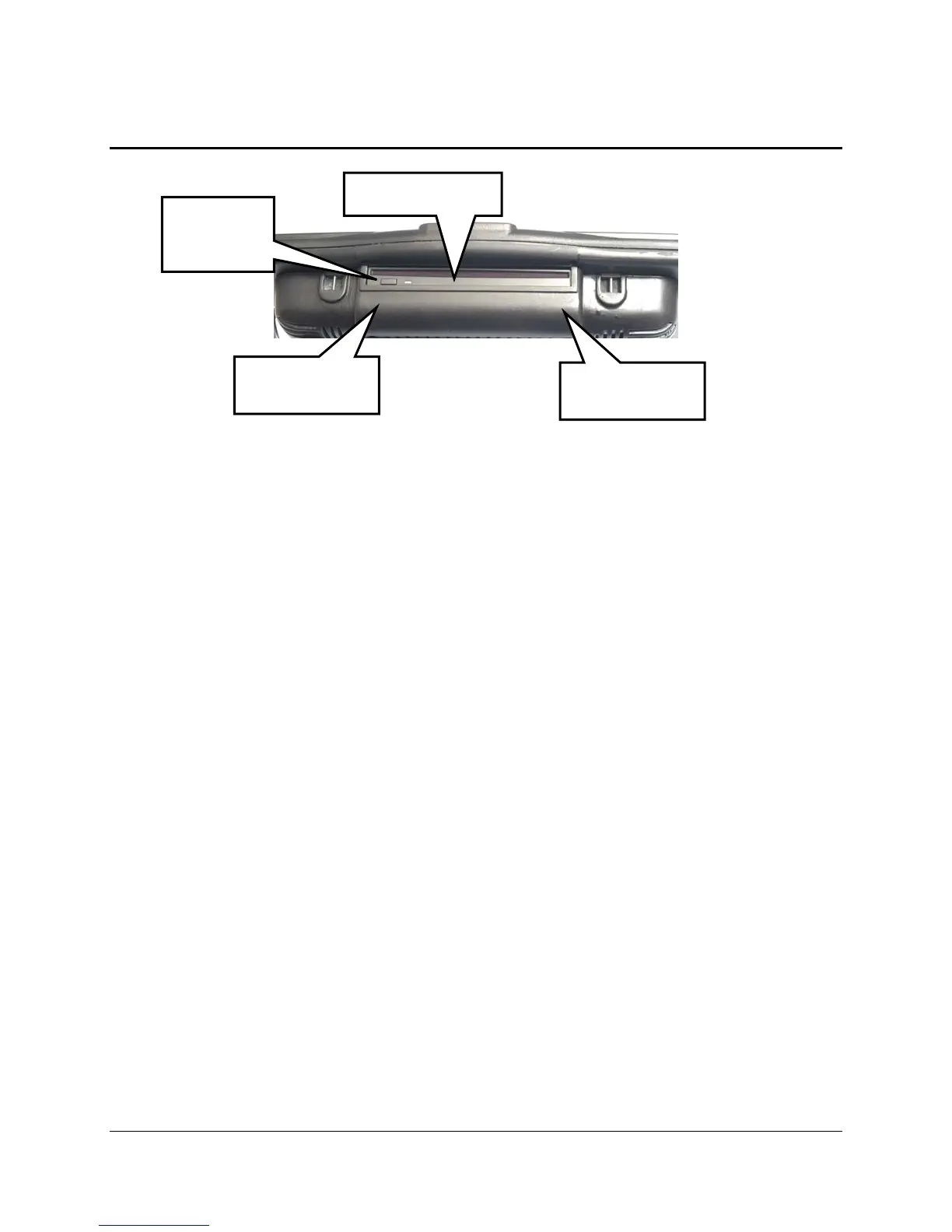
The DVD/CD player is at the top of the case above the rounded area. Use this to play movie
DVDs, Audio DVDs and CDs. If you purchased the optional internal computer, you can also
install software and burn CDs using the DVD player.
To Use: If your device is On, simply slide a disk into the CD/DVD Player. The device will
accept it. If your device is Off, slide a disk about half-way into the player, then turn your device
On. The ECO will accept the disk. Press the small button on the Player door to eject a disk.
Learning Infrared Area
Sending Infrared Area
The rounded area below the DVD player is the learning and sending infrared area. You point a
remote control at this area to teach remote control signals to your ECO. When the ECO is
sending remote control signals to control things like a TV or DVD player, this window must be
facing in the general direction of the object you want to control.
DVD Player
Learning IR
Area
Sending IR
Area
Eject
button



 To Next Page