USING THE CORE VOCABULARY OVERLAY
ECO Manual
107
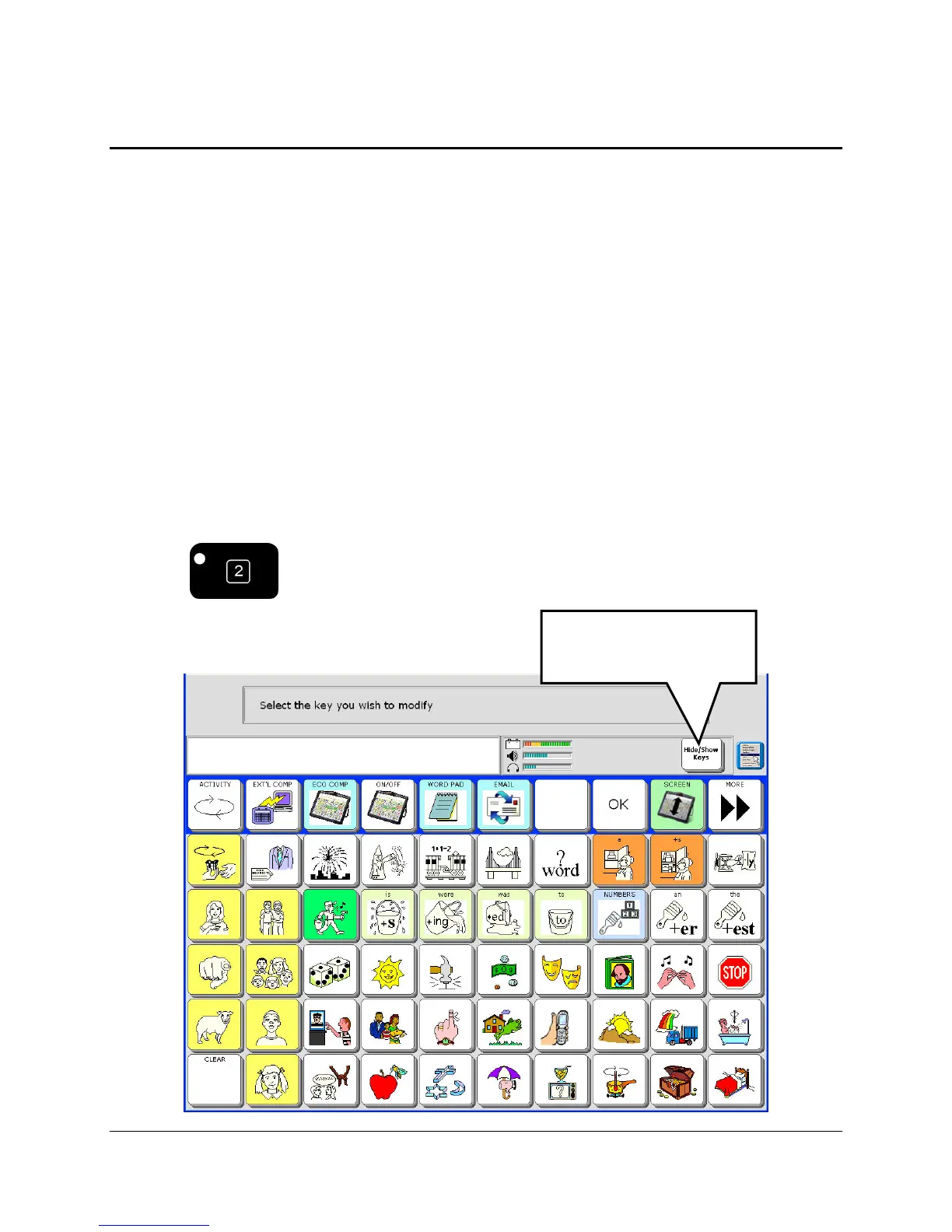
Hide Vocabulary Keys
This option works well with single hit vocabulary. Use the VOCABULARY BUILDER
MENU to hide multiple-key sequences. (See Appendix F beginning on page Error!
Bookmark not defined. for information on Vocabulary Building.)
If you are just beginning to learn about your vocabulary, you might want to use only a few keys
on your overlay. You can hide all the keys that you don’t need. When you are ready to learn
about more keys, you can turn the hidden keys back on (“show” them) and add them to your
overlay.
When you hide a key, you are telling it to quit working. You can’t even see the icon on the
overlay anymore. If you activate the space where the icon used to be, nothing will happen. In
effect, you are turning the key off so that you can’t use it.
To Hide Core Vocabulary Keys:
1. Make sure you are in your Core vocabulary overlay.
2. Select the SET-UP key.
3. Select the Hide/Show Keys option.
The Hide/Show Keys
option appears.



 To Next Page