USING THE CELL PHONE
Eco Manual
220
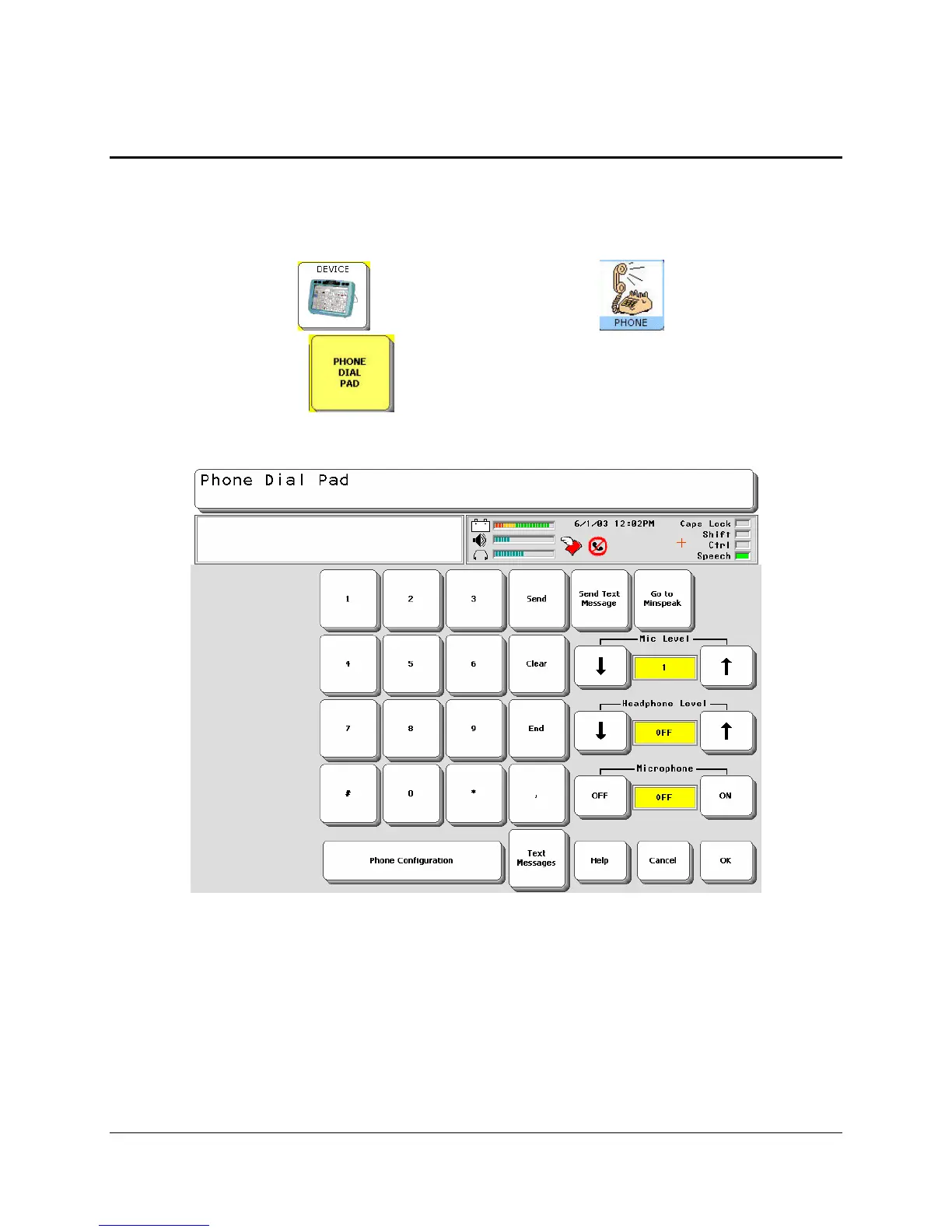
Using the Dial Pad
The Phone Dial Pad allows you to perform all normal phone functions: dialing calls, answering
calls, using Minspeak to carry on conversations, sending and receiving text messages. You can
also configure the phone from the Dial Pad. The Dial Pad is part of your Phone Activity Row.
Select the
DEVICE key . Then select the PHONE key . Then select the
PHONE DIAL PAD key .
To make a call, the phone card must be active (a red and white wing icon visible in the Status
Display Area) and there must also be signal bars visible.
To Make a Call
1. Activate the number keys on the keypad to dial the number you want.
2. Activate
Send.



 To Next Page