ACTIVITIES
ECO Manual
117
Dynamic Activities
Now let's make your new Activity dynamic. You make an Activity dynamic by linking it to an
icon sequence. Once the activity becomes a Dynamic Activity, you can be in any other Activity,
speak a message from the new Activity and return automatically to the first Activity.
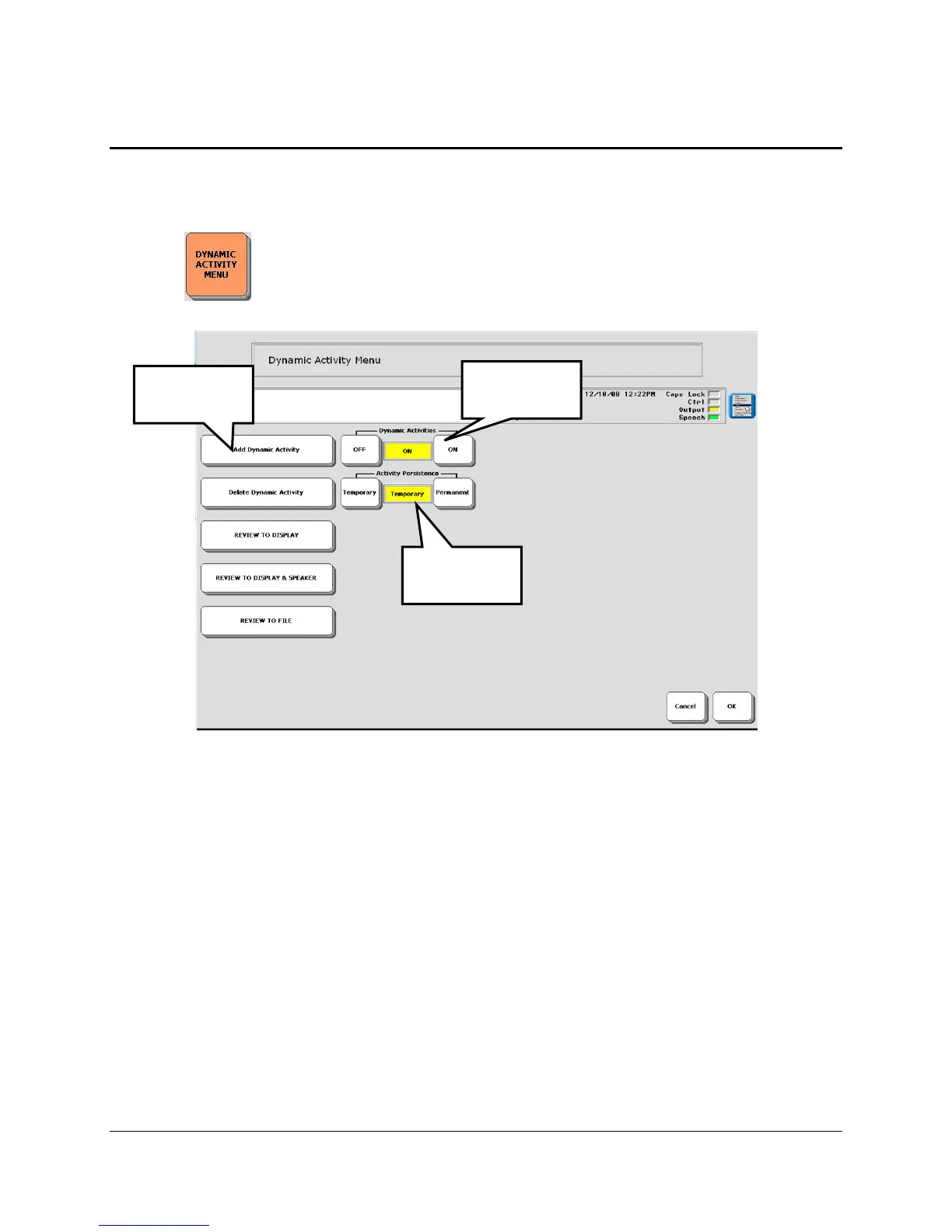
Open the DYNAMIC ACTIVITY MENU in the Toolbox.
1. Turn Dynamic Activities ON.
2. Set Activity Persistence to Temporary or Permanent (in most cases you will want
Temporary so you do not stay in the new Activity).
3. Select Add Dynamic Activity.
4. Choose an icon or icon sequence to store.
5. From the list, select the activity you want to make Dynamic.
6. Activate OK when you are finished.
Test the Dynamic Activity:
1. Open any Activity.
2. Activate the icon you selected in Step 4, above.
3. The Activity you wanted opens. Activate an icon in the Activity.
4. The word is spoken and you return to your original Activity.
Step 2
Step 1
Step 3



 To Next Page