ACTIVITIES
ECO Manual
115
Create a New Activity—An Example
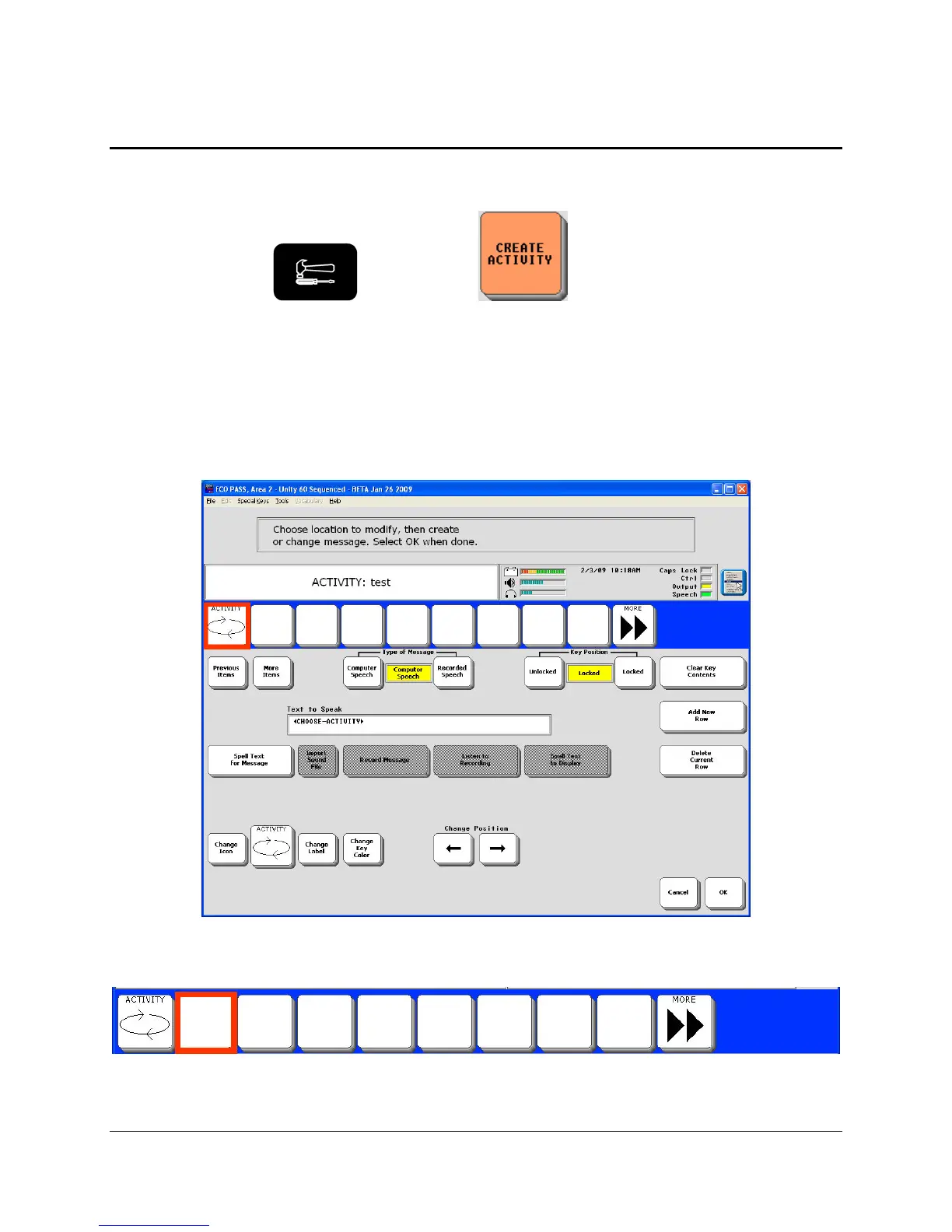
You can create your own Activities and add them to your Activity Row.
1. Go to the Toolbox
and activate the CREATE ACTIVITY key.
2. Spell a name for your new Activity.
3. Choose an icon for the Activity from one of the Icon Categories or select No Icon.
4. Now you see the screen that allows you to create the keys in your Activity. The first key in the
Activity is highlighted in red. Notice that some keys are automatically defined for you in a new
Activity: the ACTIVITY key and the MORE key.
5. Select a blank key to define. The red highlight box moves to the key you selected.



 To Next Page