ACTIVITIES
ECO Manual
112
Activities
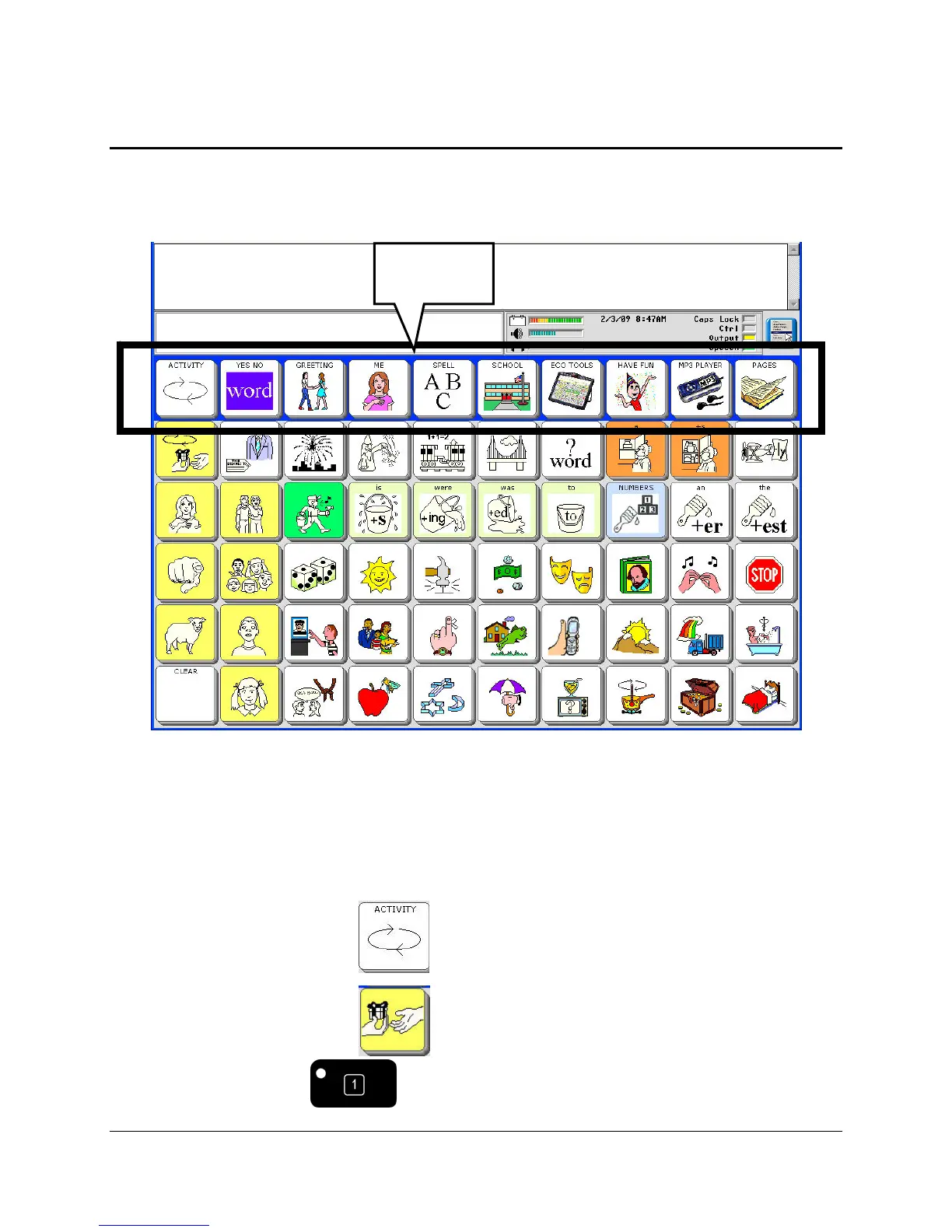
The top row of your Core overlay is always the Activity Row. Select the Activities allow you to
access words that are centered around a particular theme. Each User Area/overlay has its own
Activities.
Activities are meant to contain single-hit vocabulary that enhances your Core vocabulary, rather
than duplicating or replacing it. You can create your own Activities for areas of your life where
you would like to be able to participate in conversation quickly and easily. You might want an
Activity for conducting banking transactions, one for a class at school or a hobby. You can add
and delete Activities as your interests change.
Most overlays have more than one row of pre-stored Activities.
On some overlays you select the ACTIVITY key to see more Activities.
On some overlays you select the OBJ key to see more Activities.
You can always select the key on the front of the case to see Activities.
ACTIVITY
ROW



 To Next Page