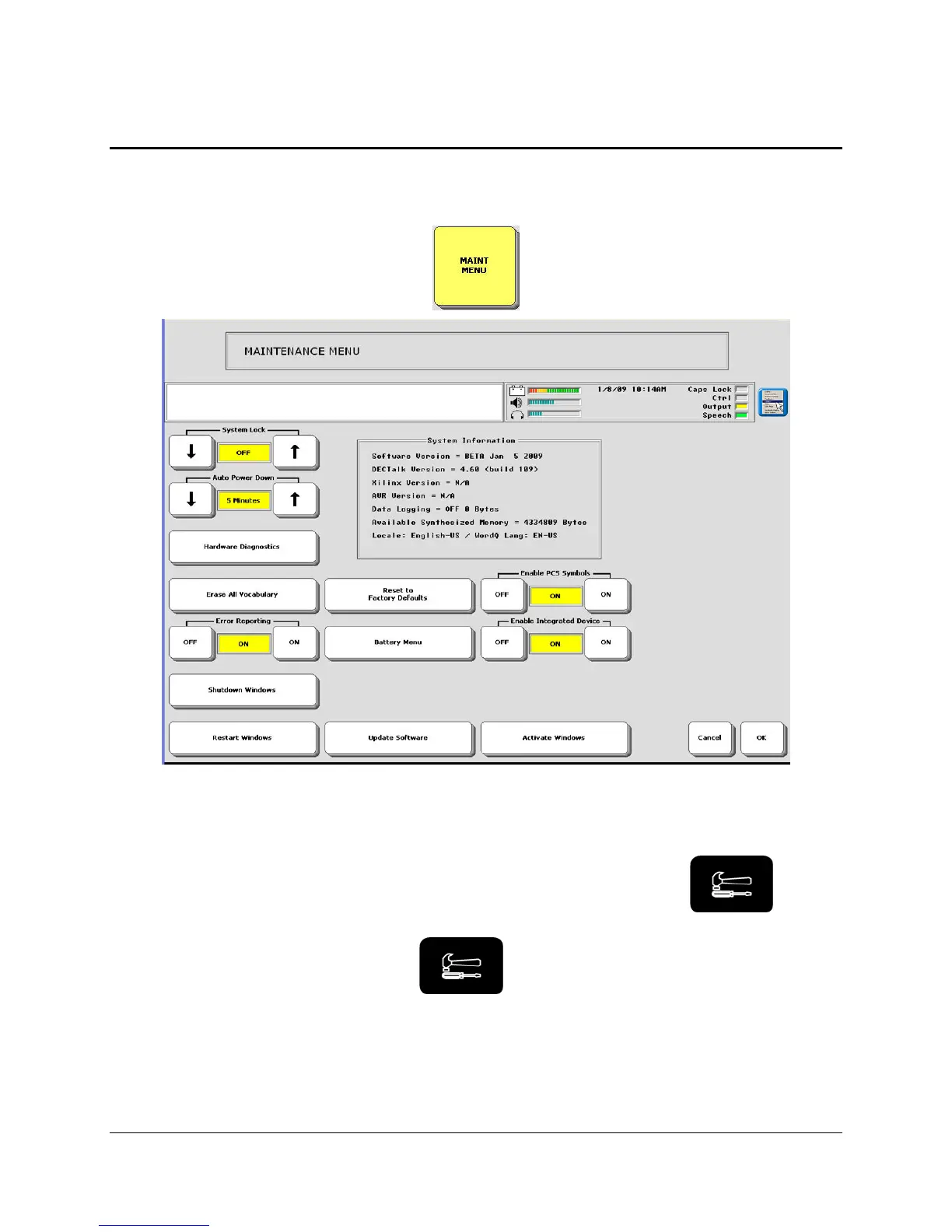
MAINTENANCE MENU
Eco Manual
200
The MAINTENANCE MENU
The MAINTENANCE MENU contains options that you probably will not use frequently, but
which are still important. The options are described below.
System Lock
When this is On, the use of the I/O, TOOLBOX and ACTIVITY keys on the front of the case
is severely limited. For instance, if the system is locked and you activate the
key,
you will see the Toolbox screen and a message on the display that tells you that the system is
locked. You can then press and hold the
key for 10 seconds to activate the Toolbox.
This allows you to use some of the Tools and enter some of the menus, but not all of them.
To
unlock the system
: open the MAINTENANCE MENU and press OFF in the System Lock
box.



 To Next Page