GETTING ACQUAINTED WITH YOUR ECO
ECO Manual
25
The Touch Screen and the Exploration Wizard
Warning! The touch screen is a liquid crystal display (LCD) screen. Should the
display break (unlikely except under extreme circumstances) and you come into contact with the
liquid crystal, wash or rinse your skin thoroughly. Be careful to avoid splintered glass.
Do not use sharp, pointed objects on the touch screen. They will scratch the screen.
Release the ECO from Shipping Mode:
Before your device was sent to you from PRC, it was put into Shipping Mode. The first time
you use it, you must release it from Shipping Mode. To do this, plug in your battery charger
and press the key on the top front of the case. In a few minutes you will see the
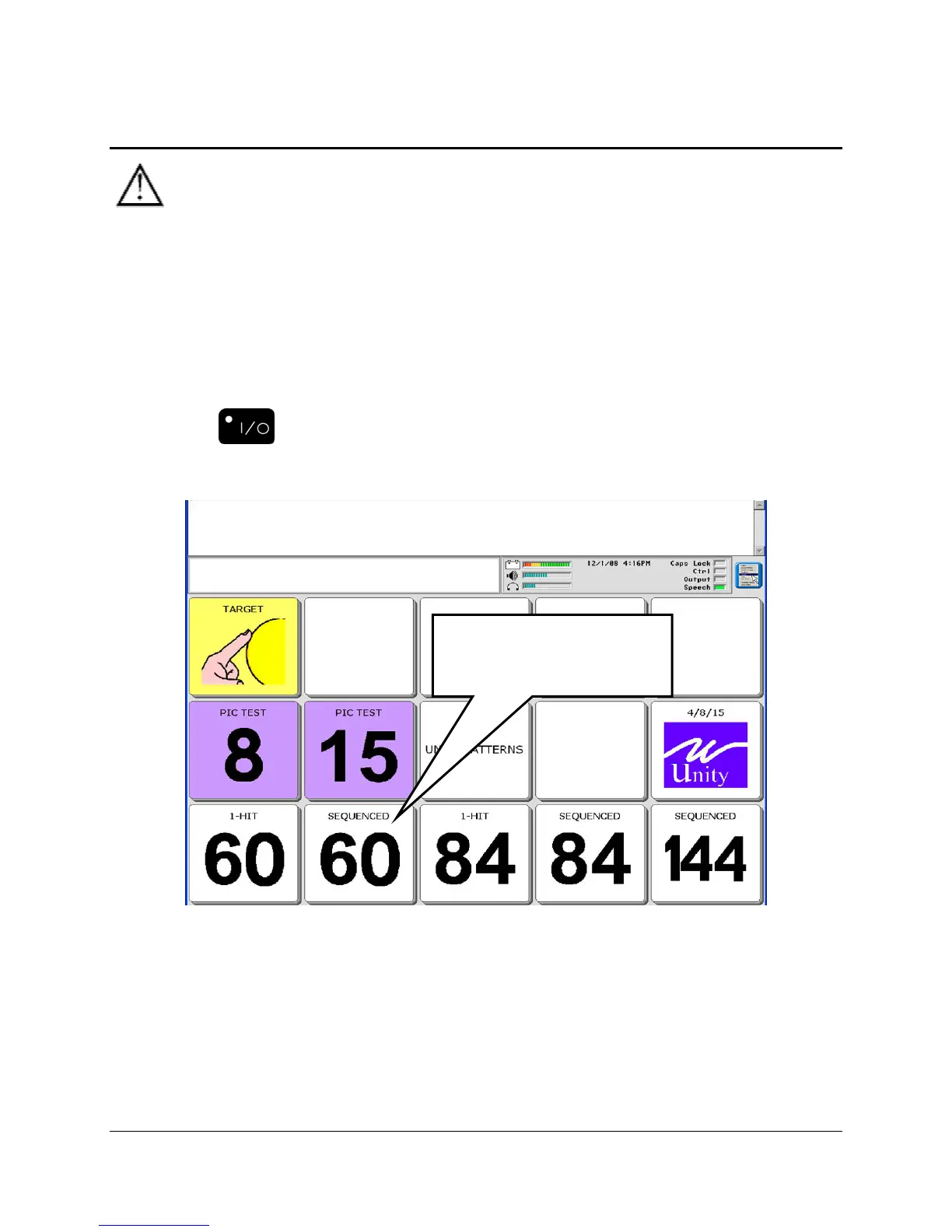
Exploration Wizard overlay.
Note: Non-English speaking devices may have a different overlay.
The TARGET key allows you to explore key size options.
The PIC TEST keys show you how pictures are used to mean different things.
The UNITY PATTERNS key shows you how verbs, adjectives, nouns and pronouns are placed
on different overlays.
Select 60 SEQUENCED
to follow examples in this
manual.



 To Next Page