GETTING ACQUAINTED WITH YOUR ECO
ECO Manual
24
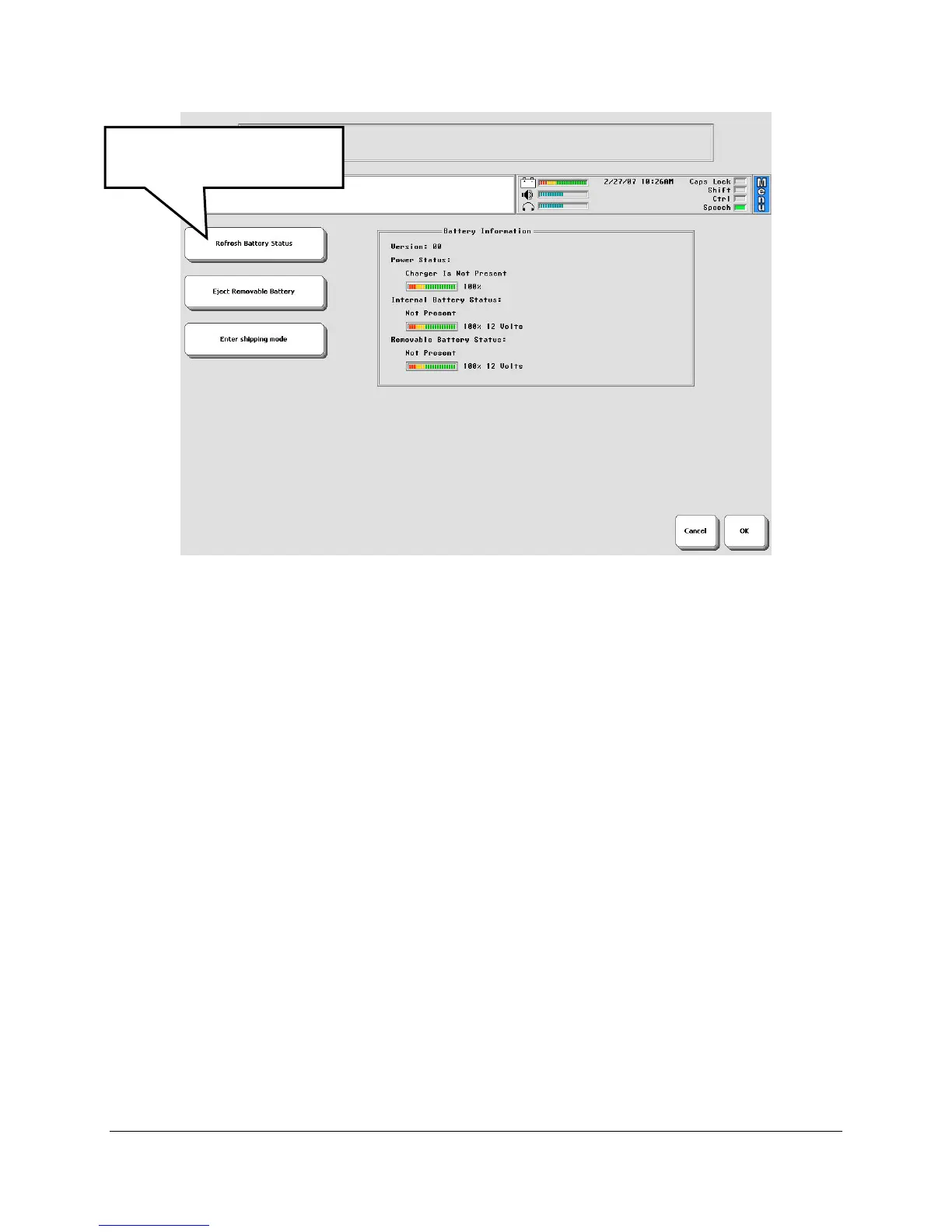
The Battery Menu tells you:
if the charger is plugged in;
the amount of charge in the Internal Battery;
the amount of charge in the Replaceable Battery.
You can activate the Refresh Battery Status option to make sure you are seeing the latest
battery information.
Low Battery Warning
When the batteries in your device get low, you will hear a Low Battery Warning. This is a
two-toned running beep. When the Low Battery warning sounds, you can no longer do any
storing. The warning will continue to sound at intervals until the batteries are dead. When the
batteries are dead, the device powers down completely and you cannot use it.
You will also see the Low Battery LED blinking in the IR window on the front of the case.
There are three LEDs near the bottom of this window. The Low Battery LED is the one in the
middle.
When you hear the Low Battery warning and/or see the blinking Low Battery LED, plug in the
battery charger. The LED to the left of the Low Battery LED will begin to blink. This LED
indicates that your charger is plugged in.
A complete charge, from dead battery to fully-charged battery, will take 9-10 hours.
Select this to see the
latest battery information.



 To Next Page