PAGES
ECO Manual
144
Context Scene Pages
PROGRAMMERS TIP: This option is best used by the therapy team and programmers.
You must be using the Touch access method.
A context scene is a special Page you make that has a graphic superimposed over the keys on the
overlay. You create and work with scenes much the same way you do with any other page.
Create a Scene Page
You must have a graphic on your USB or hard drive to use for a scene.
1. If you are using a USB flash drive, plug it into one of the USB ports on your device.
When you plug the USB drive in, you will probably see a Windows Message Box for
"Removable Disk," asking you what you want to do. Unless you are familiar with this message
box and know what you want to, we recommend you do nothing and just close the box or
select Cancel.
2. Go to the Toolbox on your device.
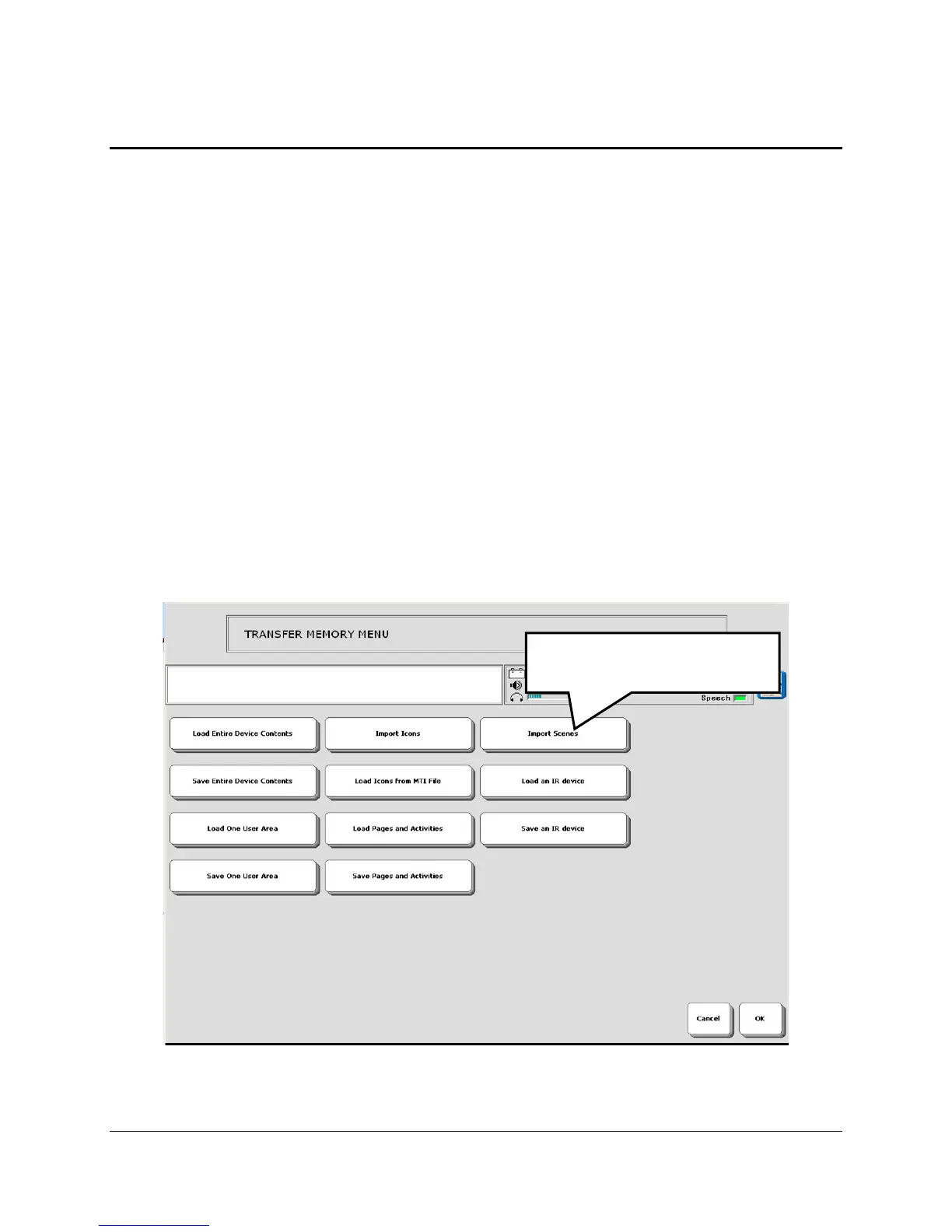
3. Open the TRANSFER MEMORY MENU.
4. Select Import Scenes.
Select Import Scenes.



 To Next Page