APPENDIX D: MODIFY SCAN PATTERN
Eco Manual
282
Appendix D: Modify Scan Pattern
Modify Scan Pattern is an option when you are creating or modifying Pages and Activities.
As well as being able to use “regular” scan patterns, the ECO software allows you to create your
own scan pattern based on user-definable blocks. This customized block scanning means you
can scan any keys in any order, and even have different patterns for individual pages. Let’s look
in detail at one example. In this case, we’ll use the simple
1 Switch Auto Scan Row/Column.
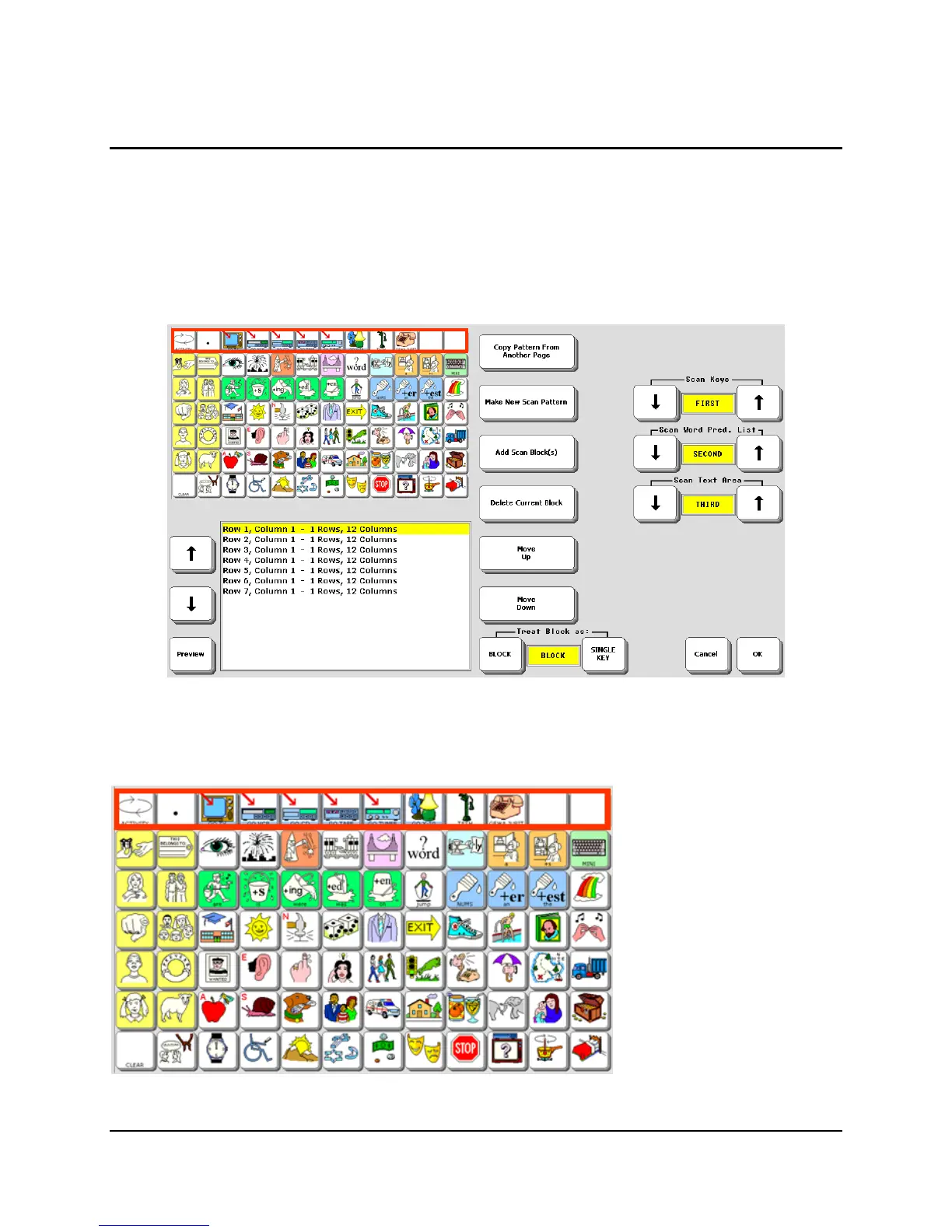
The top right quarter of the page shows the Preview screen. When you hit the button marked
Preview at the bottom left, you’ll see a real-time preview of what the current scan looks like.
See how the Preview
screen shows the actual
Core/page you are using. If
you change to a different
overlay or page, that’s what
you see. Other devices
simply show a blank,
generic overlay.
Just below the preview is a box that shows each step in a scan pattern.



 To Next Page