188
Editing Tools
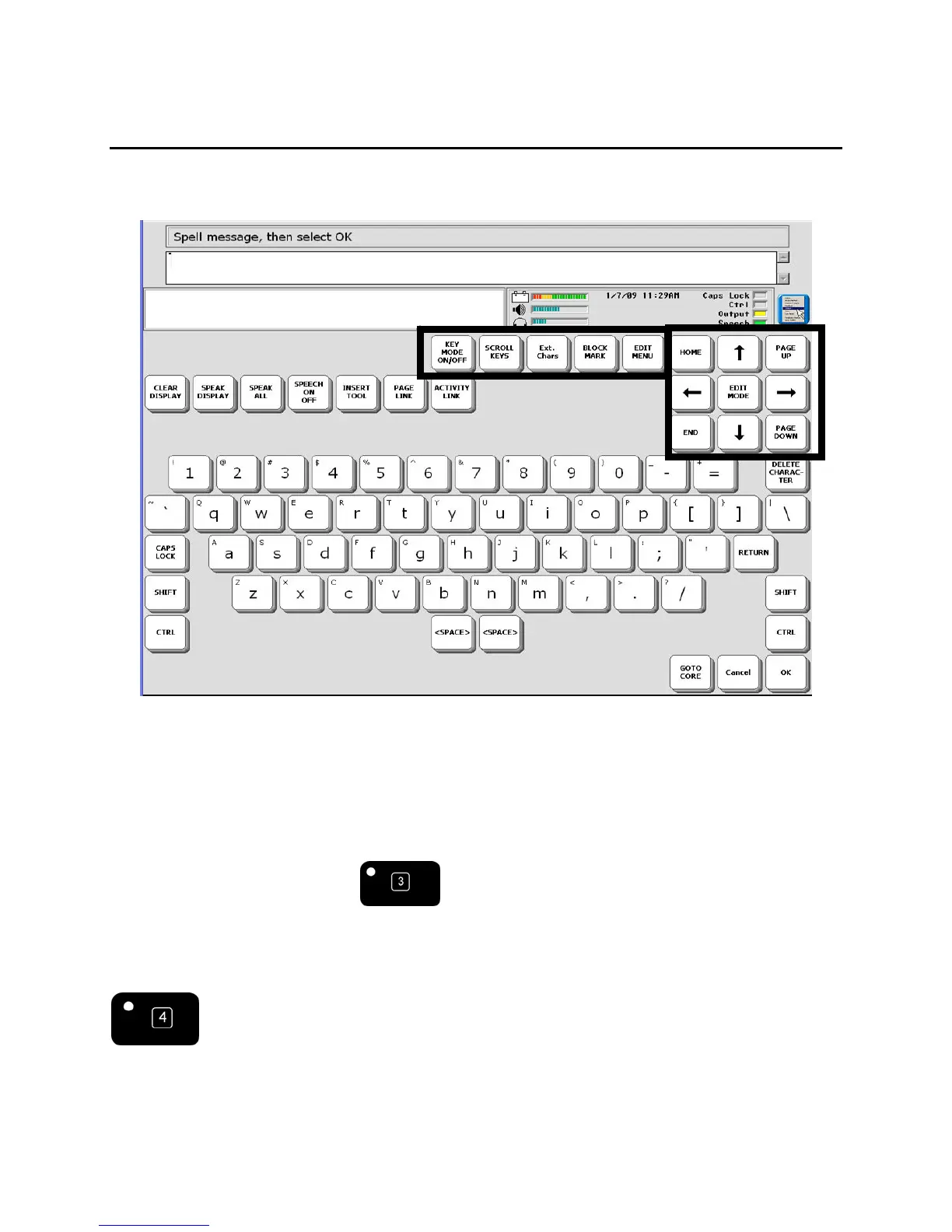
There are several editing tools on spelling pages that you can use any time you are working with
text.
Key Mode ON/OFF: When this is turned ON, you see both your Windows application and your
ECO software at the same time. Your ECO software screen is reduced to half-screen. This is the
same as the ECO KEYBOARD
key on the front of the device case.
Scroll Keys: When Key Mode is ON, Scroll Keys allows you to scroll through your ECO
software screen so you can see the whole page. This is the same as the SCROLL KEYS
key on the front of the device case.



 To Next Page