SETTING UP YOUR DEVICE
ECO Manual
75
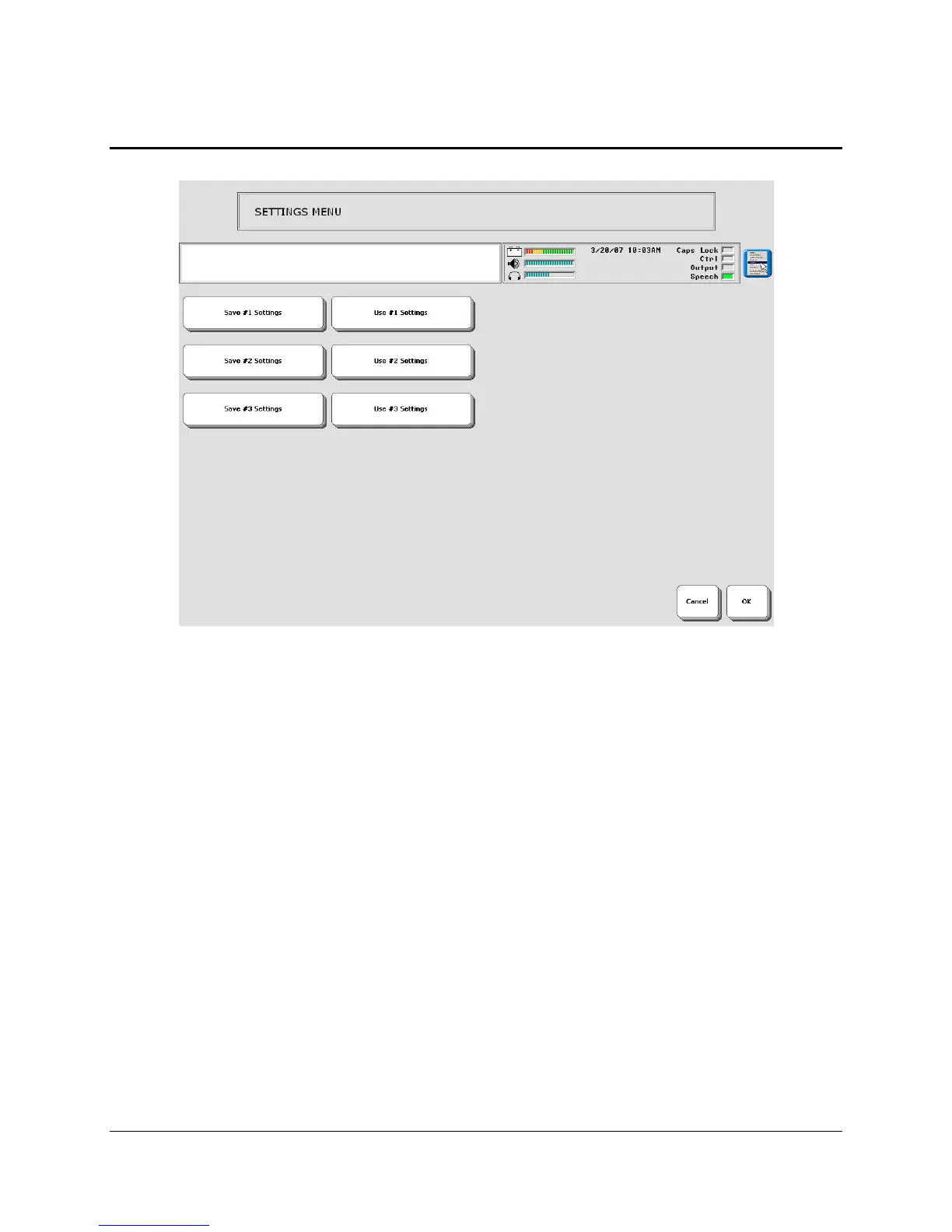
Save Your Set-Up Settings
The SETTINGS MENU in the Toolbox allows you to set up 1 to 3 different groups of settings
and then save the settings for each group under a key or an icon sequence. The settings you have
selected in the Toolbox menus that have blue titles can be saved.
(The menus are: AUDITORY PROMPT MENU, FEEDBACK MENU, OUTPUT MENU,
SELECTION TECHNIQUE MENU, SPEECH MENU, WORD PREDICTION MENU).
You may want to set up more than one access method in an Area. Perhaps you use a headpointer
in the morning when you are fresh, but like to use a switch in the afternoon or evening when you
begin to tire. You can save the settings for up to three different set-ups.
When you save settings, you open the SETTINGS MENU and then one of the Save Settings #1,
#2 or #3 keys. Any options you have set in the menus that have blue titles are saved when you
activate one of the 3 settings location keys.
To Save Settings:
1. Open the SETTINGS MENU. Select a Save Settings key.
For example: Save #1 Settings.
2. You see:
"Are you sure you want to save settings under #1?"
3. Select YES or NO.
4. Select OK.



 To Next Page