GETTING ACQUAINTED WITH YOUR ECO
ECO Manual
32
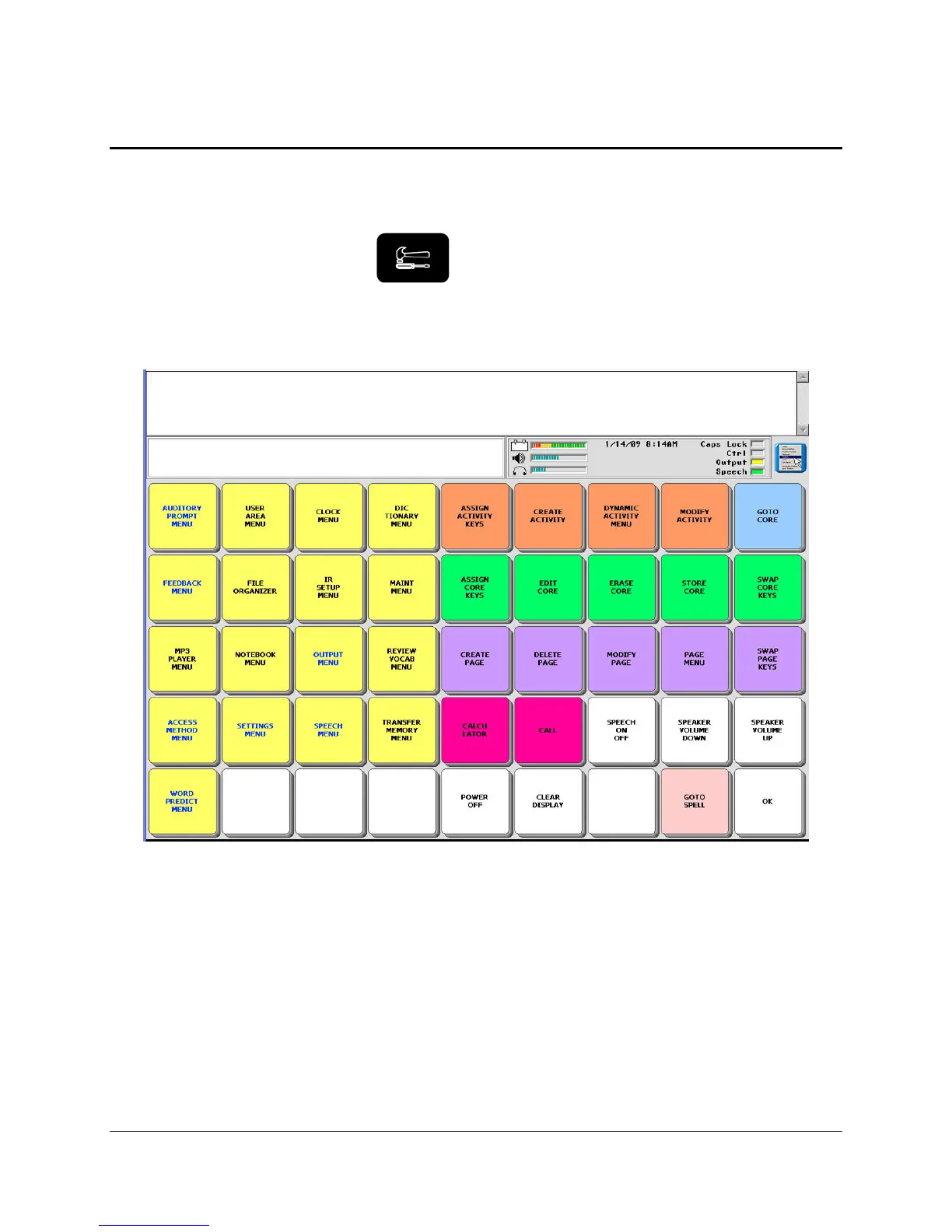
About the Color-Coded Toolbox
The Toolbox is an overlay that contains menus and single function keys. These menus and
functions will help you to make your device into one that is tailored to your specific needs.
Go to the Toolbox by pressing the Toolbox button on the front of the case.
The Toolbox keys are color-coded. Notice that System Menus, Pages, Activity keys, etc. are all
in different color groups to help you remember where the keys are and what they allow you to
do.
Activate the yellow FEEDBACK MENU. This menu allows you to choose the kind of
feedback you want from your device. Activate OK or CANCEL to exit the menu. OK saves
any changes you have made and exits the menu. CANCEL exits the menu without saving
changes.
The USER AREA MENU allows you to choose a keyboard size, a communication overlay and
a spelling overlay. You can load a computer overlay from this menu.
You can go to your communication overlay (CORE) or the spelling keyboard Note: You can
store the Tool, GO TO TOOLBOX, under an icon sequence on your communication overlay if
you decide you want to have access to it on your overlay. See pages starting with
163 to learn
about storing Tools.



 To Next Page