GETTING ACQUAINTED WITH YOUR ECO
ECO Manual
31
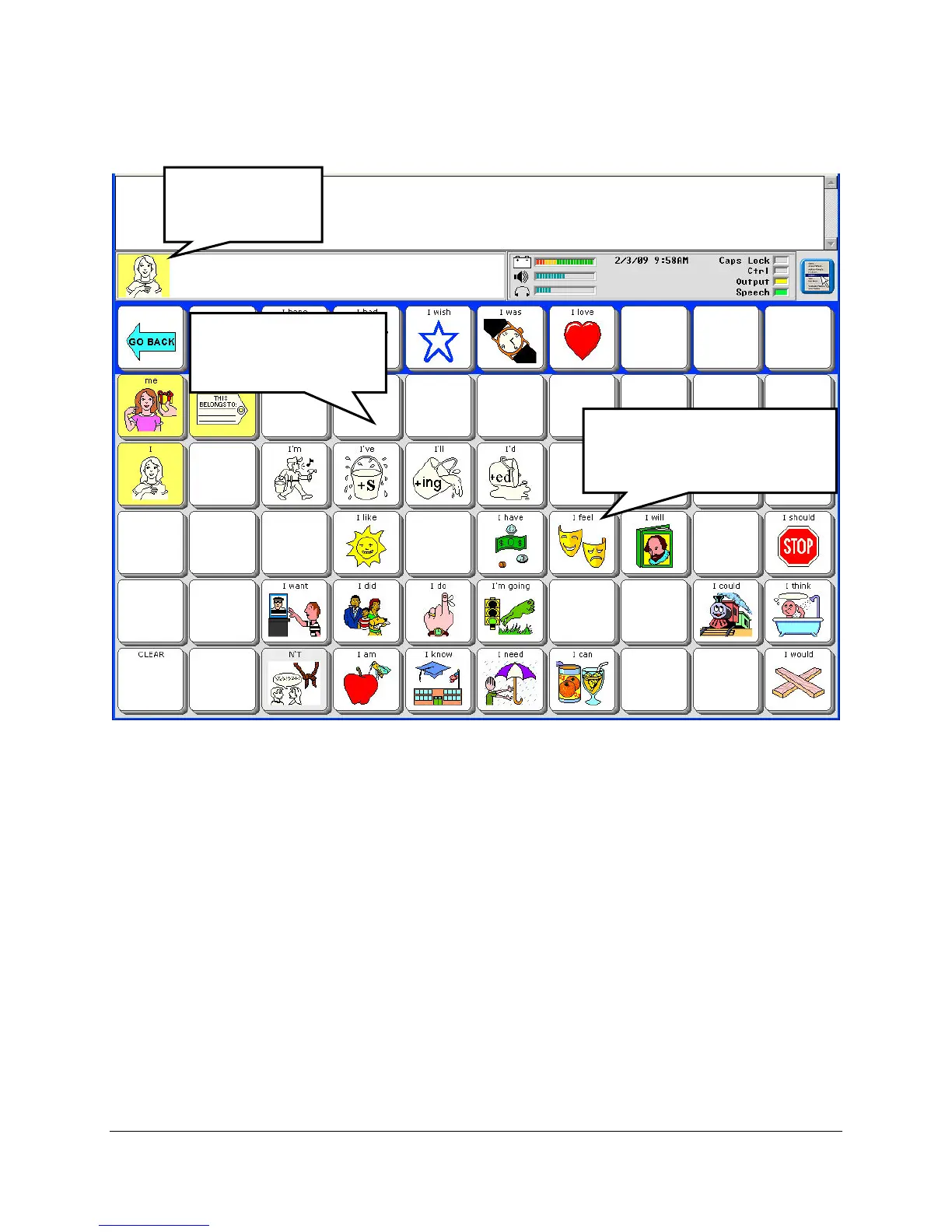
You see:
The icon for the key you selected will appear in the Icon Display Area.
Some keys on the overlay will go blank.
If you select one of the keys with an icon on it, its icon will appear in the Icon Display Area and
the device will speak the message that is stored under the sequence you just activated.
Once a message is spoken, the device returns to showing all the icons. When you press a key
again, some keys will remain bright and some will turn blank.
If you press a blank key, you will see the icon that belongs to that key in the Icon Display Area
but no message is spoken. The overlay resets and all keys become bright again.
Icon Prediction is a good tool to help you learn your vocabulary.
The icon you
selected shows
u
here.
Blank keys will not
complete your
message.
Any bright key with a
visible icon will complete
your message.



 To Next Page