APPENDIX D: MODIFY SCAN PATTERN
Eco Manual
283
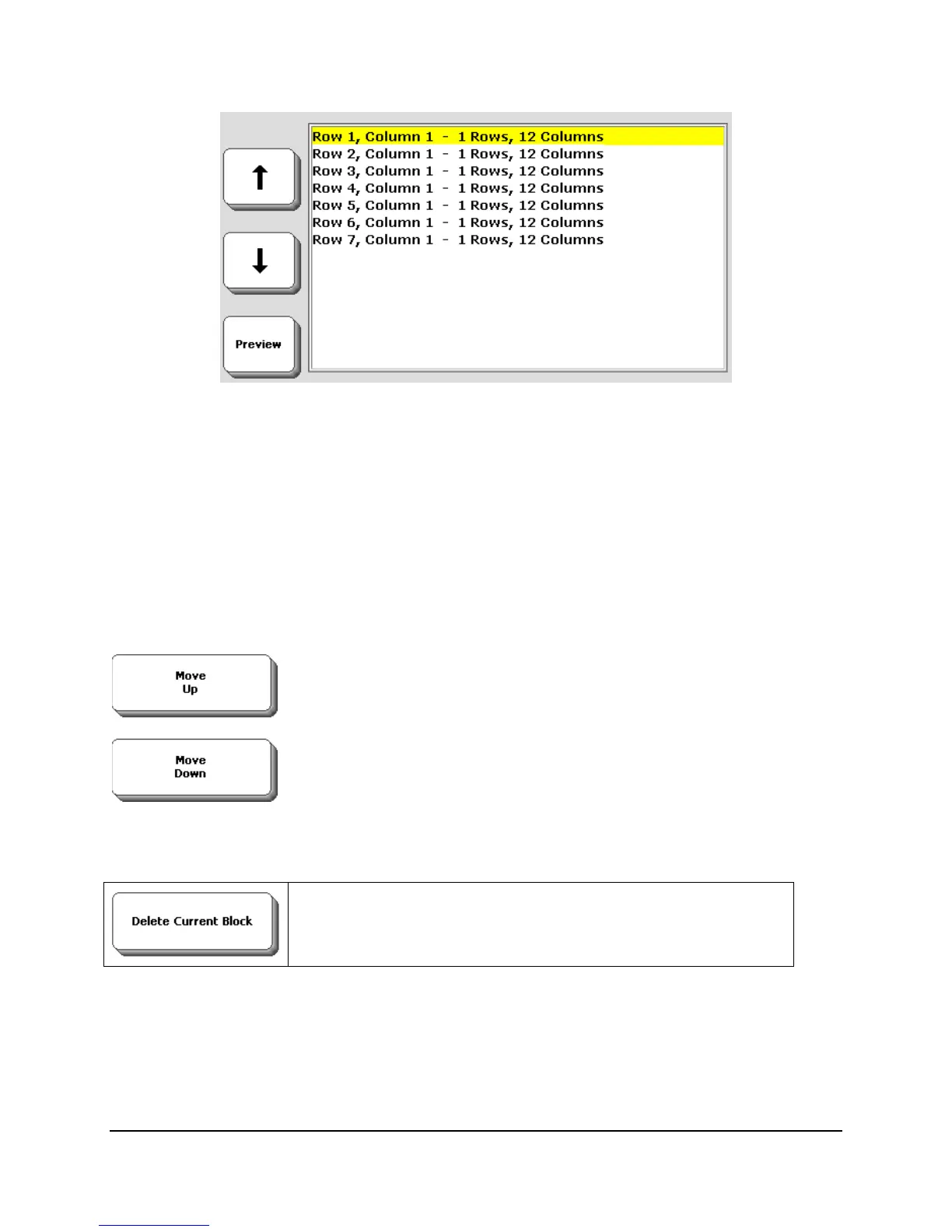
In this instance, the first scan starts at
Row 1 Column 1 and highlights a single row and 12
columns. The next step is to move to
Row 2 Column 1 and highlight one row and 12 columns.
This happens all the way through to Row 7. This is a typical single switch row/column scan
pattern
However, you can easily edit this in a number of ways. First, use the up and down arrows to
move the yellow highlighting through the list. As you do this, you’ll see the red highlighting in
the Preview moving too. When you reach the specific item you want to modify, leave the
highlighting on it. You can then:
Move Upand Move Down
You can use the
Move Up key to shift a highlighted scan block
upwards. Similarly, using the
Move Down shifts a block down
the list.
Delete Current Block
As the name suggests, if you want to remove a scan block, use
this to delete it.
These three functions let you do some simple editing. You can do more sophisticated editing by
using the
Make New Scan Pattern key.



 To Next Page