INTERNAL COMPUTER
Eco Manual
241
5. Get your remote control ready. Know which button you want to press on the remote. Hold
the remote infrared window 6-8" away from your device's IR window.
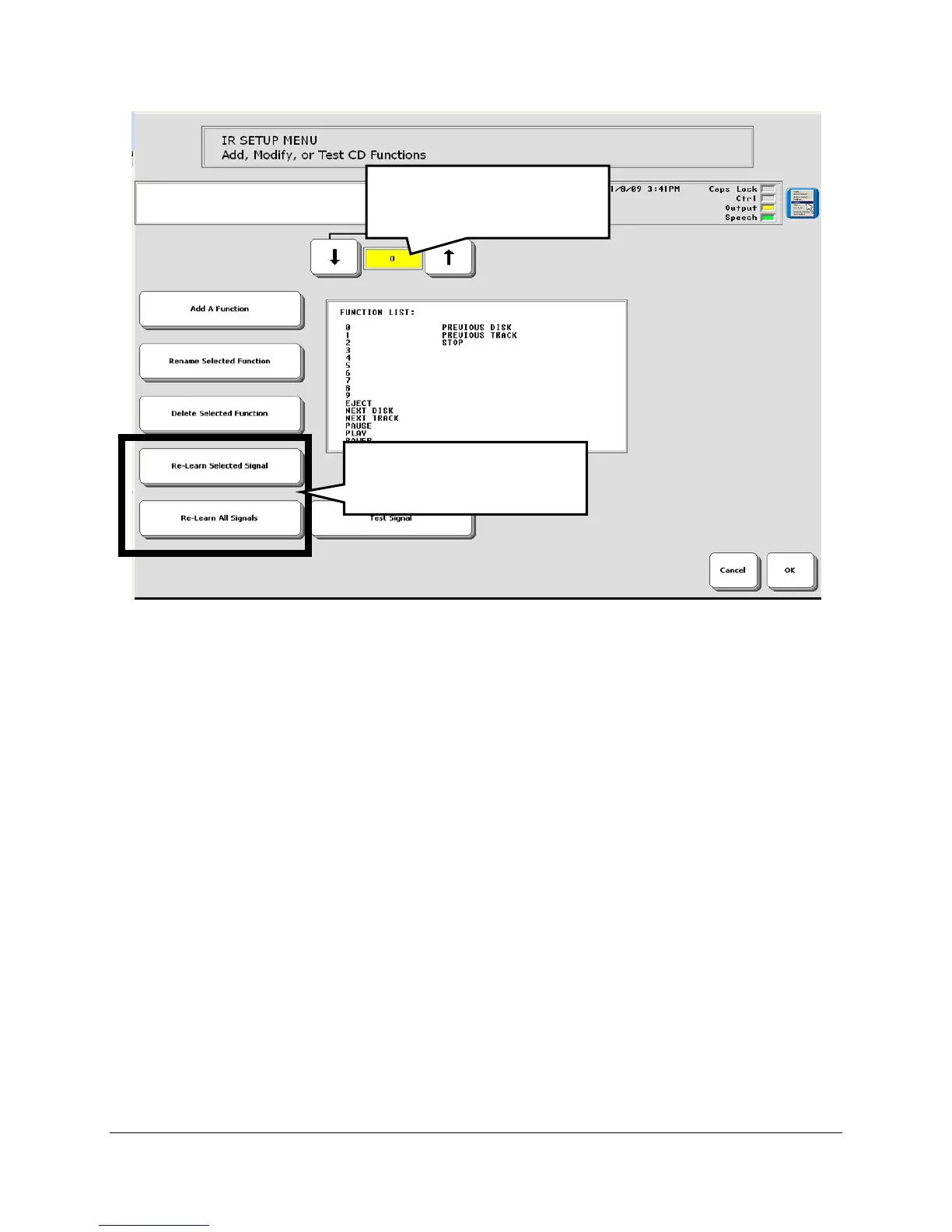
6. On your device, activate the
Re-learn a Signal key. (See below for Relearn All Signals.)
7. Press the function key on the remote control, e.g., the "Power" key.
8. If you are near the appliance you want to be controlled, you can test the signal. Point your
device's IR window toward the device you are testing (e.g., the TV) and activate the
Test
Signal
key in the menu.
9. Repeat steps 4-8 for each function you want your device to learn.
Re-Learn All Signals: an Alternative Method for steps 4-8:
Instead of teaching the signals one by one, you can select the
Re-Learn All Signals option. This
allows you to teach all the signals for a device at one time. Your ECO automatically steps you
through each function. You will want to have your remote control ready and know where all the
function buttons are on it before you select the
Re-Learn all Signals option.
4. Select one of these
options.
3. Select the function you
want.



 To Next Page