WORD PREDICTION
ECO Manual
80
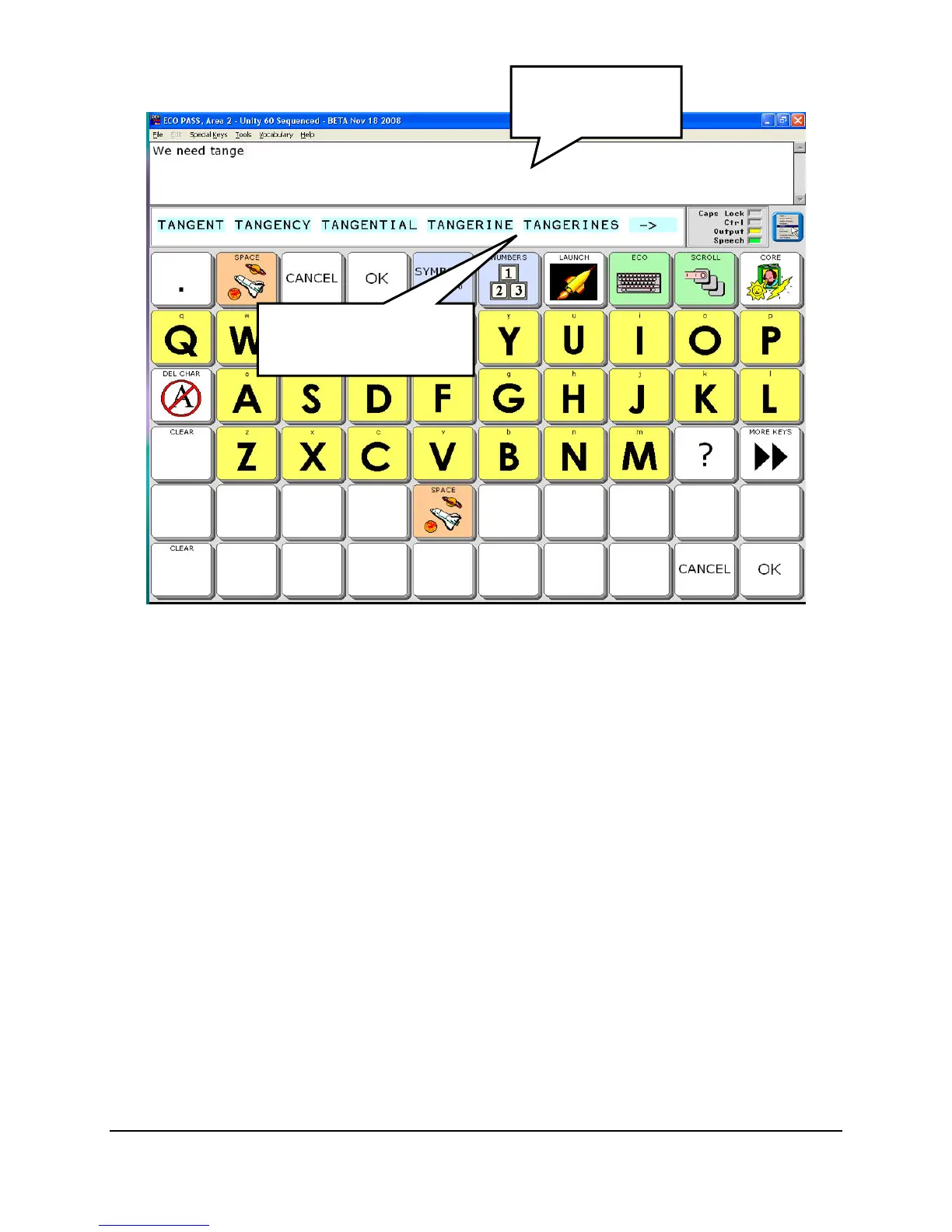
Your Spelling overlay may look different.
Notice the words that appear in the rectangle beneath the Text Display Area. This area is the
Word Prediction window. Words that appear here are words your device is predicting that you
might want from the letters you have spelled.
To select a word from the Word Prediction window, press on the word.
If you are scanning, activate your switch when the word you want is highlighted.
If you are scanning, you may need to switch to a Scanning Spell Page or select the SCAN
WORD PREDICTION key if that is available on your spelling page.
One of two things happens when you select a word: the word you selected goes in the Text
Display Area and the Word Prediction window disappears, or you will see a list of words that are
derived from the word you selected. You can select one of these words or you can continue to
spell and watch more words come up in the Word Prediction window.
You can continue to spell words and select them from the Word Prediction window as long as
you want.
Select the word you
want.
Word Prediction
window



 To Next Page