A
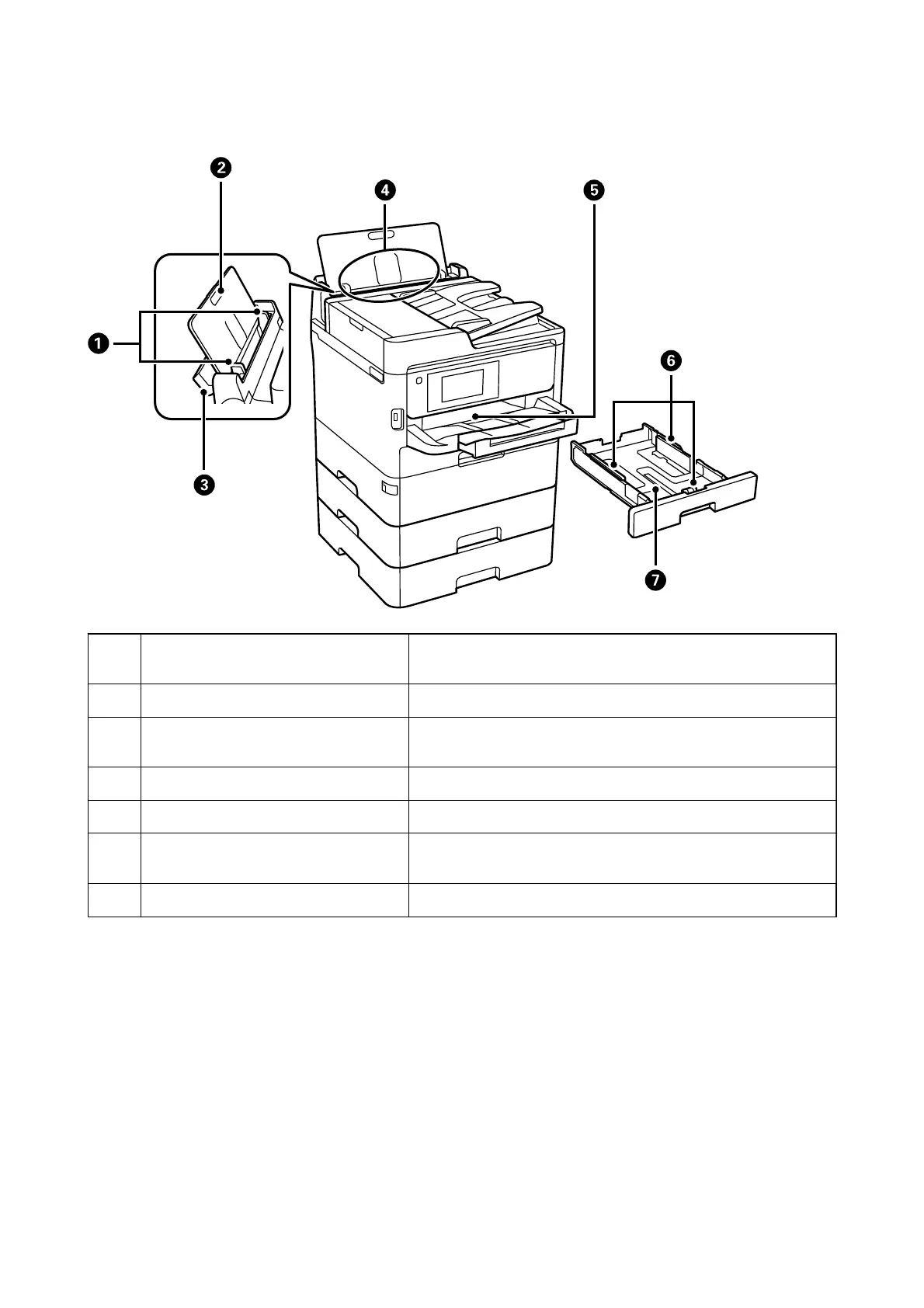
Edge guides Feeds the paper straight into the printer. Slide to the edges of the
paper.
B
Paper support Supports loaded paper.
C
Feeder guard Prevents foreign substance from entering the printer. Usually keep
this guard closed.
D
Rear paper feed (B) Loads paper.
E
Output tray Holds the ejected paper.
F
Edge guides Feeds the paper straight into the printer. Slide to the edges of the
paper.
G
Paper cassette Loads paper.
User's Guide
Printer Basics
17



 To Next Page
 Loading...











