POTS Testing and Fault Location
The POTS Toolbox
4
4-25
Single-Sided Fault Location Test Results
To locate a single-sided fault, do the following:
1. Connect the strap as shown in Figure 4-12, then press K.
2. If the tester was turned off during the strap connection process:
• Turn it on, and select RFL again from the POTS Toolbox.
• Select A(
Continue Prev. Test), then press K.
If the strap is not detected, a “Strap Connection Error” message is
displayed.
If the strap is properly connected, the tester performs a “fault null”
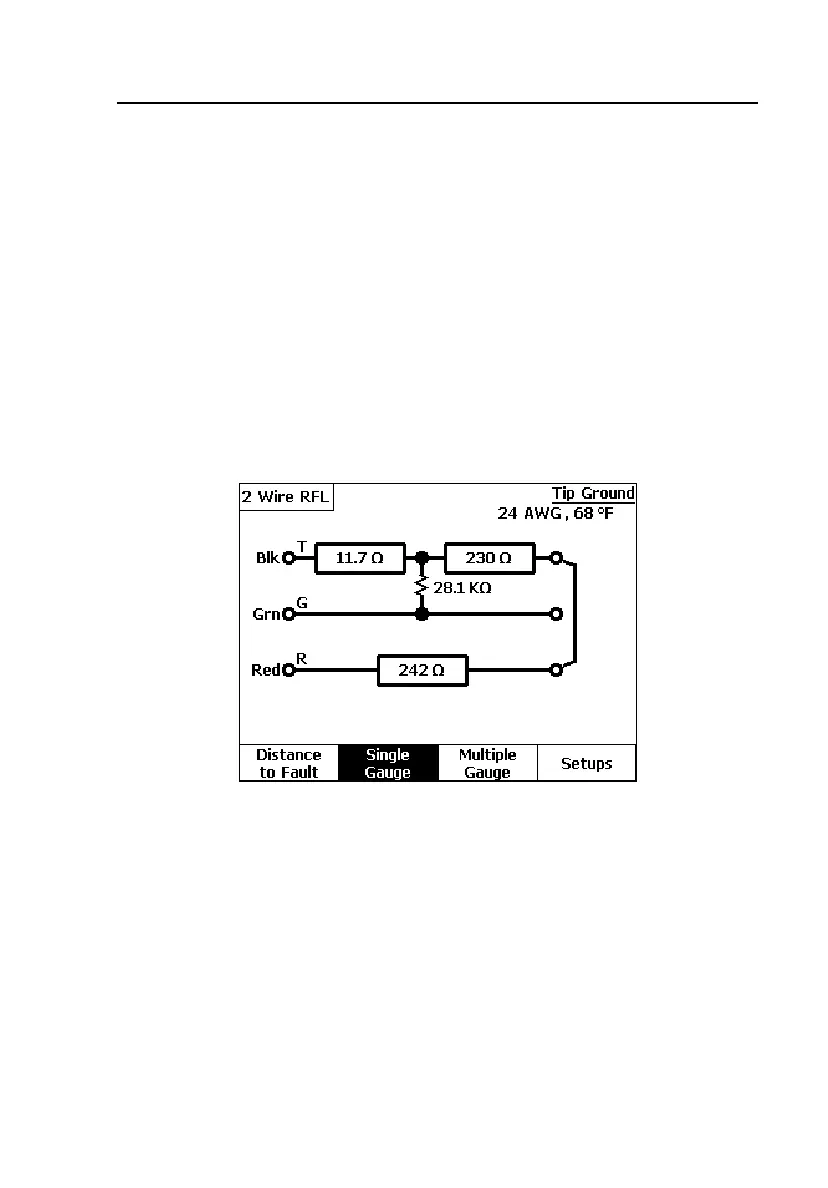
operation and displays a screen similar to the one in Figure 4-14.
acy23s.eps
Figure 4-14. Two-Wire RFL Test Results: Tip Ground
Figure 4-14 shows the conductor resistance values to the fault, and from
the fault to the strap (shown in the diagram as a solid line).



 To Next Page