990DSL
Users Guide
4-26
3. If you supplied the correct gauge and temperature information in RFL
Setups prior to running the test, press A(
Distance to Fault).
4. If the correct gauge and temperature were not entered into Setups
prior to the test, you can enter them now:
a) Press either D(
Setups) to enter single-gauge and
temperature information or press C(
Multiple Gauge) to
enter multi-gauge section information.
b) When finished, press M, then A(
Distance to Fault).
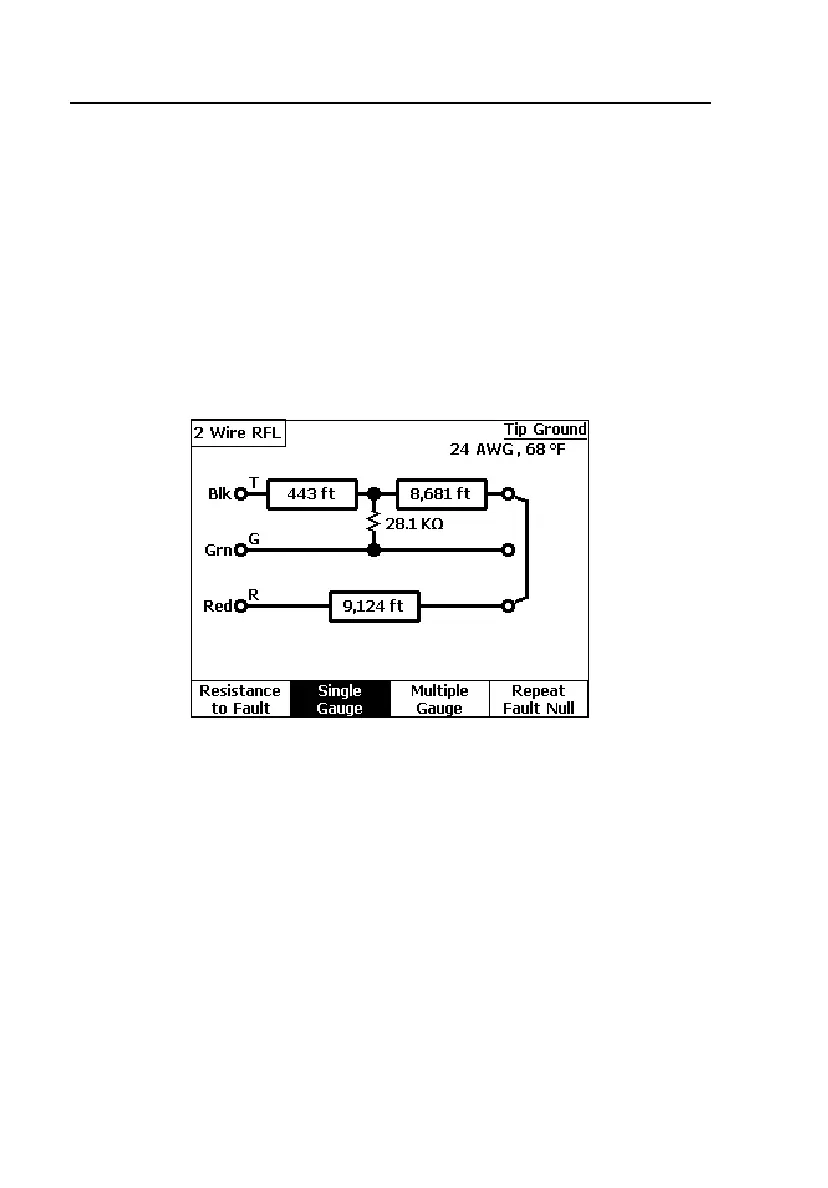
The relevant distances are displayed, as shown in Figure 4-15.
acy24s.eps
Figure 4-15. Two-Wire RFL Test Results: Distance to Fault
5. If you want to obtain a second reading with the test leads connected to
the same pair, press D(
Repeat Fault Null).
The tester repeats the nulling process without again measuring fault
resistances.



 To Next Page