MDS 05-6632A01, Rev. F MDS Orbit MCR/ECR Technical Manual 265
Configuring
Using the Web UI
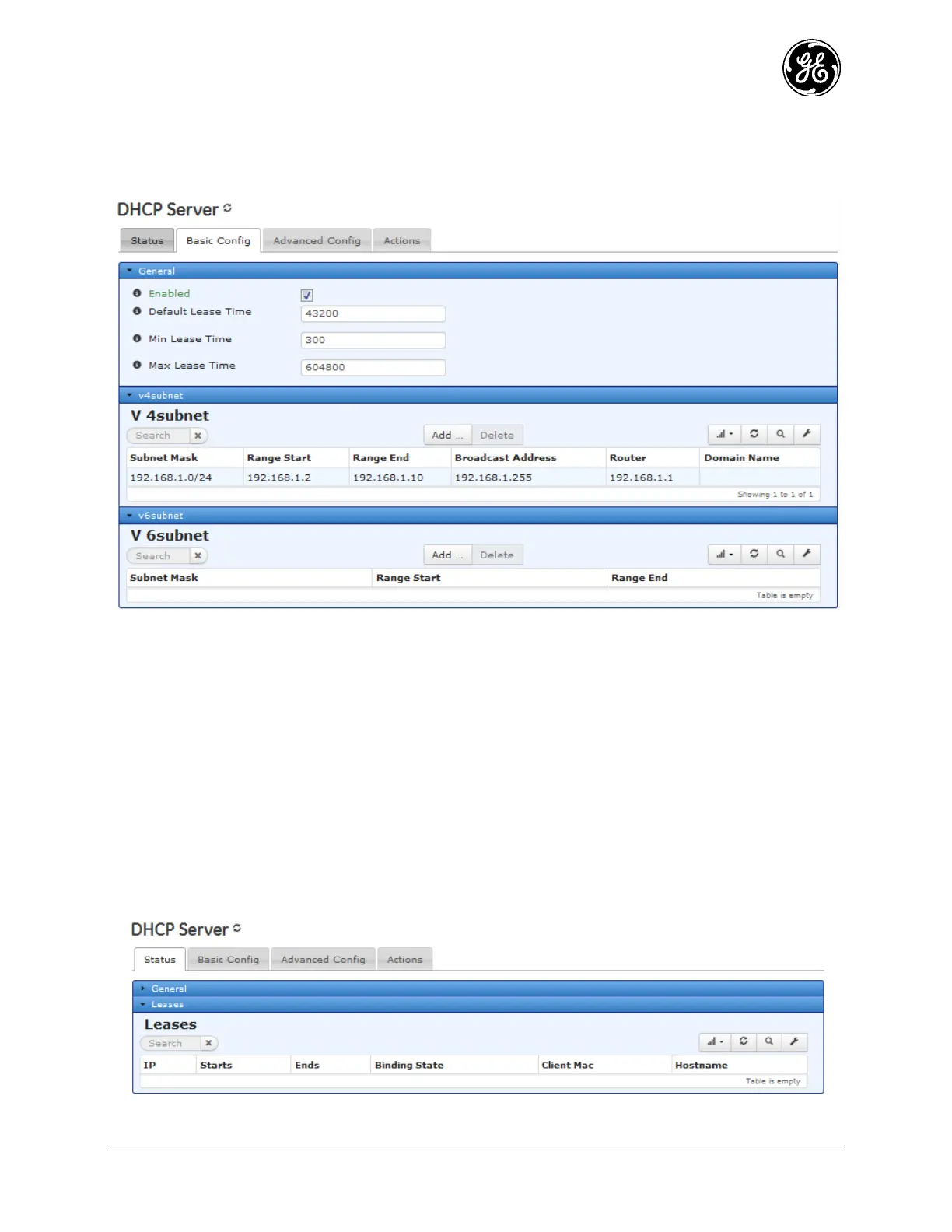
Navigate to DHCP Server ---> Basic Config.
Figure 3-177. DHCP Menu
The General drop-down contains the following options.
Enabled - Enables the DHCP service. Check this box to allow the unit to act as a DHCP server.
Default Lease Time – This is the amount of time, in seconds, that a client’s lease is valid. This
value is only used if the client doesn’t include a lease time in its DHCP request. In IPv6 addressing,
this is also known as “valid lifetime.”
Min Lease Time – The minimum number of seconds that a client’s lease is valid. If a client requests
a lesser minimum lease time, this value is used instead.
Max Lease Time - The maximum number of seconds that a client’s lease is valid. If a client
requests a greater maximum lease time, this value is used instead.
The V4 Subnet and V6 Subnet drop-downs show the currently configured DHCP subnets. Click on an
entry to edit, add or delete new entries.



 To Next Page
 Loading...
