MDS 05-6632A01, Rev. F MDS Orbit MCR/ECR Technical Manual 375
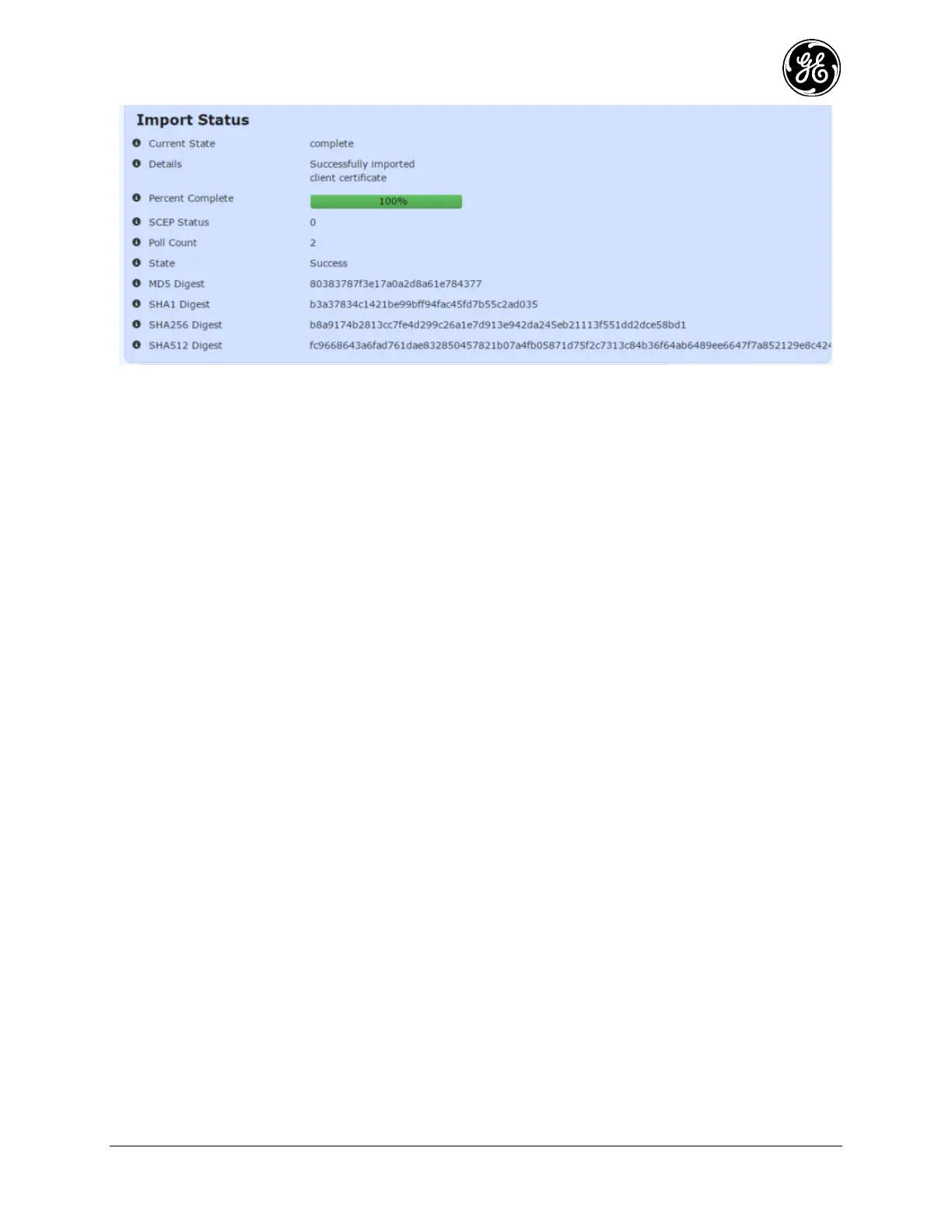
Figure 3-240. Import Client Certificate via SCEP Monitoring
The additional status related to SCEP contains the following items:
SCEP Status – The last status returned from the SCEP server
Poll Count – The number of times the SCEP server has been polled for completion
State – The state of the SCEP transfer
MD5 Digest – The SCEP request’s MD5 digest
SHA1 Digest – The SCEP request’s SHA1 digest
SHA256 Digest – The SCEP request’s SHA256 digest
SHA512 Digest – The SCEP request’s SHA512 digest
To view the status of the import process in the CLI, ensure the CLI is in operational mode and then follow
the example below:
> show pki client-certs import-scep-status
pki client-certs import-scep-status last-status 0
pki client-certs import-scep-status poll-count 2
pki client-certs import-scep-status state Success
pki client-certs import-scep-status req-fp-md5 80383787f3e17a0a2d8a61e784377
pki client-certs import-scep-status req-fp-sha1
b3a37834c1421be99bff94fac45fd7b55c2ad035
pki client-certs import-scep-status req-fp-sha256
b8a9174b2813cc7fe4d299c26a1e7d913e942da245eb21113f551dd2dce58bd1
pki client-certs import-scep-status req-fp-sha512
fc9668643a6fad761dae832850457821b07a4fb05871d75f2c7313c84b36f64ab6489ee6647f
7a852129e8c42474ae4af4eab46658cba2fe73308f79b632
Firmware Certificates
3.9.5
The device can manually import firmware certificates.
From the WebUI, navigate to Certificate Management / Basic Config. The Firmware Certificates
section shows the firmware certificates currently loaded into the device.


 To Next Page
 Loading...
