RDS Toolbox (arms only)
H000002007-RDS User Manual │Version 5.0.0 (2018-09-17) │102
F.2 RDS TOOLBOX DESCRIPTION
F.2.1 MAIN PANEL DESCRIPTION
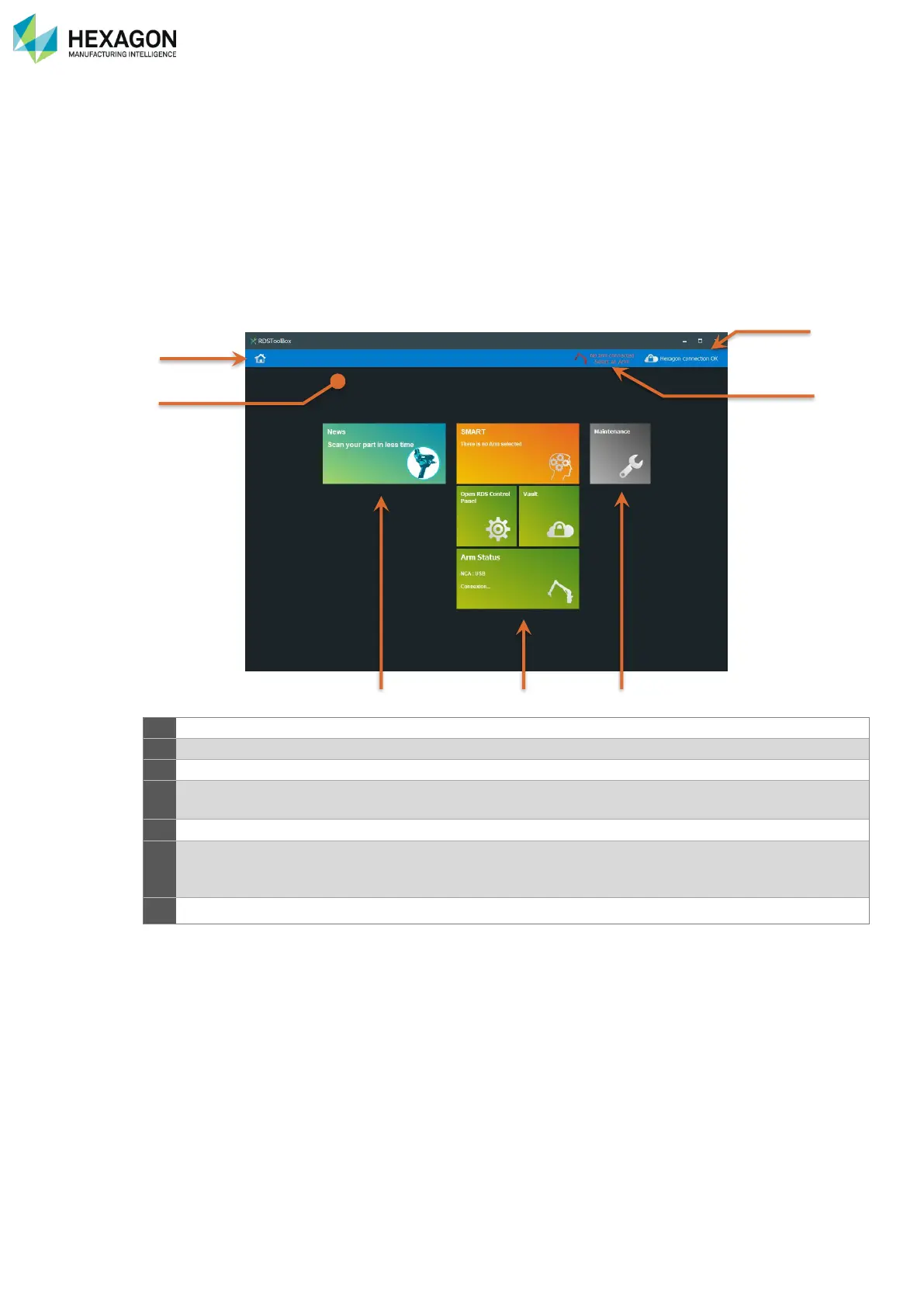
When entering RDS Toolbox, the main panel appears. It is mainly composed by 3 groups of tiles:
• News and links tiles
• Main tools
• Maintenance tiles
• 2 buttons at the top right can be used to select the arm and view the connection status.
Displays the choice of arm…
Shows if the computer is currently connected to the HEXAGON Server
Shows the current arm and gives the ability to select another arm in the
memory
Information tiles: contains all the received news and several official links
This is the centre of RDS toolbox: contains the main functions such as the
current status of the arm, the access to RDS control panel, the management
of the vault, and the management of SMART.
Deployment of all the maintenance Tiles.



 To Next Page