EasyManua.ls Logo

Hexagon RDS - Features (Arms); Interface; D.12 Features (Arms)

Hexagon RDS
208 pages
Print Icon
To Next Page IconTo Next Page
To Previous Page IconTo Previous Page
Loading...
RDS Control Panel
H000002007-RDS User Manual Version 5.0.0 (2018-09-17) 88
D.12 FEATURES (ARMS)
D.12.1 INTERFACE
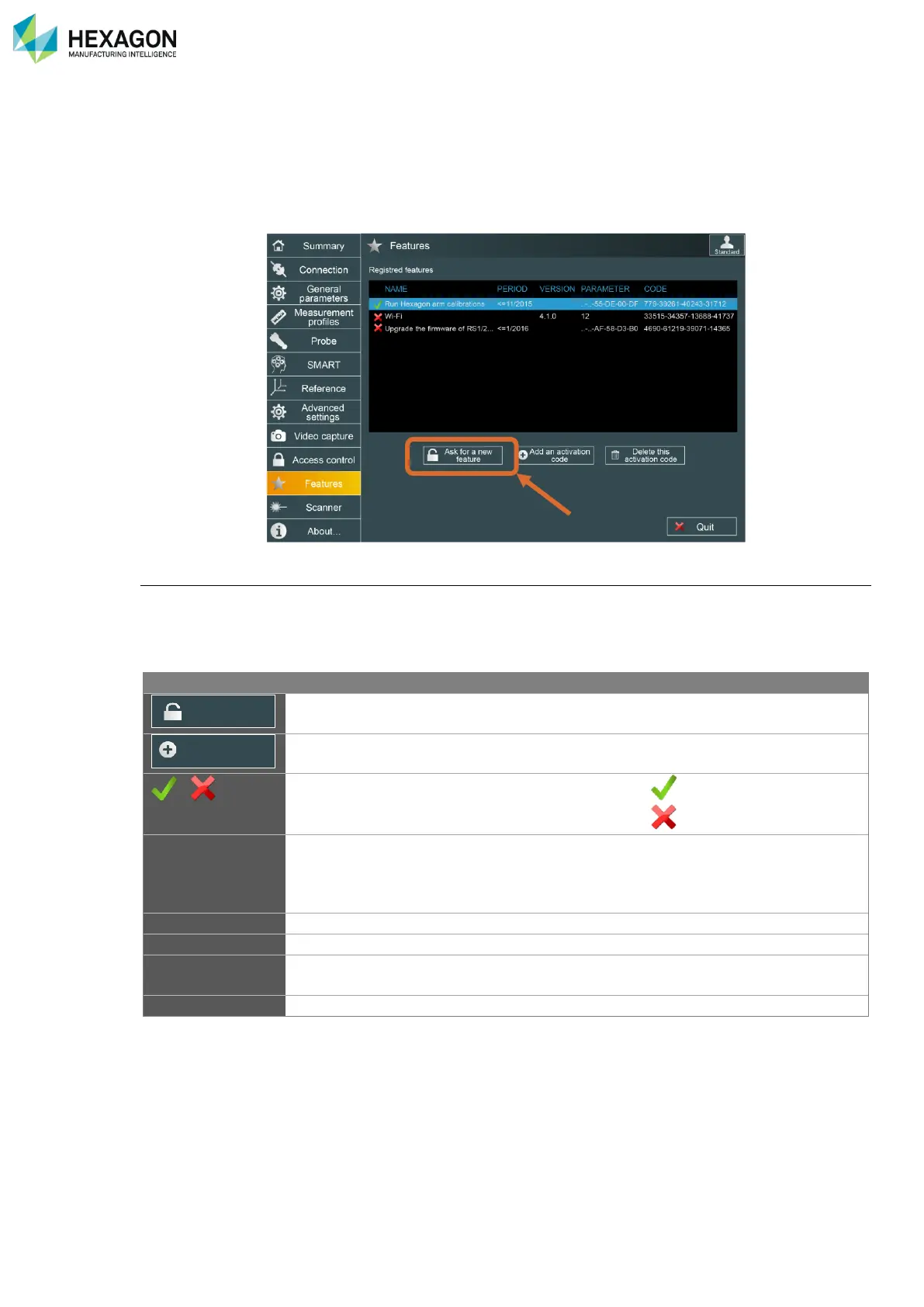
Some features of RDS are protected and request an activation code.
This tab is used to manage such options (Wi-Fi connection / CO Alignment…):
Feature options
Features can be linked either to the S/N of the arm, either to the Mac address of the computer.
Temporary features and version-limited features are possible.
Each feature parameter is displayed (period, Mac address, S/N, …)

Information
Description
Displayed value
Button to get a request code for an option
(Advanced User profile)
Button to enter a new activation code
(Advanced User profile)
/
Shows if the option is valid or not
(valid)
(no more valid)
Name
Type of option
Run all Alignment
Diagnosis tools
Upgrade firmware
Period
Limitation date of the option (if limited)
Version
Limitation version of the option (if limited)
Parameter
Associated hardware identification
MAC address
Serial number of arm
Code
Activation code of the feature
Ask for a new
feature
Add an activation
code

Table of Contents

Related product manuals