EasyManua.ls Logo

Hexagon RDS - Remove a Package; an Arm

Hexagon RDS
208 pages
Print Icon
To Next Page IconTo Next Page
To Previous Page IconTo Previous Page
Loading...
RDS Toolbox Vault secured area
H000002007-RDS User Manual Version 5.0.0 (2018-09-17) 133
I.7 REMOVE A PACKAGE / AN ARM
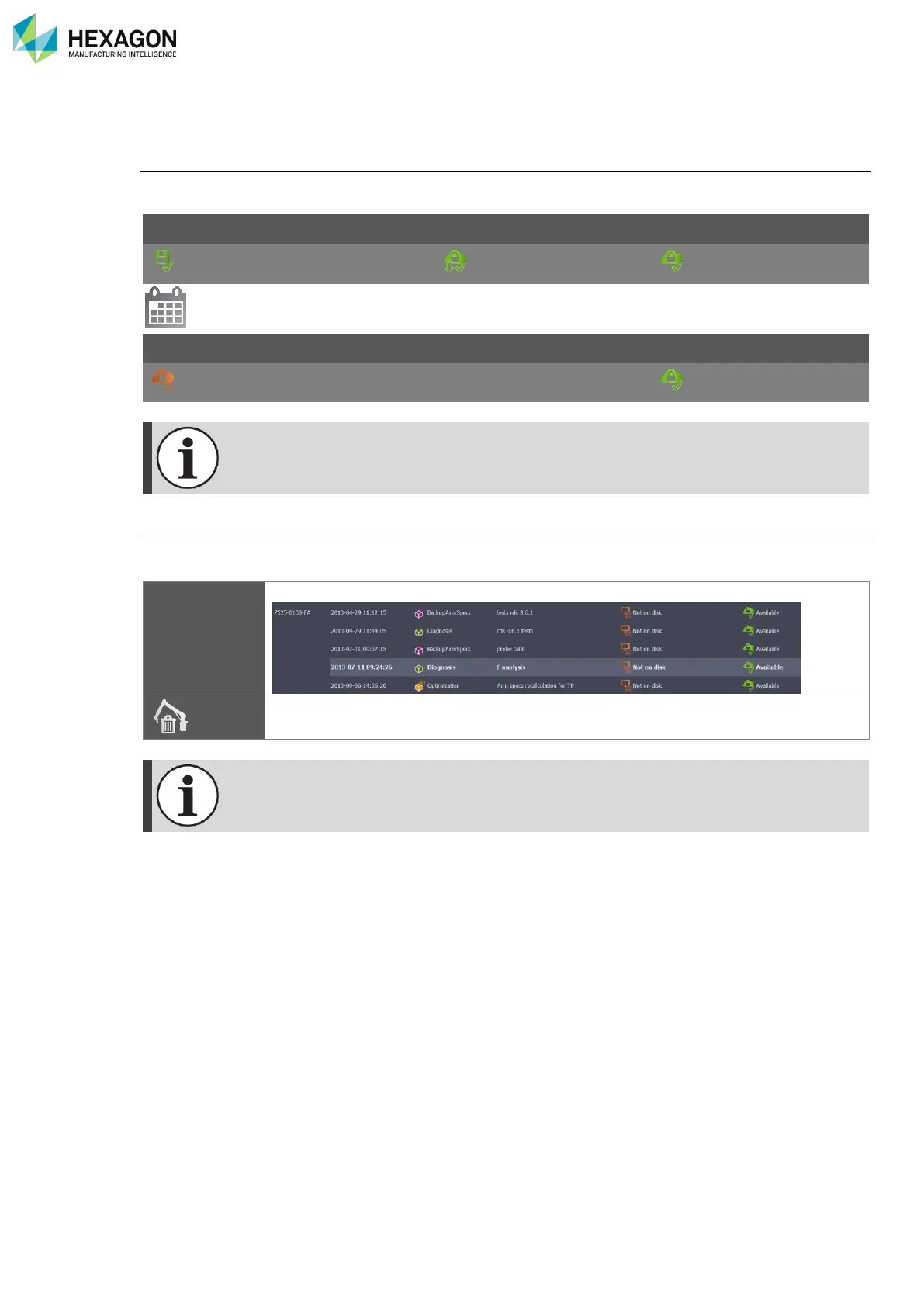
Periodic package removals
By default, the packages “On disk” are automatically removed from the computer after 2 weeks. But they
still remain available in the list of the vault.
Local status
Action status
Online status
On disk
Downloaded
Available
2 weeks later:
Local status
Action status
Online status
Not on disk
Available
Packages are only removed from the local computer, not from HEXAGON SERVER data
base
Manually remove an arm
To clean the list of packages in the Vault, a distant arm can be manually removed from the list.
Select the arm to remove
Remove
Click on “Remove arm”.
A local arm (connected or offline) cannot be removed from the list. RDS automatically
removes it periodically if the arm hasn’t been connected during the period.


Table of Contents

Related product manuals