RDS Control Panel
H000002007-RDS User Manual │Version 5.0.0 (2018-09-17) │42
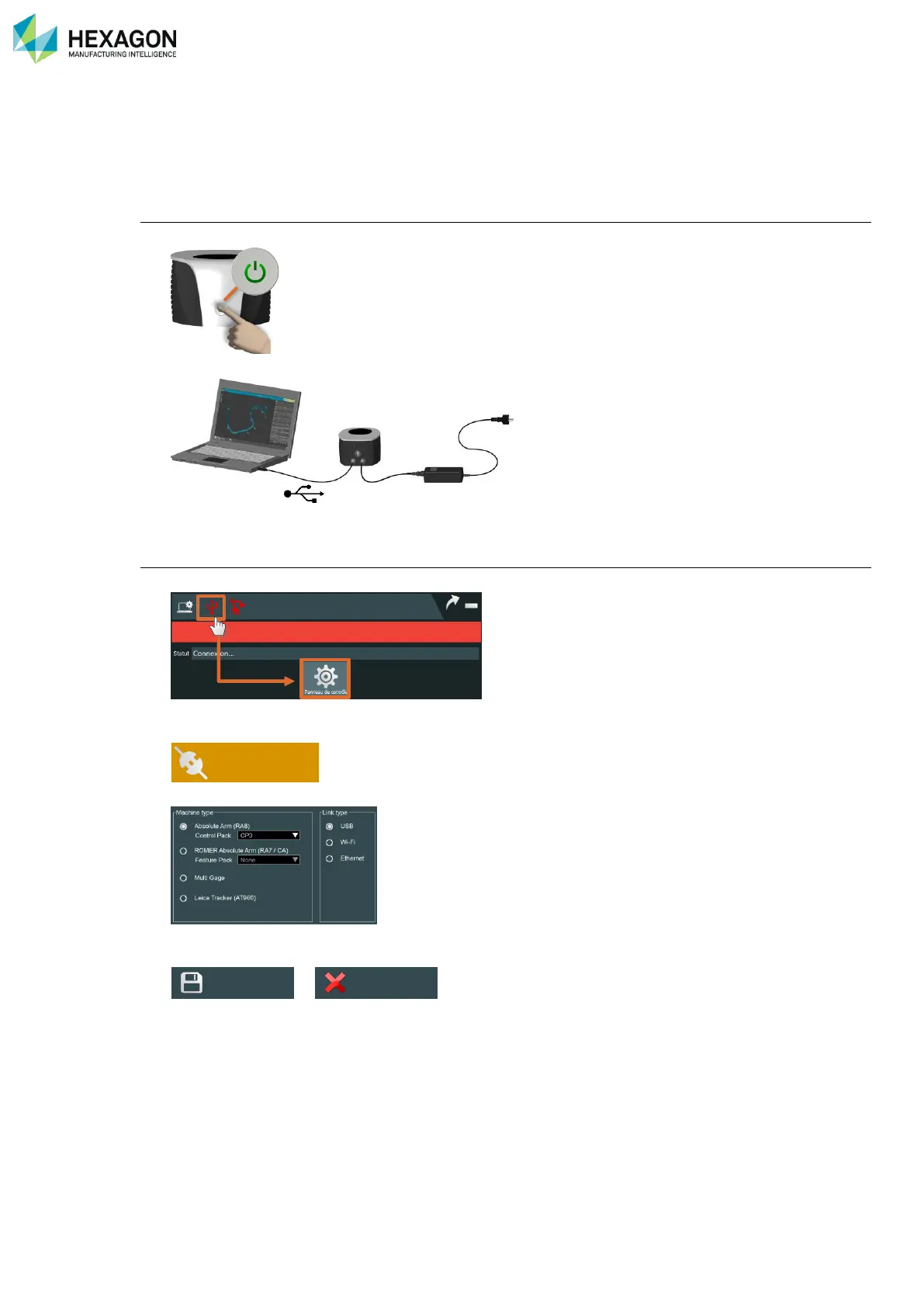
D.2.1 USB CONNECTION (ARM)
Please follow the instruction below to connect RDS to the arm (ROMER Absolute Arm, Cimcore CA7 Arm,
Multi gage, Infinite and Stinger arms) through USB.
Arm setup
1. Power on the arm.
2. Ensure that the USB cable is correctly connected from the arm to the computer
RDS setup
3. Enter RDS Control Panel
4. Select Connection tab
5. Select arm type and USB type
6. Save the modifications.
>
7. Now RDS automatically connects to the arm.
Connection



 To Next Page