RDS Toolbox Maintenance
H000002007-RDS User Manual │Version 5.0.0 (2018-09-17) │172
K.2.1 PROCESS
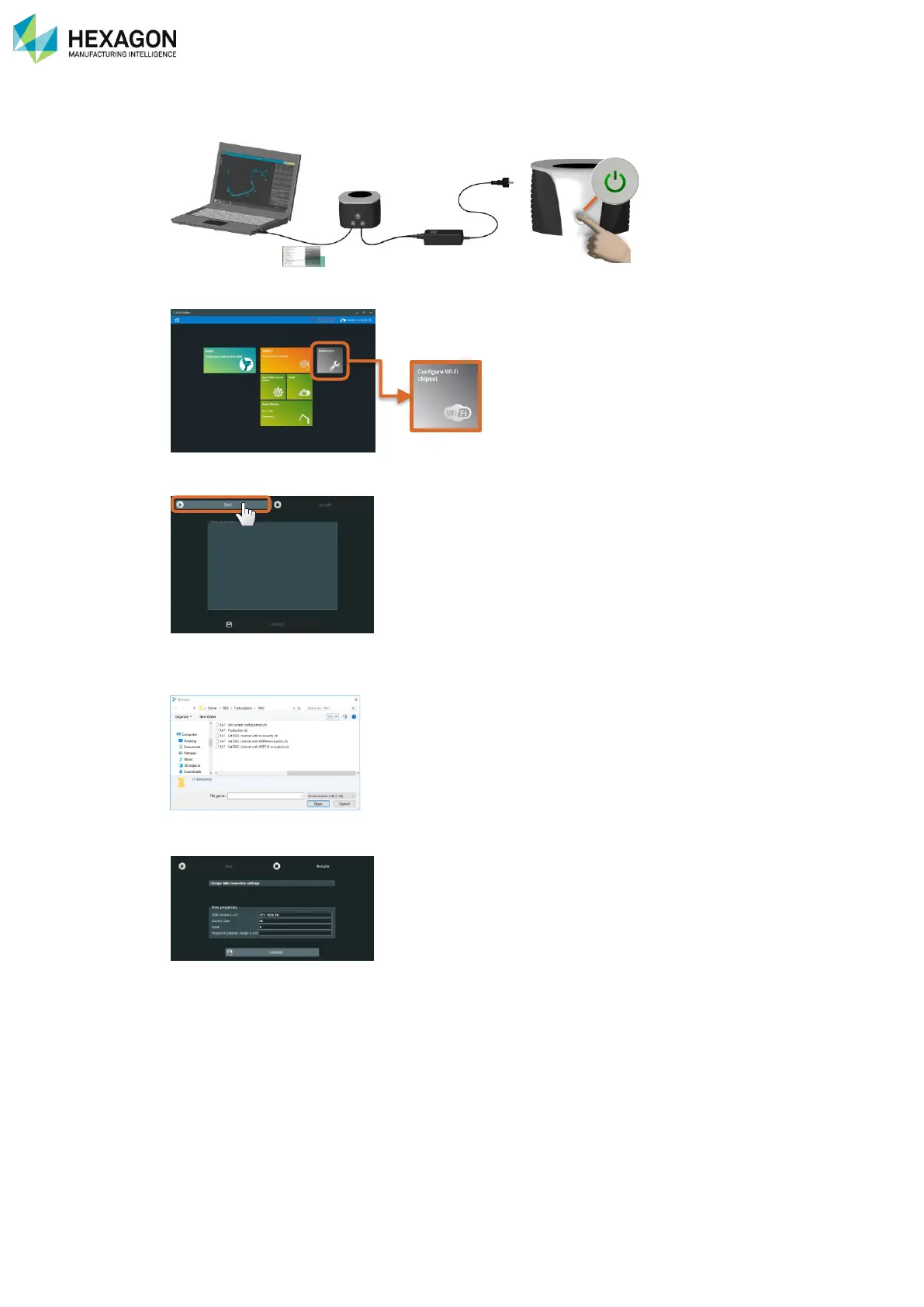
1. Establish the USB connection to the arm.
2. Run RDS Toolbox and select “Configure Wi-Fi Chipset”.
3. Click on “Start”
4. Multi Gage and RA7 only: select the chipset file to use in the browse window (on
C:\Users\Public\Documents\ROMER\RDS\FactorySpecs\Wi-Fi) and validate.
• *.dp for Multi Gage Wi-Fi V1
• *.dp551 for Multi Gage Wi-Fi V2
• *.cb for Absolute Arm (FP2 – FP3)
5. Enter the values for each feature and press “Commit”
6. Switch off then on again to reboot the arm with the new chipset.



 To Next Page