Appendix
H000002007-RDS User Manual │Version 5.0.0 (2018-09-17) │188
M.1.6 ROMOSOFT (GPAD / GTUBE)
Romosoft is not supported by the Absolute Arm (RA8).
Hit Pt /
Start – stop burst points
By default, Romosoft 2.0.6 is configured for RDS: no specific configuration is needed for the
Absolute Arm.
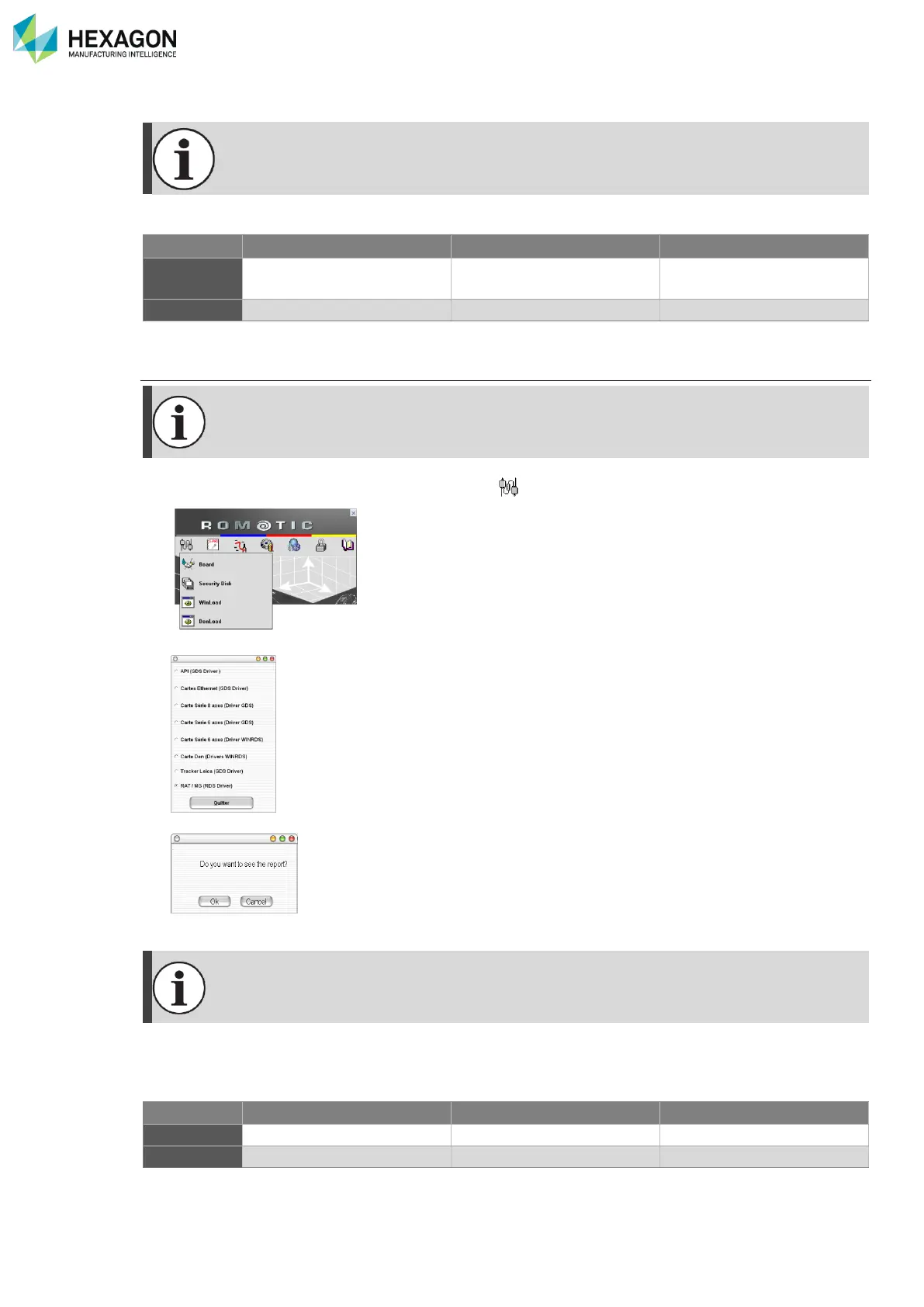
1. In ROMOSOFT toolbar, do a right click on GDS . Then select {Board}
2. The following window will appear: Click on RA7 / MG (RDS Driver)
3. The following window will appear. Click {Cancel}.
4. Then {Exit}.
The remote mouse may not work properly: Romotic application must be deactivated and
manual shortcuts must be created. Ask your local agent for more details.



 To Next Page