RDS Toolbox Vault – secured area
H000002007-RDS User Manual │Version 5.0.0 (2018-09-17) │127
I.4.4 SYNCHRONIZATION
Synchronization of the created packages
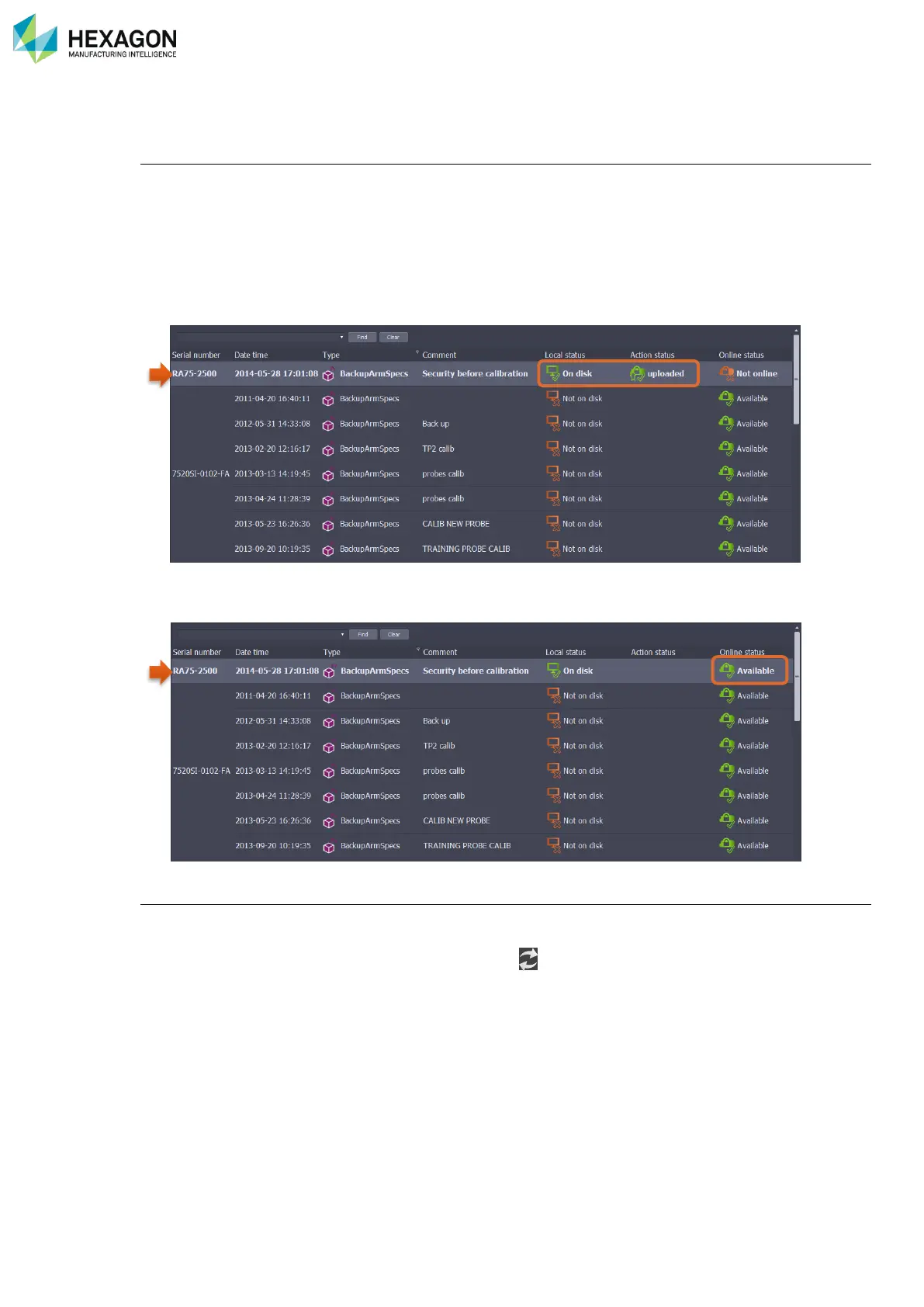
1. Once a package is created, it appears in the list on the vault as “On disk” in the Local status.
2. Forthwith RDS Toolbox tries to synchronize the package with HEXAGON SERVER database.
If the computer is connected on internet, RDS Toolbox uploads the package securely on HEXAGON
SERVER.
If no internet connection is available, the package is kept locally pending for a connection to HEXAGON
SERVER.
The package becomes notified as “Uploaded” in the Action status.
3. After a security check-out, the package becomes available (for any RDS Toolbox user on any
computer).
Synchronization of the list of packages
When a new arm is added to the list of the vault (new connected arm or manually added distant arm), RDS
Toolbox automatically synchronizes the list of available packages with the HEXAGON Server.
In case of a synchronization issue, a “Refresh” button ( ) permits a new manual synchronization.



 To Next Page