RDS Control Panel
H000002007-RDS User Manual │Version 5.0.0 (2018-09-17) │89
D.12.2 HOW TO ADD A NEW FEATURE (ADVANCED USER)
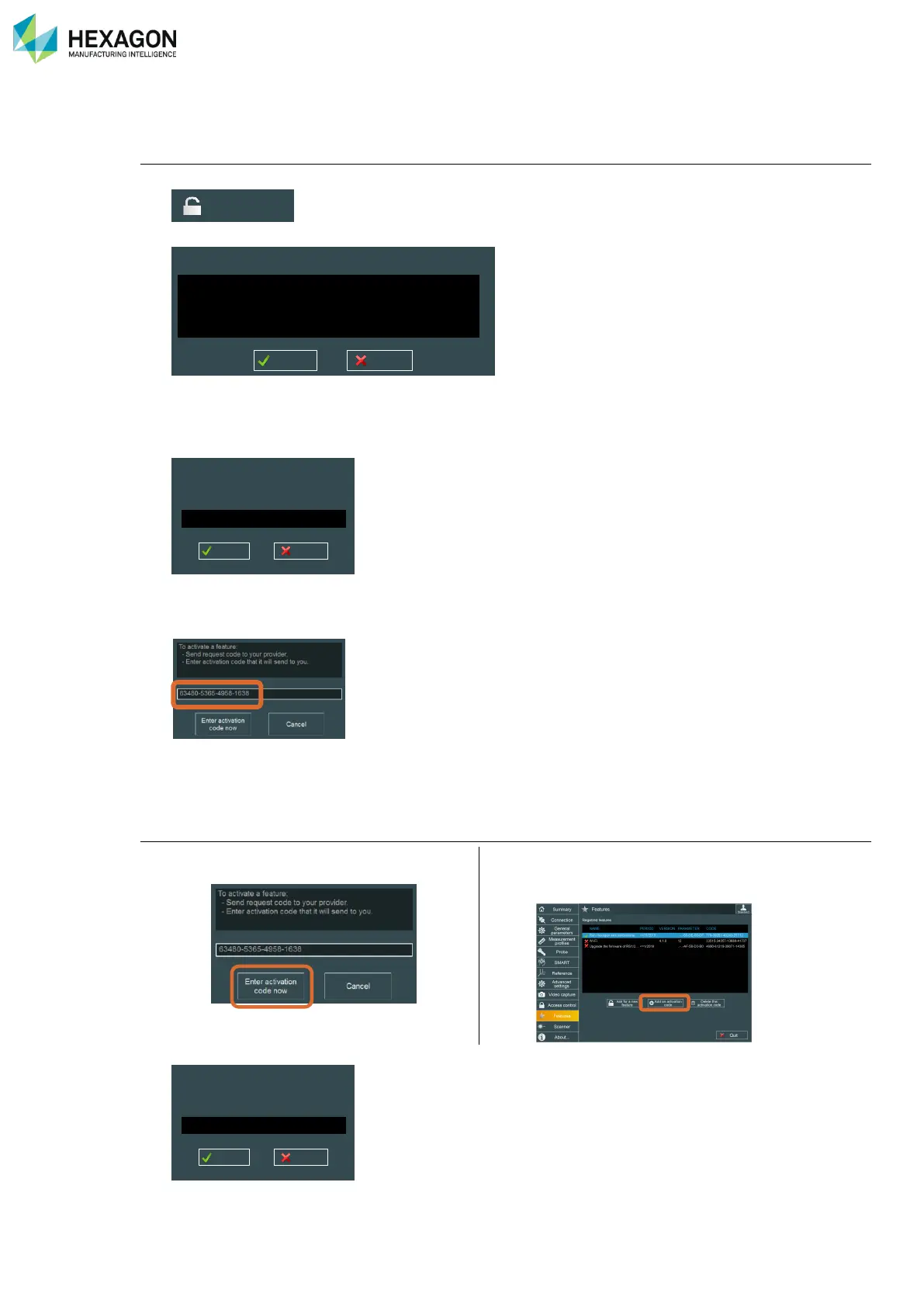
Ask for a new activation code:
1. Click on “Ask for a new feature”:
2. Then a choice of options is proposed:
3. Select the type of feature to add, and then click on “OK”.
4. Following window appears: by default, the serial number of the current connected measuring system
is displayed.
5. Enter Serial number of arm and press OK
6. A request code is given
7. Send the request code to your Hexagon Manufacturing Intelligence contact: give request code (20-digit
code), you’ll then get back activation code.
Enter the activation code
8. Once you have the activation code, click on
“Enter Activation code now”
Wi-Fi
Run single arm calibrations
Upgrade the firmware of a specific RSx
Upgrade the firmware of RS1/2 to RS3 (specific RSx)
To unlock this feature, you need to give arm
Id you want to connect to.



 To Next Page