SMART
H000002007-RDS User Manual │Version 5.0.0 (2018-09-17) │150
J.6 ANALYSE INDICATORS
SMART monitoring is composed by several indicators about all the components of the arm, connection,
computer, use of the system, or accuracy. The global status of those components is graphically displayed
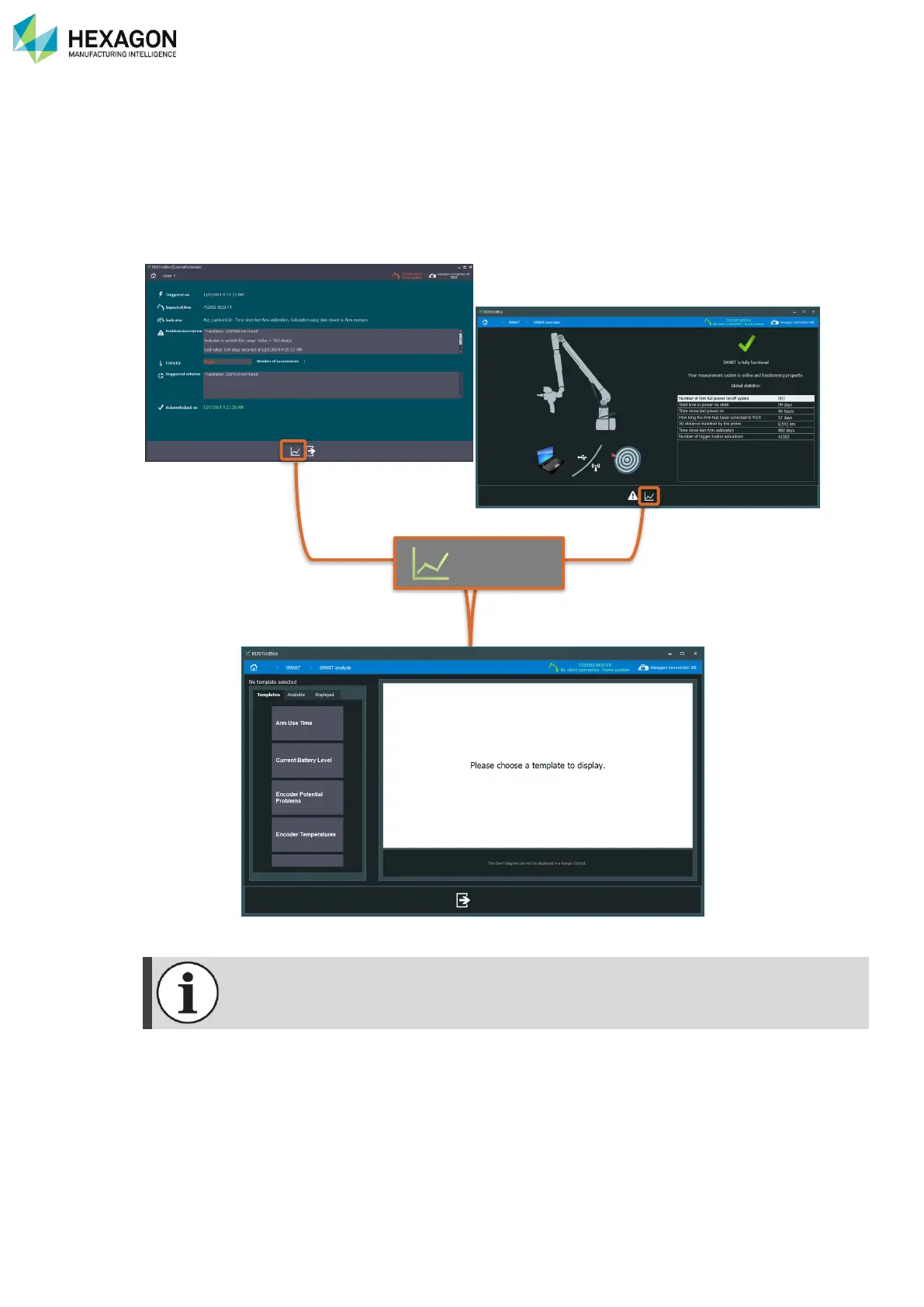
in the SMART overview screen. To go deeper in the analyse of those indicators, a complete panel provides
the display of one or several SMART indicators, their current values and time graph. To give the best
possibilities, the display is customizable.
From the SMART overview panel, or from the details of an alert, click on “Analyse indicators”.
From SMART Overview, ‘Analyse’ panel opens automatically the templates tab.
From Alerts details, ‘Analyse’ panel automatically focuses on the faulty indicator.



 To Next Page