SMART
H000002007-RDS User Manual │Version 5.0.0 (2018-09-17) │148
J.5.2 SMART ALERTS PANEL
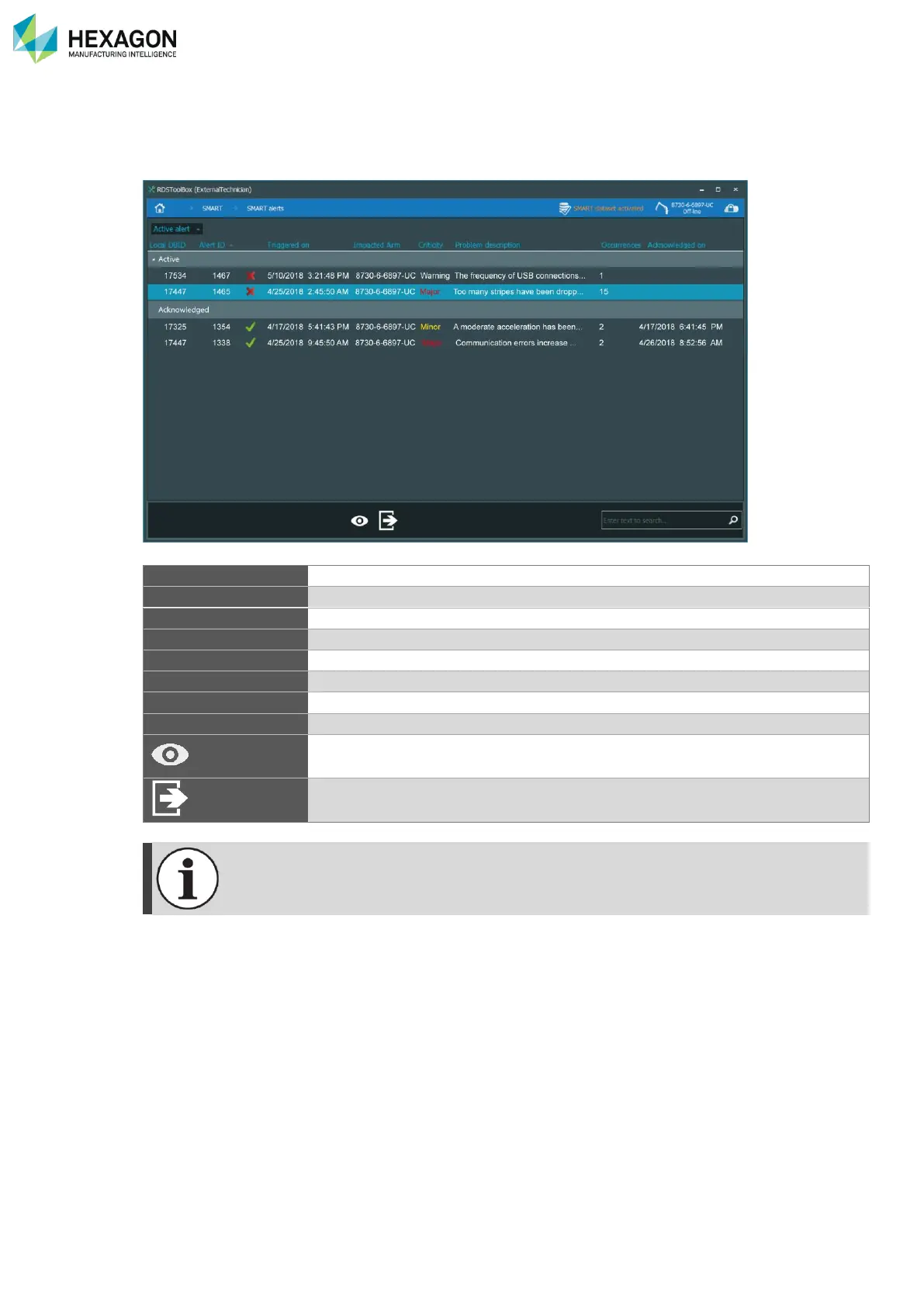
By opening on a notification or through RDS Toolbox > SMART > Display alerts (and select the arm), the
list of all the alerts concerning the selected arm appears:
Button to sort or filter the list by the active or validated status of the alert
Identification number of the alert
Data and time of the alert
(Warning / Major / Critical): importance of the alert. Critical alerts appear in red.
Date and time of validation of an alert
Button to open the full details of the selected alert
Close this panel and return to the SMART overview panel.
The “Warning” criticity does not generate an “alert” (no notification or alert in the SMART
overview panel).



 To Next Page