RDS Agent
H000002007-RDS User Manual │Version 5.0.0 (2018-09-17) │29
C.2 BLUETOOTH
Wireless accessories can be connected to the new Absolute Arm (RA8).
Their connection is managed in the RDS Agent.
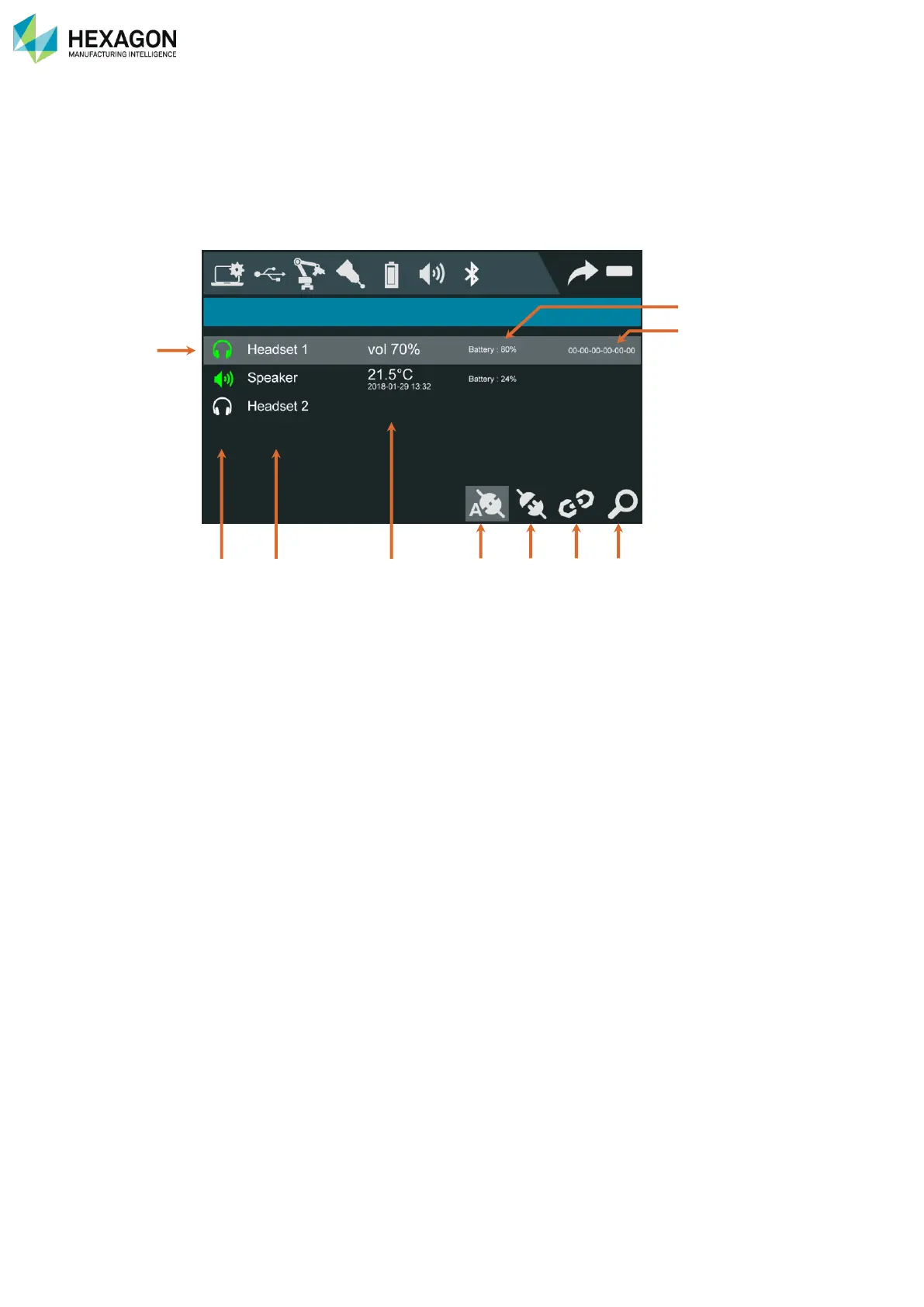
Click on the Bluetooth icon to display the list of available, connected or registered devices.
a. Selected line
b. Type and status
c. Name
d. Current information
e. Battery level
f. Address of the selected device
g. Auto-connection activated (selected device)
h. Connect / disconnect the selected device
i. Unregister the selected device
j. Seek again for new devices



 To Next Page