EasyManua.ls Logo

Hexagon RDS - J.6.2 Use a Template; Use a Template

Hexagon RDS
208 pages
Print Icon
To Next Page IconTo Next Page
To Previous Page IconTo Previous Page
Loading...
SMART
H000002007-RDS User Manual Version 5.0.0 (2018-09-17) 152
J.6.2 USE A TEMPLATE
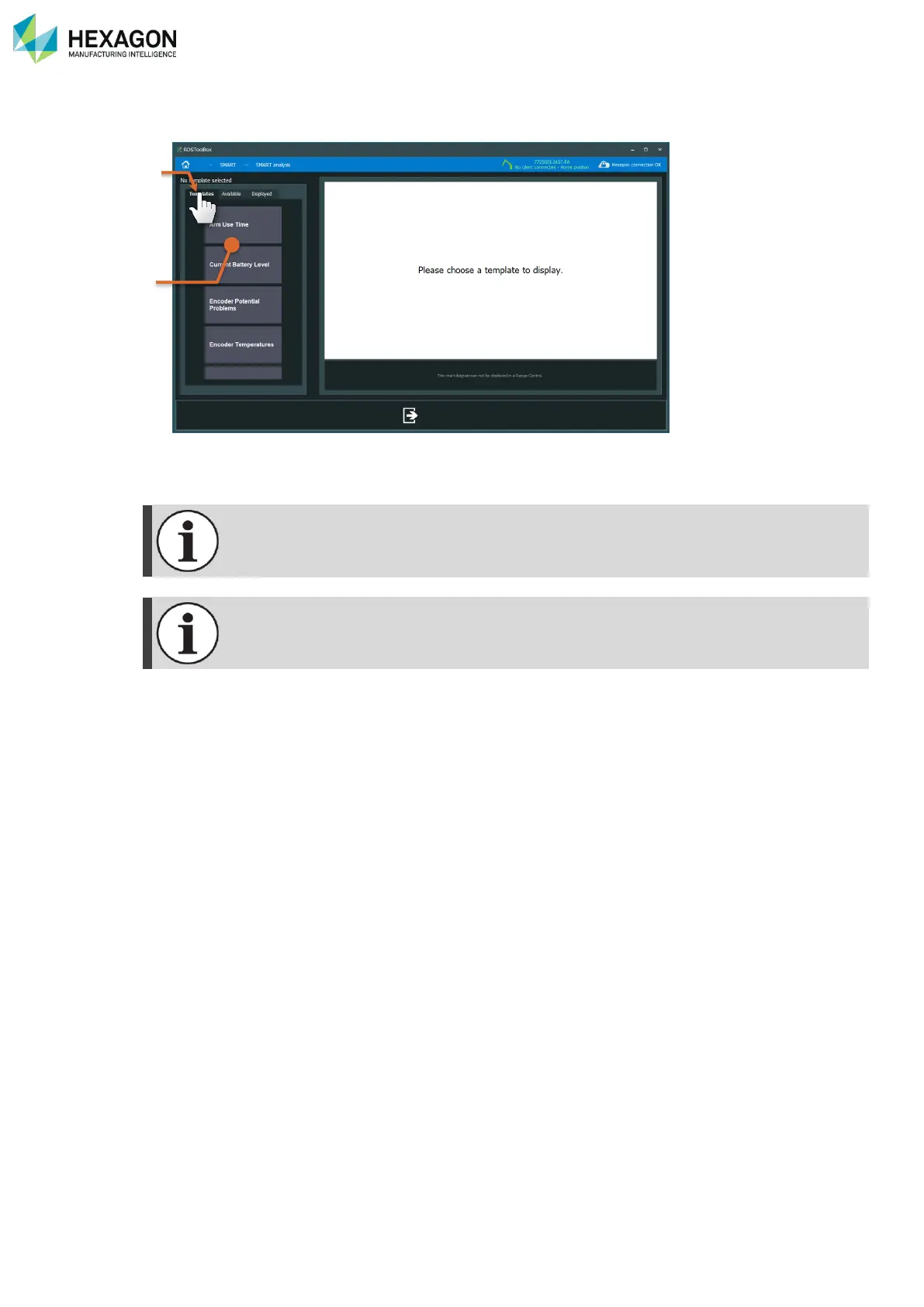
When arriving in the SMART analysis panel, templates are proposed.
When installed, RDS Toolbox provides default predefined templates, which represent useful indicators.
To use them, simply select the tab “Templates” (a) and click on the graph to display it (b).

If one or several graphs were already displayed, the whole view is overwritten with the new
graph from the template.
It is possible to get more templates. Ask your Service Centre.
b
a

Table of Contents

Related product manuals