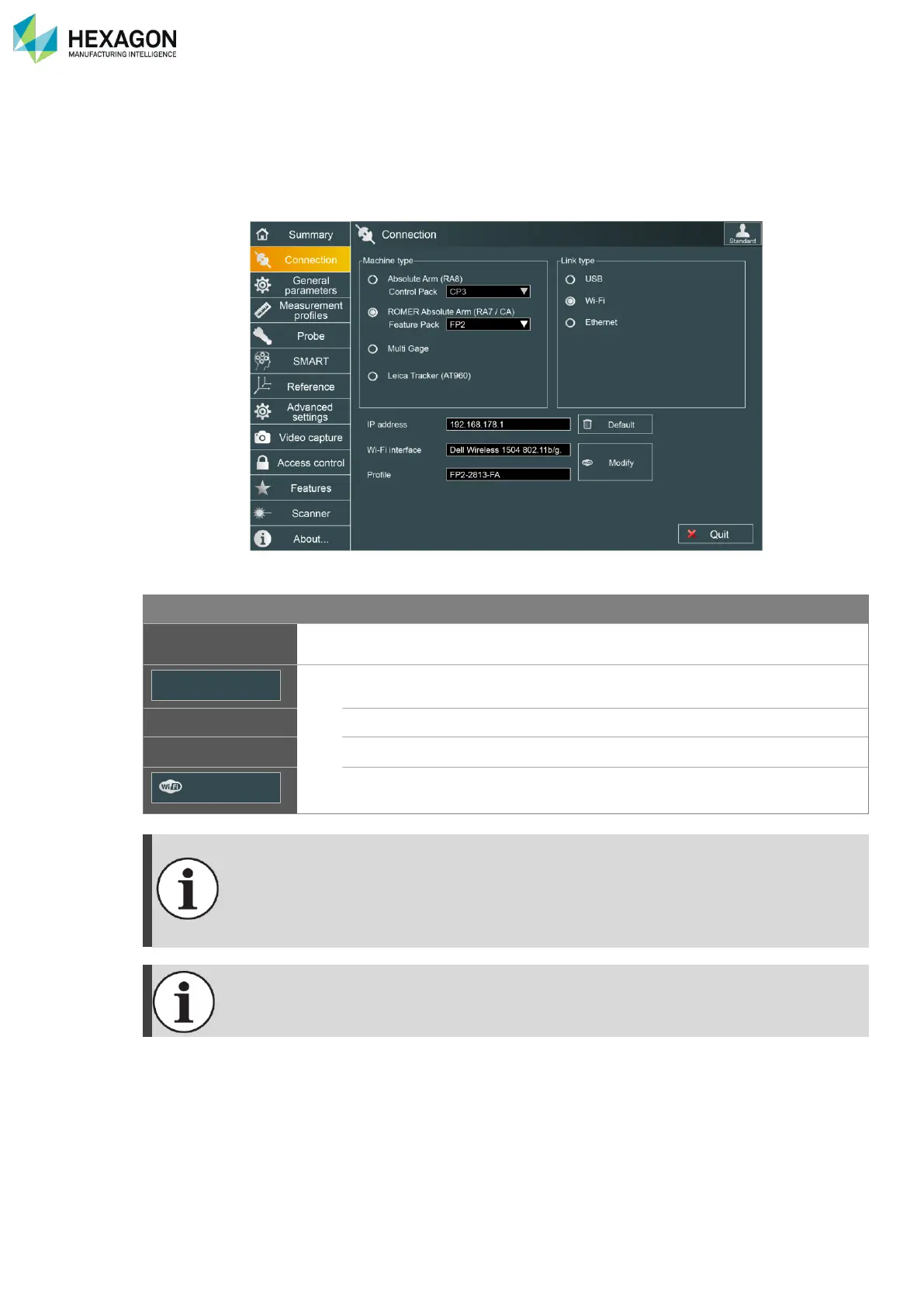
RDS Control Panel
H000002007-RDS User Manual │Version 5.0.0 (2018-09-17) │43
D.2.2 WLAN SETTINGS (ARM)
The link type “Wi-Fi” (WLAN) is available only if the appropriate Feature/Control Pack is selected or if
Multi Gage (with a valid activation code) is selected).
When Wi-Fi link type is selected, Wi-Fi settings become available:
Area to enter the IP address of the machine
Changes back the IP address to the default one according to the machine.
Displays the selected Wi-Fi interface
Displays the selected Wi-Fi Windows
®
profile
Opens the configuration window to select the Wi-Fi interface and the
Machine network.
Wi-Fi connection to FP2 and FP3 (Ad-Hoc mode) under Windows10 require extended
settings of the Wi-Fi device. Most computers cannot provide such settings.
Hi-Level external USB-Wi-Fi adapters may be used to connect FP2 / FP3 to Windows10.



 To Next Page