EasyManua.ls Logo

Hexagon RDS - Page 45

Hexagon RDS
208 pages
Print Icon
To Next Page IconTo Next Page
To Previous Page IconTo Previous Page
Loading...
RDS Control Panel
H000002007-RDS User Manual Version 5.0.0 (2018-09-17) 44
Wi-Fi Network connection (FP2 / FP3)
To connect the arm Wi-Fi network, it is not necessary to enter Windows
®
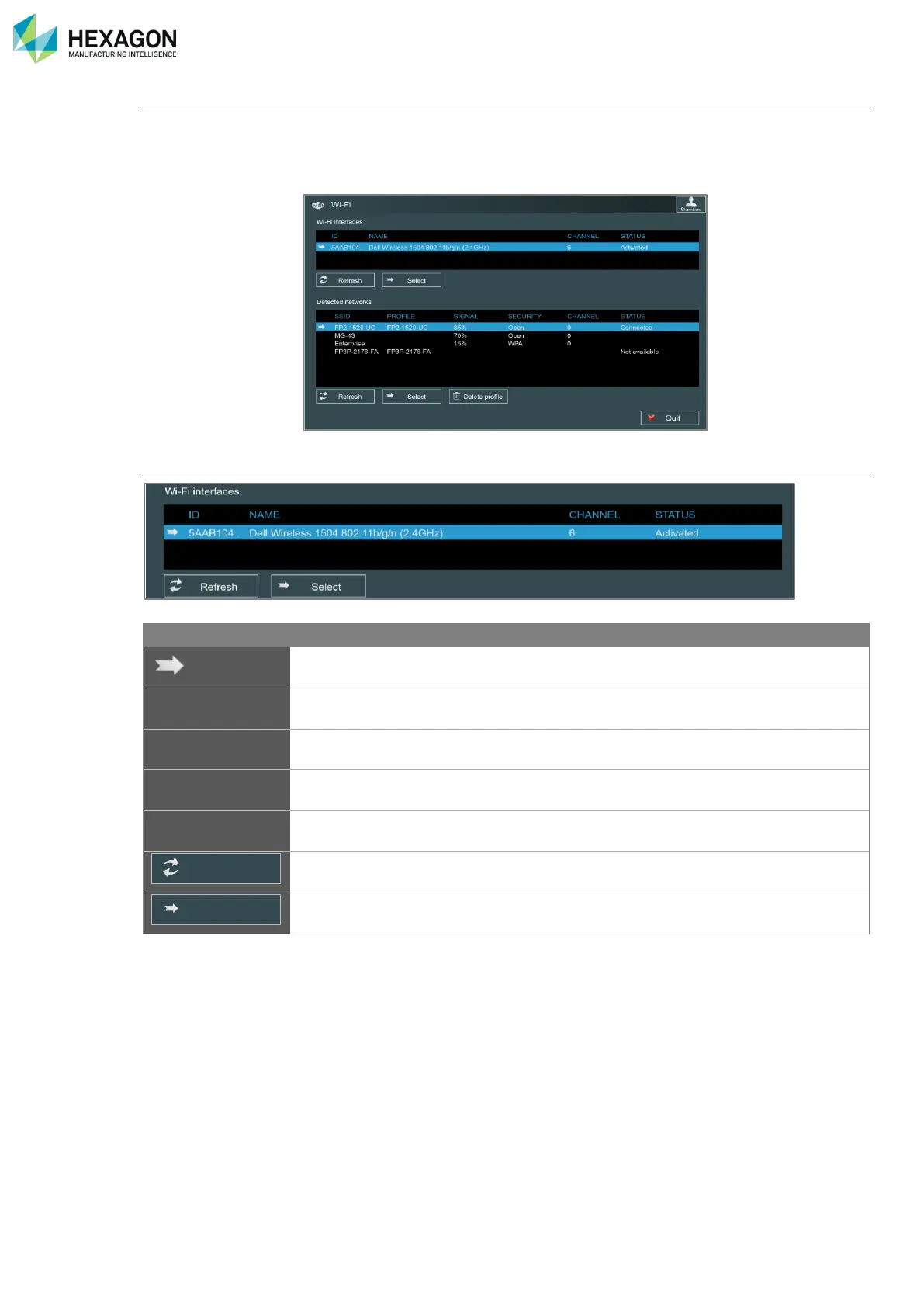
Wi-Fi configuration: RDS can
manage itself the Absolute Arms and Multi Gages Wi-Fi networks and profiles:
Select “Modify” button, to access to the following window:
Wi-Fi interfaces

Information
Description
Value
Selected interface
Name
Displays all available Wi-Fi interface devices
ID
Identification code of the interface
Channel
Wi-Fi channel currently used by the interface.
Status
Displays the connection status of each interface
Connected
Disconnected
Button to refresh the list of available interfaces
Button to validate the choice of the selected interface
Refresh
Select

Table of Contents

Related product manuals