RDS Control Panel
H000002007-RDS User Manual │Version 5.0.0 (2018-09-17) │45
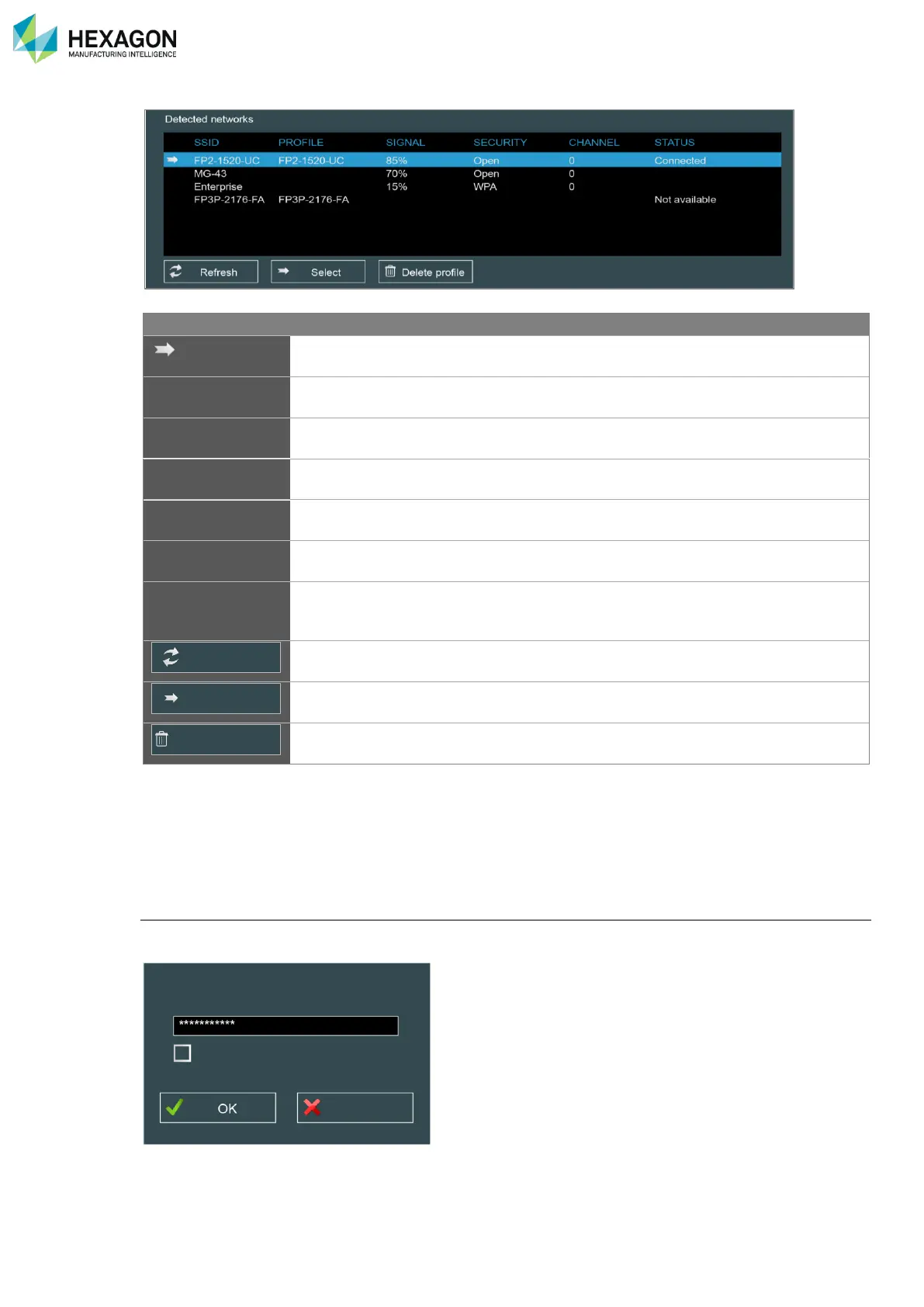
Displays all available Ad-Hoc Wi-Fi networks
Shows the associated Windows® Wi-Fi profile when
existing
Strength of the Wi-Fi signal
Wi-Fi channel currently used by the network.
Displays the connection status of each network
Connected
Disconnected
Not Available
Button to refresh the list of available networks
Button to validate the choice of the selected network
Button to delete the existing profile
If the computer has several Wi-Fi devices, choose the one that must be used to connect to the arm and
click on “Select”.
RDS checks then scans all the Wi-Fi networks recognized as an arm network and displays them in the list.
Select the one fitting to the feature pack of the arm or to the Multi Gage and click on “Select”: RDS
automatically creates a profile in Windows
®
and connects the computer to the selected network.
Wep key
According to the settings of the Wi-Fi network, a Wep key may be requested for the first connection: enter
the key in the request window.



 To Next Page