RDS Control Panel
H000002007-RDS User Manual │Version 5.0.0 (2018-09-17) │37
D. RDS CONTROL PANEL
RDS control panel is the interface to manage the instrument settings.
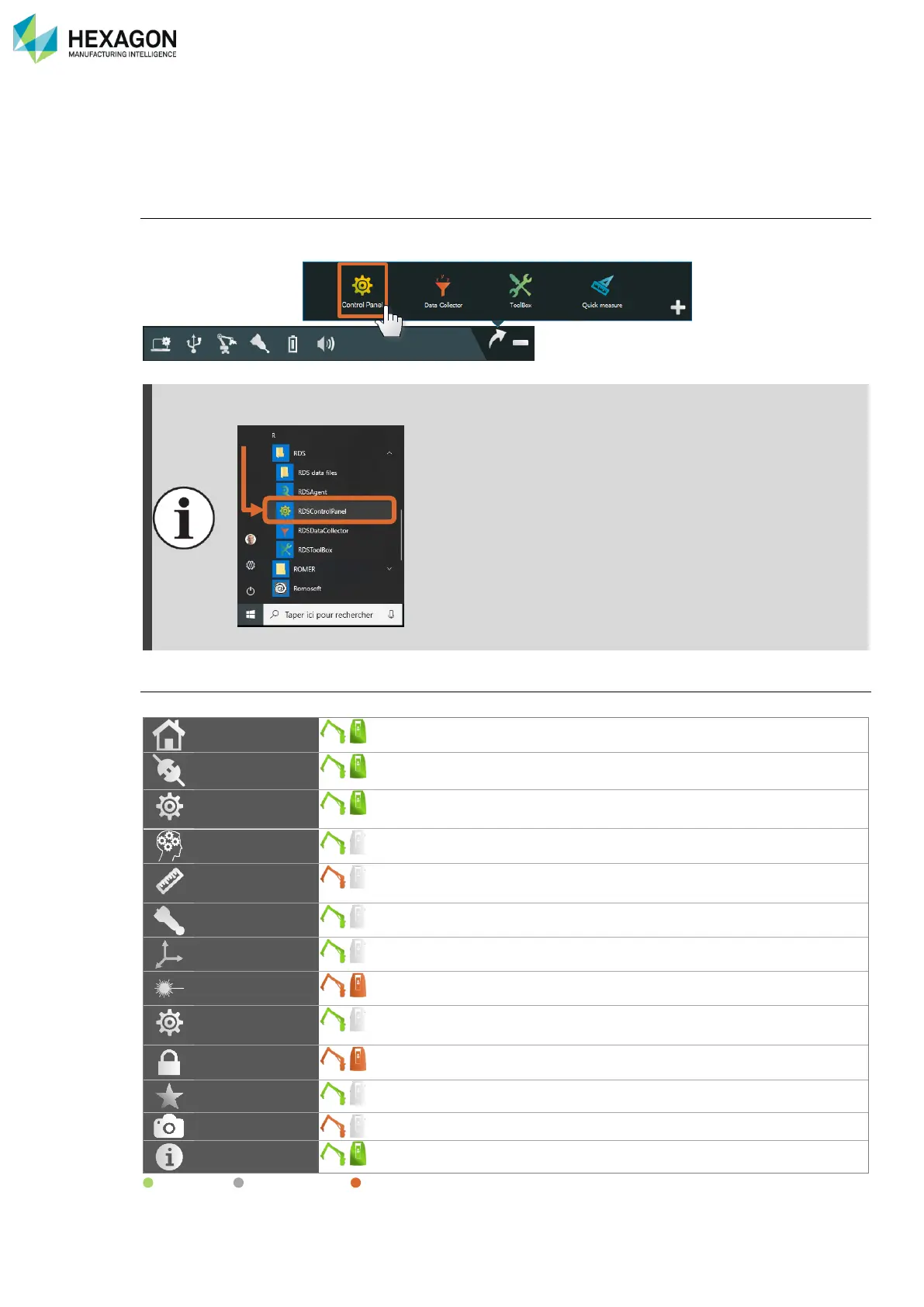
Open RDS Control Panel
To access RDS Control Panel, open the RDS Agent (RDS icon on the notification bar) and select “RDS
Control Panel” in the links.
RDS Control Panel can be also opened from “start menu > Programs > RDS > RDS control
Panel”
Fig. 1 : RDS Control Panel start Menu Windows
®
Components of RDS Control Panel
RDS Control Panel is divided in several tabs, available or not according to the connected machine:
Shows the status of the machine
Used to setup the connection with the machine
Privacy statement and activation of SMART functionalities
Used to activate and manage Arm profiles when available
Shows current probe and available probes settings
Allows moving the device keeping the original reference
Available when a HEXAGON scanner is connected
Various settings on arm for the buttons, mouse…
Definition of the passwords for the User profiles
Management of the activation codes for protected features
(On equipped arms): management of the wrist camera
Information on the system.
Available / Not available / Under condition



 To Next Page